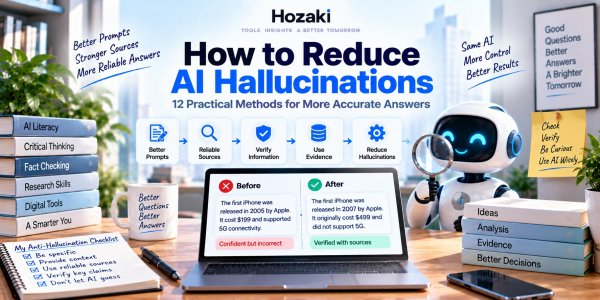
You probably can't make a generative AI system never hallucinate.
But you can make it much harder for bad information to slip through unnoticed.
That's an important distinction.
A lot of advice about AI hallucinations focuses on finding the "perfect prompt" that somehow forces ChatGPT, Claude, Gemini or another AI assistant to always tell the truth.
That prompt doesn't exist.
A better approach is to build a workflow that improves grounding, gives the AI better evidence, reduces unnecessary guessing and verifies important claims before you use them.
In this guide, we'll walk through 12 practical ways to reduce AI hallucinations—from simple prompting changes anyone can use to retrieval, source restrictions and verification workflows for more serious research.
Quick Answer: How Can You Reduce AI Hallucinations?
To reduce AI hallucinations:
- Make your question specific.
- Provide enough context.
- Tell the AI not to guess.
- Ask it to check your assumptions.
- Give it reliable source material.
- Restrict answers to supplied sources when appropriate.
- Ask for evidence behind important claims.
- Separate facts from interpretation.
- Break complex tasks into smaller steps.
- Use search or retrieval for current information.
- Verify high-risk claims independently.
- Ask the AI to challenge its own answer.
None of these methods guarantees perfect accuracy.
Together, however, they create a much stronger workflow.
First: Understand What You're Trying to Fix
Before trying to reduce hallucinations, distinguish between several different problems.
Hallucination
The AI generates unsupported or fabricated information.
Outdated Information
The answer may once have been correct but is no longer current.
Reasoning Error
The underlying facts may be correct, but the AI draws the wrong conclusion.
Retrieval Error
The system searches for or retrieves the wrong information.
User Error
The prompt itself contains incorrect assumptions or insufficient context.
These problems can look similar in the final answer.
But they don't always require the same fix.
If you want the underlying causes first, read Why Does AI Hallucinate?
For a clearer explanation of hallucinations, common examples, and warning signs, read AI Hallucinations Explained.
1. Make Your Question More Specific
Ambiguity creates room for guessing.
Consider:
Tell me about Gemini.
That could mean:
- Google's AI assistant
- Gemini models
- Gemini cryptocurrency exchange
- The zodiac sign
- NASA's Gemini program
Compare that with:
Explain Google's Gemini AI assistant and how it differs from the Gemini model family.
Much less ambiguity.
Add the Missing Dimensions
Depending on the question, specify:
Entity
Exactly who or what?
Date
Current information or historical?
Geography
Which country or region?
Version
Which software/model version?
Source
Should the answer rely on a specific document?
Goal
What are you actually trying to decide?
The less the model has to infer, the fewer opportunities it has to infer incorrectly.
2. Give the AI Enough Context
Suppose you ask:
Why did revenue fall?
The AI doesn't know:
- Which company
- Which quarter
- Which geography
- Which product
- Which financial report
If previous context isn't sufficient, the model may make assumptions.
Instead:
Based on Company X's FY2025 annual report, explain the three largest factors management identified for the decline in European revenue. Don't introduce explanations that aren't supported by the report.
Now the task has boundaries.
Context Is Especially Important for Documents
If you're asking about a PDF, explain what you want from it.
For example:
I'm evaluating this company as a competitor. Analyze the attached report specifically for pricing strategy, customer growth, product investment and stated risks.
This is much stronger than:
Summarize this.
3. Tell the AI Not to Guess
This sounds almost too simple.
But it's useful.
Add:
If you cannot verify something, say that you cannot verify it rather than guessing.
Or:
If the evidence is insufficient, label the answer uncertain.
This gives the model an acceptable outcome besides producing a definite answer.
Avoid Prompts That Force Fabrication
Bad:
Give me exactly 20 scientific studies proving this.
What if only eight relevant studies exist?
Better:
Find relevant studies investigating this question. Don't assume the conclusion is true, and don't invent additional studies to reach a specific number.
Your prompt shouldn't reward the AI for manufacturing completeness.
4. Ask AI to Check Your Premise First
Sometimes the hallucination begins in your question.
Suppose you ask:
Why did Apple release the iPhone in 2005?
If the AI accepts the premise, the rest of the answer can go badly.
Instead ask:
Before answering, check whether the assumptions in my question are factually correct. Correct any false premise first.
This is particularly useful for:
- Historical questions
- Research claims
- Technical questions
- Product comparisons
- Current events
A Reusable Prompt
First identify any assumptions in my question. Verify those assumptions before answering the main question.
Now the AI has an explicit premise-checking stage.
5. Give AI Reliable Sources
One of the strongest ways to reduce unsupported generation is to provide the evidence you want the model to use.
For example:
- Annual report
- Research paper
- Government report
- Documentation
- Dataset
- Policy document
- Meeting transcript
Then ask questions about that material.
This changes the task from:
Tell me what you know about X.
to:
Analyze this evidence about X.
That's often a much better research environment.
But Uploaded Sources Don't Guarantee Accuracy
The AI can still:
- Misread tables
- Miss footnotes
- Misinterpret charts
- Confuse sections
- Infer missing information
So source grounding reduces risk.
It doesn't remove the need for verification.
For a document-specific workflow, see How to Summarize Any PDF With AI Without Missing the Important Parts.
6. Restrict the Answer to the Provided Evidence
This is especially useful when working with research papers, contracts, reports or internal documents.
Try:
Answer only from the sources I've provided. Do not use outside knowledge. If the answer isn't present in the sources, say "Not available in the supplied material."
Now you've created a clear boundary.
Why This Helps
Imagine the report contains:
- U.S. revenue
- European revenue
- Asian revenue
but doesn't contain:
- Revenue for Japan specifically
If you ask:
What was Japan's revenue?
the model should not infer a number from the broader Asian figure.
Source restriction gives it explicit permission to say:
Not available.
7. Ask for Evidence, Not Just an Answer
Compare:
How fast is this market growing?
with:
How fast is this market growing? For every growth figure, provide the original source, measurement period, geography and whether the number is historical data or a forecast.
The second prompt makes unsupported numbers harder to hide.
Ask for Primary Sources
Try:
Prioritize original datasets, official reports, research papers and company filings rather than articles that repeat the same claim.
This is especially useful for:
- Statistics
- Financial data
- Scientific claims
- Product information
- Regulation
AI research becomes stronger when you can trace:
claim → evidence → original source
8. Separate Facts From Interpretation
This is one of the most useful techniques in the entire guide.
Ask:
Put source-supported facts and your interpretation in separate sections.
For example:
Source-Supported Fact
Company revenue increased 28% year over year.
Interpretation
The business appears to be growing rapidly.
Unsupported Conclusion
The company is taking market share from every competitor.
Those statements aren't equivalent.
The first may be directly documented.
The second is reasonable analysis.
The third requires additional evidence.
Use a Table
| Statement | Type | Evidence |
|---|---|---|
| Revenue increased 28% | Fact | Annual report |
| Growth appears strong | Interpretation | Based on revenue |
| Company leads market | Unverified | More evidence needed |
This forces the reasoning chain into the open.
9. Break Complex Questions Into Smaller Tasks
Suppose you ask:
Research the global AI market, identify the biggest companies, compare their products and prices, calculate market share, predict future winners and write a report with citations.
That's a lot of failure opportunities in one prompt.
Break it apart.
Step 1
Define the market.
Step 2
Find authoritative market data.
Step 3
Identify companies.
Step 4
Verify current products.
Step 5
Verify pricing.
Step 6
Compare evidence.
Step 7
Write the report.
Now errors are easier to detect.
Think of AI Research as a Pipeline
Don't use:
Prompt → Final Answer
Use:
Plan → Search → Evidence → Verification → Analysis → Output
That's the same principle behind our How to Use AI for Research workflow.
10. Use Search or Retrieval for Current Information
AI knowledge can become outdated.
This matters particularly for:
- Software prices
- AI models
- Product features
- Company executives
- Regulations
- News
- Sports
- Financial results
When current information matters, use an AI system capable of accessing up-to-date sources—or independently search for the information yourself.
Current Source First
For example, if you're checking ChatGPT pricing:
Don't ask only:
How much does ChatGPT cost?
Use the current official pricing information.
For a software feature:
Use current documentation.
For financial results:
Use the company's latest filing.
Search Still Needs Verification
Browsing doesn't magically eliminate hallucinations.
AI can still misread the page.
So:
current source + correct interpretation
are both required.
11. Verify High-Risk Claims Independently
Not every AI output deserves the same amount of checking.
You don't need to verify every brainstorming idea.
But some claims should trigger immediate verification.
Statistics
Check the original dataset.
Quotes
Find the original statement.
Academic Citations
Verify the paper exists.
Medical Claims
Use authoritative medical information and appropriate professional guidance.
Legal Claims
Check the applicable jurisdiction and current authoritative sources.
Financial Information
Verify against appropriate current primary sources.
Software Pricing
Open the current pricing page.
Product Features
Check official documentation.
The rule is:
The higher the consequence of being wrong, the stronger the verification should be.
For a complete checking process, see How to Fact-Check AI Answers.
12. Ask AI to Challenge Its Own Answer
Most users ask AI to support the first answer it generated.
Do the opposite.
After receiving an answer, ask:
What are the three weakest claims in your answer?
Then:
Which claims depend on assumptions rather than direct evidence?
Then:
Find evidence that could contradict your conclusion.
Then:
What would make this answer wrong?
This can reveal gaps that a straightforward summary hides.
Don't Confuse Self-Critique With Verification
The AI challenging itself is useful.
It still isn't independent evidence.
Use self-critique to discover what needs checking.
Use sources to actually check it.
Does Asking AI for Sources Reduce Hallucinations?
It can improve traceability.
But simply having citations doesn't make an answer correct.
A citation can be:
- Fabricated
- Real but irrelevant
- Outdated
- Misinterpreted
- Attached to the wrong claim
So the correct workflow is:
AI provides source
↓
Open source
↓
Find relevant passage
↓
Compare passage with claim
↓
Keep, qualify or reject claim
Never stop at:
It has citations, so it's reliable.
Does RAG Reduce AI Hallucinations?
Often, yes.
RAG—retrieval-augmented generation—can ground an AI response in retrieved documents or data.
A simplified workflow is:
Question
↓
Retrieve relevant material
↓
Give material to model
↓
Generate answer
This can reduce reliance on unsupported internal generation.
But RAG introduces its own failure points.
Retrieval Can Be Wrong
The system finds the wrong document.
Retrieval Can Be Incomplete
The relevant information isn't retrieved.
Documents Can Conflict
Different sources disagree.
Generation Can Still Fail
The AI misreads correct evidence.
So RAG should be thought of as:
a hallucination-reduction technique
not:
a hallucination-elimination switch.
Does Web Browsing Reduce Hallucinations?
Web browsing can help significantly when the problem is missing or outdated information.
But browsing adds another chain:
Search query → search results → source selection → source interpretation → answer
Any stage can fail.
For example, AI might retrieve a pricing page from 2024 even though the product changed in 2026.
Or it might use a third-party comparison when an official source exists.
Browsing works best when paired with:
- Source quality rules
- Freshness checks
- Primary-source preference
- Claim verification
Can Prompt Engineering Eliminate Hallucinations?
No prompt guarantees factual correctness.
Prompt engineering can help by:
- Reducing ambiguity
- Adding context
- Allowing uncertainty
- Restricting sources
- Requiring evidence
- Structuring reasoning
But the underlying model can still make mistakes.
Think of prompts as risk controls, not truth guarantees.
Does "Think Step by Step" Stop Hallucinations?
Not necessarily.
Breaking a task into smaller logical stages can improve some complex reasoning tasks.
But a detailed reasoning process built on a false fact is still wrong.
For factual tasks, evidence grounding is usually more important than simply asking for more reasoning.
Instead of:
Think harder.
try:
Identify the factual claims required to answer this question and verify them against authoritative sources before drawing a conclusion.
That's a much better research instruction.
Can Lower Temperature Stop AI Hallucinations?
Lower randomness can make output more deterministic in systems where such settings are available.
But deterministic doesn't mean factual.
A model can produce the same wrong answer every time.
Hallucination can result from:
- Missing information
- Bad retrieval
- False premises
- Incorrect reasoning
- Source conflicts
Temperature alone doesn't solve those problems.
How to Reduce ChatGPT Hallucinations
For everyday ChatGPT use, try this workflow.
Before the Answer
Provide:
- Clear question
- Context
- Date requirements
- Relevant sources
Then say:
Don't guess. If reliable evidence is unavailable, say so.
During Research
Ask:
Show the source behind each important factual claim.
After the Answer
Ask:
Which claims in this answer should I independently verify?
Then verify the important ones yourself.
This workflow is much stronger than repeatedly asking:
Are you sure?
How to Reduce AI Hallucinations in Research
Research needs a stricter process.
Use:
Research question
↓
Research plan
↓
Source discovery
↓
Original sources
↓
Evidence extraction
↓
Verification
↓
Contradictory evidence
↓
Synthesis
↓
Writing
This keeps AI from becoming both:
the source of the claim
and
the judge of whether the claim is correct.
For tools designed around research workflows, see Best AI Research Tools.
For specialized academic workflows, explore our Best AI Literature Review Tools guide.
How to Reduce AI Hallucinations When Reading PDFs
Use instructions such as:
Answer only from this PDF.
Quote or identify the section supporting each conclusion.
If the document doesn't contain the answer, say so.
Do not infer missing numerical values.
Then verify:
- Tables
- Charts
- Footnotes
- Dates
- Units
PDF AI is useful for navigation.
The original document remains the evidence.
Compare document-focused products in our Best AI Tools for PDFs guide.
How to Reduce Fake AI Citations
Use this workflow for every important academic citation.
Search the Exact Title
Does it exist?
Verify Authors
Correct people?
Verify Publication
Real journal or conference?
Verify Year
Correct date?
Verify DOI
Does it resolve?
Open the Source
Can you access the original?
Check the Claim
Does the source actually support what AI said?
Don't let perfect APA formatting trick you.
Formatting is easy to generate.
Evidence is what matters.
How to Reduce Hallucinations in AI-Generated Content
If you're using AI for SEO, blogs or professional publishing, add a Claims Audit before publication.
Search the draft for:
- Numbers
- Dates
- Quotes
- Studies
- Product features
- Prices
- Company facts
- Superlatives
Then classify each:
Example: An Editorial Claims Audit
The following is a hypothetical audit showing how to classify claims before publication.
| Draft Claim | Evidence Required | Review Status | Editorial Action |
|---|---|---|---|
| A product costs $19 per month | Current official pricing page, including plan and billing terms | Not checked | Verify before publishing |
| A platform is used by two million companies | Original company disclosure or independently documented data | Unverified | Remove or qualify |
| A study found a 35% improvement | Identifiable original study, methodology, and relevant result | Not checked | Verify the paper and exact figure |
| A product is the best tool on the market | Defined comparison criteria and supporting evidence | Unsupported | Replace with a narrower, evidence-based claim |
These are illustrative claims, not verified real-world findings.
A claim should receive a "Verified" status only after the supporting source has been inspected and the statement has been checked against the relevant evidence.
For important publications, record the source URL or document identifier, evidence location, verification date, and final editorial decision.
This is especially important for AI-generated software comparisons because product information changes quickly.
A Practical Anti-Hallucination Prompt Template
Use this as a starting point:
Answer the following question using reliable and current evidence. Before answering, check whether my question contains any false or unsupported assumptions. Clearly distinguish source-supported facts from interpretation. Provide authoritative sources for important factual claims and prefer primary sources when available. If evidence is missing, uncertain or conflicting, state that explicitly instead of guessing. Do not invent citations, URLs, quotes, statistics, people, products or research papers.
Then add your actual question underneath.
You can make it stricter:
For each important claim, include the source and publication date.
Or document-specific:
Use only the supplied documents. If the answer isn't contained in them, say "Not found in supplied sources."
Three Anti-Hallucination Prompts for Different Tasks
1. For Current Facts, Products, and Pricing
Use this when researching software features, subscription plans, regulations, company information, or other facts that may change.
Copyable prompt:
Answer the following question using current, authoritative sources where available.
Before answering:
Check whether the question contains an incorrect assumption.
Identify the relevant country, date, product, and version.
Prefer official documentation or original sources for factual claims.
Provide the source and relevant date for important claims.
Distinguish confirmed information from interpretation.
If current information cannot be accessed or verified, state that limitation explicitly.
Do not invent prices, URLs, features, statistics, or citations.
Question: [Insert your question]
Important: This prompt does not give a model browsing access if browsing is unavailable. Verify current claims independently.
2. For Uploaded PDFs and Research Documents
Use this when analyzing a report, paper, manual, or other supplied document.
Copyable prompt:
Answer my question using only the supplied document.
For each important factual statement:
Identify the supporting page, section, table, or passage where available.
Preserve the original dates, units, figures, and qualifications.
Distinguish the document's findings from your interpretation.
Do not infer missing numerical values.
If the document does not contain the answer, say "Not found in the supplied document."
If a table, image, or passage cannot be read reliably, explain the limitation.
Question: [Insert your question]
Important: Check the cited passages in the original document, especially tables, figures, and footnotes.
3. For Research and Evidence Comparison
Use this when investigating a question that may involve conflicting studies or incomplete evidence.
Copyable prompt:
Investigate the following research question without assuming that a particular conclusion is correct.
Identify relevant evidence and its original sources.
Distinguish primary research from commentary or summaries.
Record study dates, populations, methods, and limitations where relevant.
Include credible contradictory evidence.
Do not invent studies or fill missing information with guesses.
Separate established findings, tentative interpretations, and unresolved questions.
Explain what additional evidence would be needed to strengthen the conclusion.
Research question: [Insert your question]
Important: An AI-generated literature summary is not a substitute for checking original studies or following an appropriate review methodology.
Which Template Should You Use?
| Task | Recommended Template |
|---|---|
| Current software pricing | Current Facts |
| Product feature comparison | Current Facts |
| Annual report analysis | Uploaded Documents |
| Research paper summary | Uploaded Documents |
| Academic literature exploration | Research Comparison |
| Market research with conflicting evidence | Research Comparison |
These prompts are risk-reduction tools, not guarantees of accuracy.
A 60-Second Accuracy Check
For everyday AI use, you don't need a research lab.
Before using an important answer:
1. Find the Most Important Claim
What would hurt most if it were wrong?
2. Check the Source
Can you find an authoritative source?
3. Check the Date
Is it current enough?
4. Check the Context
Does the source actually say what the AI claims?
5. Check for a Contradiction
Is there credible evidence pointing another way?
Five small checks can catch a lot of bad information.
When a 60-second check is not enough: This quick review is designed to catch obvious warning signs, not to certify that an entire answer is accurate. It is suitable as an initial screen for everyday, low-risk information. Medical, legal, financial, safety-critical, academic, and publication-related claims may require more extensive source review, calculations, or qualified professional input. If a consequential claim cannot be verified quickly, treat it as unresolved rather than assuming the absence of an obvious error means the answer is correct.
How to Test Whether Your AI Answers Are Becoming More Accurate
A better-looking answer is not necessarily a more accurate answer.
If you regularly use AI for research, software comparisons, business analysis, or professional writing, test your workflow against a small set of questions with independently verified answers.
Step 1: Prepare a Test Set
Create 10–20 representative questions from your actual work.
Include a mix of:
-
Stable factual questions.
-
Current product or policy information.
-
Questions based on supplied documents.
-
Questions containing incorrect assumptions.
-
Questions for which the available evidence is insufficient.
Prepare the correct answers or evaluation criteria independently of the AI system being tested.
Step 2: Establish a Baseline
Ask the questions using your normal prompts.
Save the answers, citations, and test date.
Do not correct the AI or add missing evidence during the baseline test.
Step 3: Test an Improved Workflow
Repeat the questions using the same model and comparable settings, but add appropriate controls:
-
Clearer context.
-
Source requirements.
-
Permission to express uncertainty.
-
Document restrictions.
-
Verification instructions.
When possible, change one major variable at a time so you can identify which improvement helped.
Step 4: Evaluate the Results
| Measure | What to Check |
|---|---|
| Factual accuracy | Are important claims correct? |
| Citation validity | Do cited sources exist? |
| Citation support | Do the sources support the specific claims? |
| Appropriate uncertainty | Does the AI avoid guessing when evidence is missing? |
| Completeness | Does the answer address the question without omitting critical qualifications? |
| Correction effort | How much manual work is required? |
Step 5: Compare Results Without Overclaiming
For example, if 12 of 20 answers pass your predefined accuracy checks, the observed pass rate is 60%.
If 16 of 20 pass after changing the workflow, the observed pass rate is 80%.
That is an improvement of 20 percentage points on this test set.
These figures are hypothetical examples, not Hozaki benchmark results.
A small internal test cannot establish universal model accuracy. Results depend on the questions, model version, source availability, scoring rules, and testing conditions.
Step 6: Keep the Human Verification Step
Even if an improved workflow performs better on your test questions, verify consequential claims before relying on them.
The goal is to reduce preventable errors and correction time—not to prove that an AI system can no longer hallucinate.
A More Reliable AI Workflow
Instead of trying to make AI infallible, design around fallibility.
Use:
Ask
What do I need to know?
↓
Ground
What evidence should AI use?
↓
Generate
What does the evidence suggest?
↓
Challenge
What could be wrong?
↓
Verify
What do the original sources say?
↓
Decide
What conclusion is justified?
That workflow is much more robust than:
Ask → Copy → Publish
Frequently Asked Questions
Can AI hallucinations be prevented completely?
Not reliably in all open-ended generative tasks. Prompting, retrieval, grounding and verification can reduce hallucinations, but users should still verify consequential information.
How do I stop ChatGPT from hallucinating?
Provide specific context, allow it to express uncertainty, use reliable sources, ask for evidence, avoid forcing unsupported answers and independently verify important claims.
Does asking ChatGPT for sources prevent hallucinations?
No. Sources improve traceability, but citations can still be wrong, irrelevant or misinterpreted. Open and verify important sources.
Does RAG prevent hallucinations?
RAG can reduce hallucinations by grounding responses in retrieved material, but retrieval and generation can both fail.
Does web browsing stop AI hallucinations?
No. Browsing improves access to current information but doesn't guarantee correct source selection or interpretation.
Can better prompts reduce hallucinations?
Yes. Clearer context, source restrictions, uncertainty instructions and evidence requirements can reduce some errors, but prompts don't guarantee factual accuracy.
Can temperature zero eliminate hallucinations?
No. Lower randomness can change generation behavior, but deterministic output can still be factually incorrect.
How do I make AI answers more accurate?
Use precise questions, reliable source material, current information, explicit evidence requirements, independent verification and a workflow that separates facts from interpretation.
How can I prevent fake AI citations?
Verify the title, authors, publication, year and DOI, then open the original source and confirm it supports the claim.
Should I trust AI if it provides citations?
Treat citations as paths to evidence, not proof by themselves. Important sources still need to be opened and checked.
Continue Exploring AI Accuracy and Research
What Is an AI Hallucination?
Understand what AI hallucinations are, how they appear, and why convincing answers can still be wrong.
Why Does AI Hallucinate?
Explore the model behaviors, information gaps, and retrieval problems behind unsupported answers.
How to Fact-Check AI Answers
Learn how to verify facts, citations, statistics, quotes, and original sources.
How to Check Whether an AI Answer Is Actually True
How to Use AI for Research
Build a research workflow around evidence discovery, verification, comparison, and synthesis.
Best AI Research Tools
Compare tools for source discovery, academic research, and evidence analysis.
Best AI Literature Review Tools
Explore tools for finding, screening, reading, and comparing academic papers.
Best AI Literature Review Tools
Best AI PDF Tools
Compare AI tools for reading, questioning, summarizing, and analyzing PDF documents.
How to Summarize a PDF With AI
Learn how to summarize documents without overlooking important findings, figures, or limitations.
How to Summarize Any PDF With AI
Best AI Tools in 2026
Explore AI software for research, writing, coding, documents, and productivity.
Comments 0