AI can produce a research report in minutes.
That doesn't necessarily mean you've done good research.
The difficult part of research isn't generating paragraphs. It's finding the right evidence, deciding whether a source is trustworthy, understanding what it actually says, comparing conflicting information, and keeping track of where every important claim came from.
That's why choosing an AI research tool is different from choosing a general chatbot.
Some AI tools are built for searching the live web.
Others are better at analyzing academic papers.
Some help with literature reviews.
Others work best when you already have a collection of trusted PDFs, reports, notes, or documents.
And increasingly, general AI assistants offer "deep research" workflows that can perform multi-step searches before producing a sourced report.
So there isn't one research tool that makes sense for every researcher.
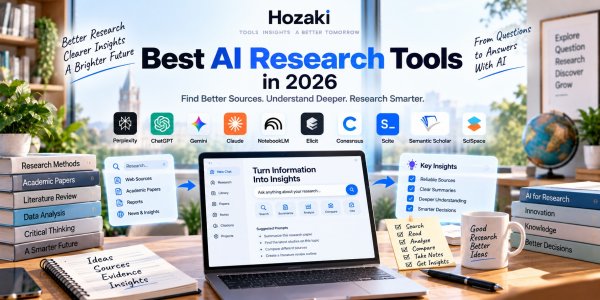
This guide compares 10 AI research tools and, more importantly, explains where each one fits in the research process.
Best AI Research Tools at a Glance
| Tool | Particularly Useful For | Research Type |
|---|---|---|
| Perplexity | Fast web research with sources | Web research |
| ChatGPT | Deep research and synthesis | General/deep research |
| Gemini | Google-connected research | Web + Workspace |
| Claude | Long documents and synthesis | Document research |
| NotebookLM | Your own source collections | Source-grounded research |
| Elicit | Literature reviews | Academic research |
| Consensus | Scientific questions | Academic evidence |
| Scite | Checking citation context | Citation analysis |
| Semantic Scholar | Discovering papers | Academic search |
| SciSpace | Reading research papers | Academic research |
The biggest mistake is choosing based only on which AI produces the nicest answer.
Research should be evaluated by the quality and traceability of the evidence behind that answer.
How to read this comparison: These ten products serve different research tasks and should not be treated as a single performance ranking. General-purpose assistants help plan and synthesize research; web research tools support source discovery; academic search tools help locate scholarly literature; citation-analysis products provide context around published research; and document-focused tools help interpret material you already have. The recommendations describe where each product fits in a research workflow, not the results of a standardized hands-on benchmark. Compare tools against your specific evidence requirements, access needs, and budget.
1. Perplexity — Built Around Search and Sources
Perplexity is one of the most recognizable AI research products because research is central to its interface.
Instead of beginning with a traditional list of search results, it can synthesize information and provide sources alongside the answer.
This makes it useful for:
- Topic discovery
- Current information
- Competitor research
- Market research
- Fact finding
- Source discovery
- Exploring unfamiliar subjects
- Follow-up research
Suppose you're researching the growth of humanoid robots.
Instead of opening twenty search results manually, you might begin with:
What were the most important commercial developments in humanoid robotics during the last 12 months? Prioritize company announcements and primary sources.
You can then use the response as a map.
The important part is what happens next:
open the sources.
A citation existing doesn't automatically mean the source supports the sentence beside it.
Where Perplexity Fits Best
Perplexity makes sense when your research begins with:
What's happening?
or:
What information exists about this topic?
It's especially useful during the discovery stage.
2. ChatGPT — Useful for Deep Research and Synthesis
ChatGPT can function as much more than a question-and-answer system.
For research workflows, it can help with:
- Research planning
- Web research
- Deep research
- Files
- Data
- Source synthesis
- Comparing evidence
- Report preparation
- Follow-up analysis
This makes it particularly useful when research needs to continue into another task.
For example:
Research → compare sources → analyze data → create report → revise report
can happen within the same broader AI environment.
Use ChatGPT to Build a Research Plan First
Before asking for the answer, try:
I need to research how generative AI is changing customer support software. Before researching the topic, create a research plan showing the questions that need to be answered and the types of sources we should prioritize.
Review the plan.
Then begin the research.
This reduces the chance of receiving a polished report that never investigated the questions you actually cared about.
3. Gemini — Research Inside Google's Ecosystem
Gemini approaches research from a particularly interesting position because Google already operates a huge information ecosystem.
Gemini can participate in workflows involving areas such as:
- Search
- Google Drive
- Gmail
- Docs
- Workspace
- Web information
- Uploaded material
For users already living inside Google products, this can reduce workflow friction.
Imagine you're researching a market.
Your existing reports are in Drive.
Previous conversations are in Gmail.
Your final output needs to become a Google Doc.
In that situation, ecosystem integration can matter almost as much as the underlying model.
Gemini Deep Research
Deep research workflows are designed to move beyond a single search-and-answer interaction.
The system can investigate multiple sources and synthesize information into a larger report.
That makes this type of tool more suitable for questions such as:
Analyze how AI search products have changed online discovery over the last two years. Compare product developments, user behavior, publisher concerns, and monetization models.
That's fundamentally different from:
What is AI search?
For a broader platform comparison, see our ChatGPT vs Gemini and Claude vs Gemini guides.
4. Claude — Strong for Research Synthesis and Long Documents
Research doesn't always begin on the open web.
Sometimes you already have the evidence.
You might have:
- 12 reports
- 30 interview transcripts
- Several research papers
- Internal documents
- Technical specifications
- A large PDF collection
Now the problem isn't discovery.
It's understanding.
Claude is particularly useful for text-heavy workflows where you need to reason across substantial amounts of material.
For example:
Compare these five reports. Identify where they agree, where they disagree, and which conclusions rely on different assumptions.
Then:
Which report provides the strongest evidence for Claim A? Explain based on the supplied documents only.
This type of document synthesis is a different research task from searching the web.
Where Claude Fits Best
Claude is worth evaluating when your research involves a large amount of existing text or documents.
See our ChatGPT vs Claude comparison if you're choosing between the two general-purpose platforms.
5. NotebookLM — Research Grounded in Sources You Choose
NotebookLM flips the normal AI research model around.
Instead of asking AI to roam widely for information, you can work from a controlled source collection.
That might include:
- PDFs
- Notes
- Reports
- Course material
- Research papers
- Documents
- Transcripts
Then you ask questions across that material.
This is extremely useful when the scope of evidence matters.
For example:
Based only on these documents, what are the three most common explanations for declining customer retention?
Or:
Which sources support the claim that pricing is the main problem?
Or:
Where do these sources contradict one another?
Why Source-Grounded Research Matters
Sometimes you don't want the AI to bring in random information from elsewhere.
You want:
These sources. Nothing else.
That makes source-grounded research useful for:
- Studying
- Due diligence
- Internal research
- Literature collections
- Document analysis
If your research begins with PDFs, our Best AI PDF Tools guide covers this workflow in more depth.
6. Elicit — Built for Academic Literature Work
Academic research has requirements that ordinary web research doesn't.
Researchers may need to:
- Discover papers
- Screen literature
- Compare studies
- Extract data
- Organize evidence
- Conduct literature reviews
Elicit is designed around these academic workflows rather than generic web search.
This distinction matters.
Imagine you're researching:
Does remote work affect employee productivity?
A general web search may return:
- News articles
- Company blogs
- Surveys
- Opinion pieces
- Research papers
An academic research workflow may instead require systematic attention to published studies and their methodology.
Where Elicit Fits Best
Elicit deserves attention from:
- University students
- Researchers
- Academics
- Analysts working with scientific literature
- People conducting structured literature reviews
AI can accelerate paper discovery and extraction, but it doesn't eliminate the need to judge research quality.
7. Consensus — Ask Questions Across Scientific Research
Consensus also focuses heavily on scientific literature.
Its appeal is the ability to explore research questions through evidence from academic papers.
For example:
Does creatine improve cognitive performance?
or:
What does research say about four-day workweeks and productivity?
This is very different from asking a general chatbot for its opinion.
The useful part is being able to move from:
question
toward:
relevant scientific evidence.
Don't Confuse Consensus With Certainty
Scientific research is rarely as simple as:
Studies say yes.
Important differences may exist in:
- Study design
- Population
- Sample size
- Measurement
- Duration
- Effect size
- Research quality
Use AI to find and organize evidence.
Don't use it to erase scientific uncertainty.
8. Scite — Understand How Research Is Cited
Finding a paper is only the beginning.
A paper may have been cited hundreds of times.
But why?
Later research may:
- Support it
- Challenge it
- Mention it
- Use its methodology
- Disagree with its findings
Scite focuses on citation context.
This can help researchers understand how a paper sits inside the larger academic conversation.
Why This Matters
Imagine finding a 2018 paper that strongly supports your argument.
It has 300 citations.
That sounds impressive.
But what if many later papers cite it while questioning its methodology?
A raw citation count won't tell you that.
Citation context can.
Where Scite Fits Best
Scite is useful when research has moved beyond:
Find papers
into:
Evaluate how this paper relates to later research.
9. Semantic Scholar — Powerful Academic Paper Discovery
Not every useful research tool needs to begin with a chatbot.
Semantic Scholar provides a large academic search environment for discovering research literature.
It can help researchers:
- Find papers
- Discover authors
- Explore related research
- Follow citations
- Identify relevant literature
- Navigate unfamiliar fields
This makes it especially valuable near the beginning of academic research.
Search Is Still a Research Skill
AI doesn't remove the need for good queries.
Suppose you're researching AI use in education.
Searching:
AI education
is extremely broad.
As your understanding improves, your searches should become more specific:
generative AI student learning outcomes higher education
then perhaps:
randomized controlled trial generative AI tutoring undergraduate
Research is iterative.
Your search vocabulary improves as you learn the field.
10. SciSpace — Research Paper Reading and Analysis
Academic papers can be painfully dense.
Sometimes the problem isn't finding a paper.
It's understanding it.
SciSpace focuses heavily on research-paper workflows.
This can help when dealing with:
- Technical terminology
- Methods
- Equations
- Research papers
- Literature
- Citations
- Scientific explanations
Instead of asking:
Summarize this paper.
ask:
Explain the methodology section. What did the researchers actually do, and what assumptions does this method rely on?
Then:
What are the biggest limitations of this design?
Then:
Which conclusion is least strongly supported by the reported evidence?
Now AI is helping you read critically rather than simply shortening the paper.
AI Research Tools Solve Different Problems
It helps to divide research into stages.
Stage 1: Define the Question
What exactly are you trying to learn?
General AI assistants can help narrow broad questions.
Stage 2: Discover Sources
Tools such as Perplexity, Semantic Scholar, Elicit, and other search systems can help locate material.
Stage 3: Read
Claude, NotebookLM, SciSpace, and PDF-oriented AI tools can help understand long or difficult sources.
Stage 4: Extract
Pull out:
- Findings
- Data
- Quotes
- Methodology
- Limitations
- Evidence
Stage 5: Compare
Ask:
Where do these sources disagree?
Stage 6: Verify
Open the originals.
Stage 7: Synthesize
Turn the evidence into:
- Report
- Literature review
- Article
- Presentation
- Analysis
Research becomes much easier when you stop expecting one tool to be equally good at all seven stages.
Best AI Tool for Web Research
For web research, source visibility matters enormously.
The workflow should look like:
Question → AI discovery → sources → verification → synthesis
not:
Question → AI answer → finished
Perplexity and deep-research capabilities from major AI assistants are particularly relevant here.
When evaluating them, check:
- Source diversity
- Publication dates
- Primary vs secondary sources
- Citation placement
- Whether citations actually support claims
- Whether contradictory evidence is included
A report with 40 citations isn't necessarily better than one with 10 strong sources.
Best AI Tool for Academic Research
Academic research requires a different toolset.
Products such as:
- Elicit
- Consensus
- Semantic Scholar
- Scite
- SciSpace
focus more closely on scholarly literature.
A useful academic stack may involve several stages:
Semantic Scholar / Elicit → discover
SciSpace → understand
Scite → investigate citation context
Claude / NotebookLM → synthesize your selected material
Again, this doesn't mean you need four subscriptions.
It means research is a workflow rather than a single prompt.
Best AI Tool for Literature Reviews
Literature reviews require more than collecting paper summaries.
You need to understand:
- What has been studied
- How it was studied
- What researchers found
- Where findings disagree
- Which gaps remain
- How evidence changed over time
Elicit is particularly relevant for structured literature discovery and extraction, while tools such as Semantic Scholar, Consensus, Scite, and SciSpace can support other stages.
A general AI assistant can then help organize your own verified notes.
But don't ask AI to fabricate a literature review from papers you haven't checked.
For a more detailed comparison of paper discovery, screening, evidence extraction, citation analysis, and literature mapping, read our Best AI Literature Review Tools guide. If you're deciding specifically between two academic research platforms, see Elicit vs Consensus.
Best AI Tool for Research Papers
There are two different meanings here.
Finding Research Papers
Use academic discovery tools.
Understanding Research Papers
Use paper-reading, PDF, or long-context AI tools.
Those are different problems.
If you've already found the papers and need help understanding them, see our guide to How to Summarize a PDF With AI.
Best AI Tool for Market Research
Market research often combines:
- Current web information
- Company websites
- News
- Reports
- Financial documents
- Customer information
- Competitor data
That makes general web research and deep research tools particularly useful.
A good market-research prompt might be:
Analyze the U.S. AI note-taking software market. Identify major competitors, target customers, pricing models, positioning, recent product launches, and evidence of market demand. Prioritize company websites, financial disclosures, and reputable industry sources.
Notice the instruction:
Prioritize sources.
Don't let the AI choose evidence quality silently.
Best AI Tool for Students Doing Research
Students often need a mixture of:
- Web research
- Academic papers
- PDFs
- Writing
- Citation discovery
- Study material
That's why a general AI assistant alone may not cover the entire workflow.
A simple student research stack might be:
Discovery → Perplexity or academic search
Papers → Elicit / Semantic Scholar
Own sources → NotebookLM
Long documents → Claude
Writing/editing → general AI or writing assistant
If your research starts with a collection of documents, explore our Best AI Tools for PDFs guide.
Best Free AI Research Tools
You can do substantial research without immediately paying for multiple subscriptions.
Many research products provide some form of free access, although limits and included capabilities change.
A practical approach is:
Start with free access.
Run a real research project.
Identify the bottleneck.
Then pay only if a premium feature removes that bottleneck.
Don't subscribe to five AI tools before you know which part of your research process is actually slow.
AI Research vs Google Search
AI research tools don't make traditional search obsolete.
They change the interface.
Search engines are extremely useful when you know what you're looking for.
AI becomes especially helpful when the problem is exploratory:
I don't yet understand this topic well enough to know what I should search.
AI can help map the space.
Then traditional search can help you investigate specific claims.
The two workflows complement each other.
AI Research vs AI Search
These terms are increasingly used interchangeably, but there's a useful distinction.
AI Search
Usually answers a relatively focused question using retrieved information.
AI Research
May involve:
- Planning
- Multiple searches
- Reading many sources
- Comparing evidence
- Iterating
- Synthesizing
- Producing a larger report
The difference is roughly:
Find an answer
versus:
Investigate a question.
This distinction becomes important when evaluating "Deep Research" features.
What Is Deep Research?
Deep Research generally describes AI workflows that perform multiple research steps rather than answering immediately.
A system may:
- Interpret the question.
- Create a research plan.
- Search multiple sources.
- Read relevant pages.
- Follow new leads.
- Compare information.
- Synthesize findings.
- Produce a report with sources.
This can save significant time.
It also creates a new problem:
You may receive a 5,000-word report containing dozens of claims you didn't personally investigate.
So verification becomes even more important.
How to Verify AI Research
Use a simple verification workflow.
Check the Source Exists
Open it.
Check the Source Supports the Claim
Don't trust citation placement automatically.
Check the Date
Old evidence may no longer answer a current question.
Check the Original Source
Prefer:
Research paper
over:
Blog describing the paper
and:
Company announcement
over:
Article summarizing the announcement
when appropriate.
Check for Missing Perspectives
Ask:
What credible evidence contradicts this conclusion?
Check Numbers
Statistics are especially easy to repeat incorrectly.
Verification is not an optional final step.
It's part of research.
Build a Research Evidence Log
For important research projects, keep a record of the evidence behind each major claim.
An AI-generated report may contain many citations, but citation quantity alone does not establish accuracy or completeness.
Use a simple evidence log:
| Claim or Question | Original Source | Publication Date | Supporting Evidence | Verification Status |
|---|---|---|---|---|
| Claim A | Source title and URL or DOI | Date | Relevant passage, table, or figure | Verified / Partial / Unverified |
| Claim B | Source title and URL or DOI | Date | Relevant passage, table, or figure | Verified / Partial / Unverified |
| Claim C | Source title and URL or DOI | Date | Relevant passage, table, or figure | Verified / Partial / Unverified |
For each important claim:
-
Open the original source.
-
Confirm that the source exists and is correctly identified.
-
Locate the passage or data supporting the claim.
-
Check whether the AI preserved the source's meaning and qualifications.
-
Record conflicting evidence or important limitations.
-
Mark the claim as verified only when the evidence supports it.
Watch for Repeated Sources
Three articles repeating the same company announcement are not necessarily three independent pieces of evidence.
Trace important claims back to the underlying research, dataset, regulatory document, or original announcement when possible.
Keep Research Dates Visible
Record when the research was conducted and when the underlying sources were published.
This is particularly important for product comparisons, market research, technology developments, and other fast-changing subjects.
The goal is not to collect the largest possible number of citations. It is to make every important conclusion traceable to evidence that has actually been checked.
Common AI Research Mistakes
1. Asking Questions That Are Too Broad
"Research artificial intelligence" isn't a useful research brief.
2. Trusting Citations Because They Look Professional
Open them.
3. Ignoring Publication Dates
Freshness matters for fast-moving topics.
4. Using Only One Type of Source
A research report built entirely from blogs is still a research report built entirely from blogs.
5. Asking AI to Decide What Is True
AI can organize evidence.
You still need to evaluate it.
6. Mixing Discovery and Evidence
A source that helps you discover a claim isn't necessarily the source you should cite for that claim.
7. Never Saving the Sources
Keep a source log for serious projects.
A Better AI Research Workflow
Here's a practical process you can reuse.
Step 1 — Define
Write the research question.
Step 2 — Scope
Decide:
- Time period
- Geography
- Audience
- Evidence type
- Required depth
Step 3 — Discover
Use AI and search tools to identify sources.
Step 4 — Prioritize
Prefer primary and authoritative sources where appropriate.
Step 5 — Read
Use AI to help navigate difficult material.
Step 6 — Extract
Record findings and sources separately.
Step 7 — Challenge
Look for contradictory evidence.
Step 8 — Verify
Open original sources.
Step 9 — Synthesize
Only now create the final report.
Step 10 — Update
For fast-moving topics, record when the research was conducted.
That last step matters more than ever.
A strong AI research report from six months ago can become stale surprisingly quickly.
For a deeper explanation of how to use AI during research while keeping evidence evaluation and final judgment under human control, see How to Use AI for Research Without Letting AI Do the Thinking for You.
Frequently Asked Questions
What is the best AI tool for research?
It depends on the type of research. Web research, academic literature, source-grounded document research, citation analysis, and deep research are different workflows and may benefit from different tools.
Is Perplexity good for research?
Perplexity is designed around AI-assisted information discovery with visible sources, making it useful for web research and topic exploration. Important claims should still be checked against the original sources.
Can ChatGPT do research?
Yes. ChatGPT can support research planning, web research, files, synthesis, and longer research workflows. Source verification remains important.
What AI is best for academic research?
Academic-focused products such as Elicit, Consensus, Semantic Scholar, Scite, and SciSpace address different parts of scholarly research.
Can AI write a literature review?
AI can help discover, organize, compare, and synthesize research, but a defensible literature review requires the researcher to verify the papers, methodology, evidence, and citations.
What is the best AI research tool for students?
The answer depends on whether the student needs web research, scholarly papers, PDFs, or source-grounded study. See our Best AI Tools for Students guide for a broader comparison.
Is AI research reliable?
AI research can accelerate discovery and synthesis, but errors in facts, interpretation, and citations remain possible. Original sources should be checked before important claims are used.
What is Deep Research AI?
Deep Research generally refers to an AI workflow that performs multiple searches and research steps before synthesizing the results into a larger sourced response or report.
Continue Exploring AI Tools
Best AI PDF Tools
Compare AI tools for summarizing, questioning, and analyzing documents.
How to Summarize a PDF With AI
Learn how to summarize long PDFs, preserve important details, and verify the final output.
How to Summarize Any PDF With AI
Best AI Tools for Students
Explore AI tools for academic research, studying, writing, and source-based learning.
Best AI Writing Tools
Compare AI assistants and specialist writing tools for drafting, editing, and professional content.
ChatGPT vs Claude
Compare ChatGPT and Claude for research, documents, writing, and everyday workflows.
ChatGPT vs Gemini
Explore ChatGPT and Gemini for research, documents, and Google-connected workflows.
Best AI Tools in 2026
Explore a broader range of AI products for research, writing, coding, documents, and productivity.
Comments 0