Research often becomes difficult long before you start writing.
You may have a folder of academic papers, reports, interview transcripts, and background documents. Each source contains useful information, but the important details are scattered across different files. Finding where two authors disagree, checking the evidence behind a claim, and turning your notes into a coherent analysis can take hours.
Google NotebookLM can help organize that process.
Instead of treating AI as a general-purpose answer generator, you can use NotebookLM to ask questions about a collection of selected sources, explore connections between documents, and locate supporting passages.
But there is an important distinction: a source-grounded AI answer is not automatically an accurate or complete research conclusion.
This guide explains how to use NotebookLM for research, from creating your first notebook to checking citations and producing a reliable synthesis. It also includes reusable prompts, a practical research example, and common mistakes to avoid.
Quick Answer: How to Use NotebookLM for Research
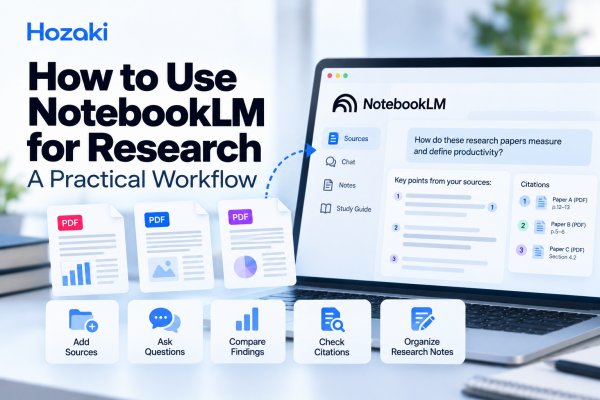
A practical NotebookLM research workflow looks like this:
-
Define a focused research question.
-
Create a notebook for your project.
-
Add relevant research papers and supporting documents.
-
Check that your sources are complete and readable.
-
Ask NotebookLM to extract important information from each source.
-
Compare findings, methodologies, and limitations across sources.
-
Open the supporting citations and verify important claims.
-
Save useful findings as organized research notes.
-
Write your own synthesis using the verified evidence.
The most important rule is to treat NotebookLM as a research assistant, not as a replacement for reading and evaluating the original sources.
What Is NotebookLM, and How Can It Help With Research?
NotebookLM is an AI-powered research and note-taking application developed by Google.
Its central workflow involves creating a notebook, adding sources, and asking questions about the material you have provided.
This makes it useful for tasks such as:
-
Understanding a collection of academic papers.
-
Extracting research questions, methods, and findings.
-
Finding relevant information across lengthy documents.
-
Comparing arguments from different sources.
-
Exploring themes in interview transcripts.
-
Preparing study notes and research summaries.
-
Identifying areas that require further investigation.
For example, imagine you are studying how remote work affects employee productivity.
You have collected several papers, but they use different definitions of productivity. One measures completed tasks, another examines self-reported performance, and a third discusses workplace collaboration.
NotebookLM can help you locate and organize those differences.
However, it cannot independently guarantee that your sources are authoritative, that your selection of studies is representative, or that the conclusions you draw are methodologically sound.
What NotebookLM does not replace
Using NotebookLM does not eliminate the need for:
-
A well-defined research question.
-
A suitable literature search.
-
Critical appraisal of research quality.
-
Verification of quotations and statistics.
-
Accurate bibliographic references.
-
Independent interpretation.
-
Appropriate research ethics and data handling.
For a broader approach to these responsibilities, read How to Use AI for Research Without Letting AI Do the Thinking for You.
Before You Start: Define Your Research Question
The quality of your NotebookLM workflow depends heavily on the question you are trying to answer.
If you begin by uploading a random collection of documents and asking for a summary, you may receive useful information but still have no clear direction.
A better approach is to establish three things first.
1. Your main research question
A broad topic:
"Remote work and productivity."
A focused research question:
"How do studies of knowledge workers measure the relationship between remote work and employee productivity?"
The focused question gives you a basis for selecting sources and comparing their evidence.
2. Your research boundaries
Decide what belongs in the project.
For example:
-
Which population are you studying?
-
What types of evidence are relevant?
-
Are you interested in a particular period?
-
Which outcomes matter?
-
Are there geographic or industry restrictions?
-
Will you include qualitative and quantitative studies?
These decisions help prevent unrelated sources from distorting the analysis.
3. Your intended output
Different research tasks require different outputs.
| Research task | Useful output |
|---|---|
| Understand one paper | Structured summary |
| Compare several papers | Evidence comparison matrix |
| Prepare a literature review | Thematic synthesis |
| Study a technical topic | Concept notes with source references |
| Investigate conflicting findings | Disagreement analysis |
| Prepare a research proposal | Evidence gaps and open questions |
For this tutorial, we will use a literature comparison workflow.
Step 1: Create a Notebook for Your Research Project
Open NotebookLM and sign in with an eligible Google account.
Create a new notebook using the controls available in the current interface.
Give the notebook a descriptive name that reflects your research question.
For example:
Remote Work and Employee Productivity — Research Review
A specific name makes it easier to distinguish the project from unrelated notebooks.
Should you create one notebook or several?
A single notebook works well when your sources contribute to one reasonably focused research question.
Separate notebooks may be useful when you are investigating substantially different topics or want to keep source collections distinct.
For example:
-
Notebook A: Remote work and individual productivity.
-
Notebook B: Remote work and employee well-being.
-
Notebook C: Remote work and organizational collaboration.
You can later compare your independently verified notes across projects.
Do not assume that information from separate notebooks will automatically be available in the same conversation.
Keep a research log outside the AI conversation
Record basic project information in a document or spreadsheet:
| Field | Example |
|---|---|
| Project | Remote Work Productivity Review |
| Research question | How is productivity measured in remote-work studies? |
| Source inclusion criteria | Relevant empirical studies |
| Source exclusions | Unrelated opinion articles |
| Review status | Initial source analysis |
| Last verification | Date of manual review |
This gives you a stable record even if your AI-generated notes change.
Step 2: Add and Organize Your Research Sources
After creating your notebook, add the documents you want to analyze.
NotebookLM supports multiple ways of adding sources, although supported formats, source limits, and account capabilities may change.
Check the current source options shown in your account rather than assuming every file type or website can be imported.
For academic research, your materials might include:
-
Research paper PDFs.
-
Reports and white papers.
-
Relevant web documents.
-
Research notes.
-
Interview transcripts that you are authorized to process.
-
Other supported source formats.
Start with a small, relevant collection
You do not need to upload every paper you have found.
For a first comparison, begin with two or three sources that address a related question.
This makes it easier to understand the workflow and spot mistakes.
As your project grows, add more sources according to explicit inclusion criteria.
Check each source before analyzing it
A successful import does not guarantee that every important part of a document has been interpreted correctly.
Inspect the original documents for:
Completeness: Is the entire paper present, including appendices that matter?
Text readability: Can the relevant paragraphs be extracted?
Tables: Are values, labels, and units preserved?
Figures: Do charts contain information that might not appear in the extracted text?
Metadata: Do you have the correct title, authors, publication year, and source location?
Version: Is this a preprint, accepted manuscript, or published version?
These checks are particularly important when a finding depends on a numerical table or figure.
Maintain a source inventory
Use a simple table:
| Source ID | Document | Study type | Status |
|---|---|---|---|
| S01 | Research Paper A | Experimental | Imported; checking |
| S02 | Research Paper B | Observational | Imported; checking |
| S03 | Research Paper C | Qualitative | Imported; checking |
The document labels above are placeholders, not actual studies.
In your project, replace them with verified source information.
Be careful with sensitive material
Do not upload confidential research data, identifiable participant records, unpublished proprietary documents, or restricted material without checking your institution's rules, consent requirements, and the service's current data-handling terms.
Publicly available papers and appropriately authorized materials are a safer starting point for learning the workflow.
Step 3: Ask Source-Grounded Research Questions
Once your sources are available, start with questions that establish what each document actually contains.
Avoid asking for a final conclusion immediately.
Instead, move through three levels of questioning.
Level 1: Extract facts
Ask about information explicitly reported in the source.
For example:
"What research question does each paper investigate?"
"What sample or dataset was used?"
"How did the authors measure productivity?"
These questions help build a foundation for comparison.
Level 2: Analyze differences
After extracting the basic details, ask:
"Which papers use objective performance measures, and which use self-reported measures?"
"How do the study designs differ?"
"Which limitations do the authors identify?"
This is where cross-source analysis becomes useful.
Level 3: Explore interpretation
Only after checking the earlier results should you ask more interpretive questions:
"Which methodological differences might explain the variation in findings?"
"What conclusions are supported across several sources?"
"What remains uncertain?"
At this stage, distinguish what the papers directly report from what you or the AI infer.
Prompt: Extract research information by source
Copy this into NotebookLM and adapt it to your project.
Using only the sources in this notebook, identify each source's research question, study design, population or dataset, main findings, and limitations.
Organize the answer by source.
Provide supporting citations where available.
Separate statements explicitly reported by the authors from interpretations.
If information is not available in a source, write "Not found in source" rather than guessing.
Why source-by-source extraction matters
Suppose one paper reports a sample of 150 participants and another uses data from 2,000 survey responses.
If you ask for an immediate combined summary, it may be difficult to tell which finding belongs to which study.
A source-by-source extraction creates a record that can be checked before synthesis.
This becomes increasingly important as the number of documents grows.
Step 4: Compare Findings Across Multiple Sources
Once you have verified the basic details of each paper, you can begin comparing them.
The goal is not simply to identify whether two papers agree.
You want to understand what they studied, how they studied it, and whether their findings can meaningfully be compared.
Build a comparison matrix
Ask NotebookLM to organize the research into a structured table.
| Dimension | Source A | Source B | Comparison question |
|---|---|---|---|
| Research question | Extracted from source | Extracted from source | Are they addressing the same issue? |
| Study design | Extracted from source | Extracted from source | How do the designs differ? |
| Population | Extracted from source | Extracted from source | Are the populations comparable? |
| Sample size | Extracted from source | Extracted from source | What are the sampling limitations? |
| Outcome measure | Extracted from source | Extracted from source | Do they measure the same outcome? |
| Main findings | Extracted from source | Extracted from source | Are the results compatible? |
| Limitations | Extracted from source | Extracted from source | What affects interpretation? |
This matrix is a working template. Populate it only with information supported by your actual sources.
Prompt: Compare research papers
Compare the research papers in this notebook using the following dimensions:
Research question
Study design
Population or dataset
Sample size, where applicable
Outcome measures
Main findings
Author-reported limitations
Create a comparison table.
Identify meaningful similarities and differences.
Flag cases where differences in research design, population, or measurement make direct comparison inappropriate.
Include supporting source citations for important claims.
Distinguish disagreement from incompatibility
Imagine that one study measures completed tasks per hour, while another measures employee satisfaction with their productivity.
Both may discuss "productivity," but they are not measuring the same outcome.
A difference in their findings does not automatically mean the studies contradict each other.
Similarly, a randomized experiment and an observational survey may provide different kinds of evidence.
A good comparison preserves these distinctions.
For a more detailed method, including a verification matrix and additional prompts, see How to Compare Research Papers With AI Without Missing Important Differences.
Step 5: Check NotebookLM Citations and Verify Important Claims
Source citations are one of the most useful features of a source-based research workflow.
They help you locate the material behind an answer.
But a citation is not the same as independent verification.
An answer can refer to a real passage while still misunderstanding its meaning, omitting important context, or drawing a conclusion that the passage does not support.
What should you verify?
Focus on claims that would materially affect your research conclusions.
These include:
-
The research design.
-
Sample size and population.
-
Numerical findings.
-
Definitions of key variables.
-
Author-reported limitations.
-
Quotations.
-
Claims about agreement or disagreement between studies.
A practical citation-checking workflow
First, locate the supporting passage.
Use the citation or source reference provided in NotebookLM to find the relevant material.
Second, read the surrounding context.
Do not verify a claim from an isolated sentence when the surrounding paragraph changes its meaning.
Third, inspect the original document.
Check the source PDF, especially if the claim involves tables, figures, or statistical results.
Fourth, compare the answer with the evidence.
Ask whether the answer accurately describes what the source reports.
Fifth, record the verification result.
Use labels such as:
| Status | Meaning |
|---|---|
| Verified | The original source supports the claim |
| Partially supported | The source supports only part of the claim |
| Not verified | Supporting evidence could not be confirmed |
| Contradicted | The source conflicts with the claim |
These should represent your own checks, not labels accepted automatically from an AI response.
Prompt: Audit source support
Review the major claims in your previous answer.
For each claim:
Identify the supporting source.
Locate the relevant evidence.
Distinguish direct findings from interpretations.
Flag missing or insufficient support.
Identify any claim that combines information from different sources without justification.
Do not invent citations, quotations, or missing evidence.
Use this as an initial audit, then manually check the important claims.
What if a citation does not support the answer?
Do not keep the claim merely because the AI provided a reference.
Correct the statement, look for stronger evidence, or remove it.
If the source does not answer your question, record that limitation explicitly.
"Not established by the available sources" is a valid research outcome.
Step 6: Turn NotebookLM Answers Into Research Notes
After extracting and verifying information, you need a way to preserve useful findings.
NotebookLM includes note-oriented workflows, although the exact controls and available features can vary.
The goal is to turn temporary AI answers into a structured research record.
Organize notes by research theme
For a project about remote work and productivity, your note categories might include:
Research definitions
How different studies define productivity.
Measurement methods
Which outcomes and instruments researchers use.
Main findings
What each study reports.
Methodological limitations
Potential sources of bias, confounding, and uncertainty.
Areas of disagreement
Where findings appear inconsistent.
Open questions
What the available evidence does not establish.
Use a consistent note template
For each important finding, record:
| Field | What to include |
|---|---|
| Finding | Concise statement |
| Source | Paper title or source ID |
| Evidence location | Page, section, table, or citation |
| Interpretation | Why it matters |
| Limitation | What remains uncertain |
| Verification | Checked or pending |
This structure makes it easier to return to your evidence later.
Separate research notes from AI-generated interpretations
Consider using three labels:
Source finding: Information explicitly reported in the original material.
Researcher interpretation: Your analysis of what the finding means.
Open question: An issue requiring additional evidence.
This distinction is especially useful when drafting a literature review.
Export or preserve important work
For research that must remain reproducible, keep verified notes and bibliographic information in an appropriate document, spreadsheet, or reference manager.
Do not rely exclusively on an AI conversation as the permanent record of your project.
Worked Example: Researching Remote Work and Productivity
Let's put the workflow together.
The following scenario is an illustrative exercise, not a report of a live NotebookLM test or an analysis of specific published papers.
Research objective
Investigate how academic studies measure productivity in remote-work environments.
Source collection
Suppose you have three relevant papers:
-
Paper A: An experimental study measuring task performance.
-
Paper B: An observational study using employee survey data.
-
Paper C: A qualitative study examining worker experiences.
These are hypothetical descriptions used to demonstrate the process.
Task 1: Identify the measurement methods
Ask:
For each source, identify how productivity is defined and measured. Provide supporting citations and indicate when a source does not use a quantitative productivity measure.
The purpose is to prevent the comparison from treating different outcomes as equivalent.
Task 2: Compare research designs
Ask:
Compare the research designs used across these sources. Explain what kinds of conclusions each design can support and identify important limitations reported by the authors.
Check the response against the methods sections.
Task 3: Examine the findings
Ask:
Summarize the main findings of each source separately. Do not combine the conclusions yet. Include supporting evidence locations and distinguish numerical findings from qualitative themes.
Verify important results in the original documents.
Task 4: Investigate apparent disagreements
Ask:
Identify apparent disagreements across the sources. For each disagreement, assess whether differences in population, measurement, study design, or context could affect comparability. Do not claim that an explanation is established unless the sources support it.
Task 5: Produce a research synthesis
After reviewing the extraction and comparison records, ask:
Draft a short synthesis based only on the verified findings. Explain areas of agreement, methodological differences, important limitations, and unanswered questions. Do not introduce unsupported claims or additional sources.
What should the final result look like?
Your final research note should explain:
-
Which outcomes the papers measure.
-
Which methodological differences matter.
-
What the available evidence supports.
-
Where comparisons are limited.
-
What further evidence would help answer the research question.
It should not merely repeat three AI-generated summaries.
Useful NotebookLM Prompts for Research
The following prompts cover different stages of the workflow.
Prompt 1: Find key concepts
Identify the main concepts and recurring terminology across the selected sources.
Explain how each concept is defined in the source material.
Highlight differences in terminology or definitions.
Provide supporting source citations.
Prompt 2: Extract methodological details
For each empirical study, identify the research design, sampling approach, data collection methods, outcome measures, and author-reported limitations.
Create a table and mark missing details as "Not found in source."
Prompt 3: Compare findings
Compare the findings across the selected sources.
Group the results into areas of agreement, apparent disagreement, and findings that cannot be directly compared.
Explain the evidence behind each classification.
Prompt 4: Identify research gaps
Based only on the available sources, identify questions that remain unanswered.
Separate gaps explicitly acknowledged by the authors from possible gaps inferred through comparison.
Do not present an inferred gap as a confirmed gap in the entire research literature.
Prompt 5: Prepare a literature review outline
Create a thematic literature review outline based on the verified source notes.
Organize sections around research themes rather than individual papers.
Identify which sources support each theme and flag areas where additional evidence is needed.
Prompt 6: Challenge a proposed conclusion
Evaluate whether the following conclusion is supported by the sources: [insert conclusion].
Identify supporting evidence, conflicting evidence, methodological limitations, and unsupported assumptions.
Suggest a more cautious conclusion if necessary.
Prompt 7: Create a verification checklist
List the important factual claims in the current research notes that require manual verification.
Prioritize numerical results, methodological descriptions, source attribution, and conclusions that combine multiple studies.
You do not need to use every prompt.
Choose the ones that address the task you are actually performing.
How to Use NotebookLM for a Literature Review
NotebookLM can support several stages of a literature review, but it is important to understand where its role begins and ends.
Stage 1: Discover and select relevant literature
Before comparing papers, identify relevant sources through appropriate academic databases, library resources, and citation searches.
A collection of documents already uploaded to NotebookLM is not necessarily a comprehensive representation of the literature.
For a formal review, establish search and selection criteria separately.
Stage 2: Extract information consistently
Use the same extraction fields for comparable papers.
This helps prevent selective attention to the most interesting findings.
Stage 3: Group papers by theme
Possible themes include:
-
Research approaches.
-
Populations.
-
Outcome measures.
-
Findings.
-
Methodological limitations.
-
Unanswered questions.
Stage 4: Evaluate the evidence
Do not treat every paper as equally reliable.
Consider the appropriateness of its design, potential biases, uncertainty, and relevance to your research question.
Stage 5: Write a synthesis
Use verified source notes to explain patterns across studies.
The synthesis should reflect the evidence rather than simply reproduce AI-generated prose.
Important limitation: NotebookLM is not a systematic review method
A formal systematic review may require a registered protocol, reproducible search strategy, eligibility criteria, duplicate screening, risk-of-bias assessment, and transparent reporting.
NotebookLM can help with selected organizational and analysis tasks, but it does not replace these methodological requirements.
For formal evidence reviews, consult established guidance such as the PRISMA 2020 Statement and the Cochrane Handbook.
NotebookLM vs ChatGPT for Research: Which Should You Use?
Both tools can assist with research, but the best choice depends on the task and the available features.
| Research task | NotebookLM | ChatGPT |
|---|---|---|
| Explore a selected source collection | Designed around notebook sources | Can analyze supplied material with supported features |
| Ask questions about documents | Central workflow | Available through document-analysis workflows |
| Compare research papers | Useful for source-based comparisons | Useful for structured extraction and comparison |
| Draft an outline | Can help organize source-derived themes | Can help organize and draft outlines |
| Verify academic evidence | Requires manual source checking | Requires manual source checking |
| Assess research quality | Human appraisal remains necessary | Human appraisal remains necessary |
Neither tool should be treated as an independent authority on the quality of academic evidence.
If your priority is exploring a selected collection of documents and following source references, NotebookLM may be a natural fit.
If you need broader drafting assistance, flexible document transformations, or other supported workflows, ChatGPT may be useful.
For important research, the deciding factor should be how well the workflow lets you inspect the original evidence.
Product features and account availability can change, so verify current capabilities before relying on a particular function.
Common NotebookLM Research Mistakes
1. Uploading too many unrelated sources
A broad, inconsistent source collection makes it harder to answer focused questions.
Better approach: Organize notebooks around clear research questions and document inclusion criteria.
2. Asking for conclusions before extracting evidence
This encourages premature synthesis.
Better approach: Extract and verify source information first.
3. Assuming every citation proves the claim
A real citation can still be used in a misleading interpretation.
Better approach: Open the source and read the supporting passage in context.
4. Ignoring tables and figures
Important results may depend on material that is not fully represented in extracted text.
Better approach: Check the original PDF for critical numerical and visual evidence.
5. Comparing incompatible studies
Papers can investigate related topics while measuring different outcomes.
Better approach: Compare research questions, populations, designs, and measures before interpreting findings.
6. Treating uploaded sources as a complete literature search
Your notebook only reflects the materials you selected or added.
Better approach: Document how sources were discovered and acknowledge the limits of the collection.
7. Allowing AI to invent research gaps
A question unanswered by three uploaded papers may already have been addressed elsewhere.
Better approach: Describe it as a gap in the reviewed source collection until a broader search supports the claim.
8. Using generated notes without checking their origin
Over time, it may become difficult to distinguish verified evidence from AI interpretation.
Better approach: Preserve source IDs, evidence locations, and verification status.
9. Uploading restricted research material without permission
Research data may involve privacy, contractual, institutional, or ethical obligations.
Better approach: Review data-handling requirements before uploading sensitive material.
Frequently Asked Questions
Is NotebookLM good for academic research?
NotebookLM can be useful for exploring selected academic sources, extracting information, comparing documents, and organizing research notes.
However, the quality of the resulting analysis still depends on source selection, accurate interpretation, and independent verification.
Can NotebookLM summarize research papers?
It can help summarize supported research documents.
Check that the document was processed correctly and verify important methods, findings, numbers, and limitations against the original paper.
Can NotebookLM compare multiple research papers?
Yes, it can help organize similarities and differences across sources in a notebook.
For reliable comparisons, use consistent extraction fields and verify claims against the original papers.
Can NotebookLM help with a literature review?
It can assist with source analysis, thematic organization, comparison, and drafting notes.
It does not replace a comprehensive literature search, critical appraisal, or formal systematic review methodology.
Are NotebookLM citations always accurate?
No AI-generated citation or source reference should be treated as a guarantee of accuracy.
Check that the referenced passage exists and supports the specific statement being made.
Does NotebookLM only use uploaded sources?
NotebookLM is designed around a notebook's source collection, but available features may include additional ways to discover or add material.
Check which sources are selected and what material is actually being used for a particular answer.
Do not assume that every response is independently verified against external academic literature.
Can NotebookLM identify research gaps?
It can help identify questions that are not answered by the available sources.
However, a gap in your uploaded collection is not necessarily a gap in the wider literature.
Can NotebookLM write an entire research paper?
It may help organize evidence, prepare outlines, and draft text from available material.
You remain responsible for the originality, accuracy, source attribution, methodological integrity, and compliance of your final work.
Is NotebookLM better than ChatGPT for research?
There is no universal answer.
NotebookLM is particularly oriented toward working with selected sources, while ChatGPT supports a broader range of AI-assisted tasks.
Compare them according to your research needs, source verification requirements, and current product capabilities.
Final Checklist: A Reliable NotebookLM Research Workflow
Before using NotebookLM-generated material in a research project, confirm that you have:
-
Defined a specific research question.
-
Selected relevant and appropriate sources.
-
Checked document completeness and readability.
-
Recorded accurate source information.
-
Extracted findings from individual sources.
-
Compared studies using consistent dimensions.
-
Checked whether the studies are meaningfully comparable.
-
Verified important citations and numerical results.
-
Distinguished source findings from interpretations.
-
Identified limitations and unanswered questions.
-
Preserved organized, traceable research notes.
-
Reviewed the final synthesis independently.
Conclusion: Use NotebookLM to Organize Evidence, Not Replace Research Judgment
NotebookLM can make a research project easier to navigate.
It can help you find information across documents, compare studies, organize themes, and prepare notes without repeatedly searching through every source from the beginning.
But the most valuable research skill is still knowing what the evidence supports, what it does not support, and where uncertainty remains.
A dependable workflow follows a simple sequence:
Define the question → Add sources → Extract evidence → Compare findings → Verify claims → Build your synthesis.
Use NotebookLM to make that process more organized and efficient while keeping the original sources—and your own critical judgment—at the center.
Sources and Further Reading
-
How to Compare Research Papers With AI Without Missing Important Differences
-
How to Use AI for Research Without Letting AI Do the Thinking for You
Editorial note: The remote-work research example is illustrative, not a claim about actual studies or firsthand NotebookLM testing. Check current NotebookLM documentation and interface details before publication.
Comments 0