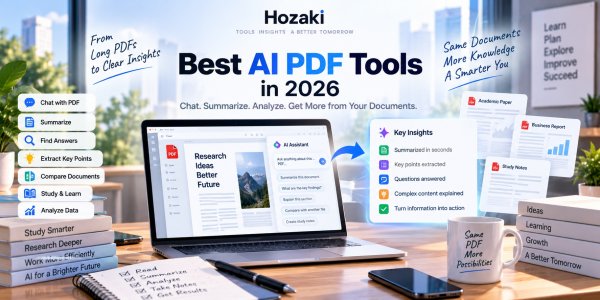
Reading a 70-page PDF just to find three important paragraphs is not a particularly good use of anyone's afternoon.
That's one reason AI PDF tools have become so useful.
Instead of treating a PDF as a static document, modern AI tools can help you ask questions about it, summarize sections, compare files, extract information, explain difficult passages, create study notes, and analyze research.
But there's a catch.
Not every "AI PDF tool" solves the same problem.
A student reading research papers has different requirements from an analyst comparing financial reports. Someone who wants to ask a few questions about one PDF may not need the same software as a team processing hundreds of documents.
And sometimes the best PDF AI isn't a dedicated PDF tool at all.
General assistants such as ChatGPT, Claude, and Gemini can also work with documents.
This guide compares 10 AI tools for working with PDFs in 2026 and explains which type of workflow each one fits.
Best AI PDF Tools at a Glance
| Tool | Particularly Useful For | Tool Type |
|---|---|---|
| ChatGPT | General PDF analysis | General AI |
| Claude | Long documents | General AI |
| NotebookLM | Studying source collections | Research/study AI |
| Adobe Acrobat AI Assistant | Existing PDF workflows | PDF platform |
| Gemini | Google-connected documents | General AI |
| ChatPDF | Simple PDF conversations | Dedicated PDF AI |
| SciSpace | Research papers | Academic AI |
| Humata | Document Q&A | Document AI |
| AskYourPDF | Chatting with documents | PDF AI |
| Smallpdf AI | Everyday PDF tasks | PDF utility suite |
The right choice depends less on which tool has the longest feature list and more on what you're trying to do with the document.
Which AI PDF Tool Should You Choose?
The best AI PDF tool depends on what you need to accomplish—not simply how many features a product offers.
If you mainly want to understand a document, a general-purpose AI assistant may be enough. If you need to study a collection of research papers, source organization and citation navigation become more important. And if you regularly edit, convert, sign, or organize PDFs, a full PDF software platform may be a better fit.
Use the following decision guide before choosing a tool.
| Your Main Task | Tools Worth Evaluating | What to Check Before Choosing |
|---|---|---|
| Summarize and analyze everyday PDFs | ChatGPT, Claude | File support, accuracy, usage limits, follow-up questions |
| Study or compare multiple sources | NotebookLM | Source navigation, supported file types, citation usefulness |
| Work with academic research papers | SciSpace, NotebookLM | Research-specific features, evidence traceability, paper interpretation |
| Ask straightforward questions about a PDF | ChatPDF, AskYourPDF | Ease of use, source references, file limits |
| Work inside an existing PDF software workflow | Adobe Acrobat AI Assistant | Integration with reading, editing, and document management |
| Work with documents in Google's ecosystem | Gemini | Relevant Workspace integration and available features |
| Combine everyday PDF utilities with AI assistance | Smallpdf AI | Editing, conversion, document limits, AI capabilities |
These are workflow-based recommendations, not the results of a controlled performance benchmark. Features, supported file types, and subscription limits can change, so verify the current product documentation before purchasing.
If You Only Need to Summarize One PDF
Start with a tool you already use.
Upload a supported document, request a structured summary, and ask the AI to identify important numbers, exceptions, and source locations.
For a more detailed process, see our guide to summarizing a PDF with AI.
If You Need to Work Across Multiple PDFs
Don't evaluate tools using only one short document.
Test whether they can identify disagreements, compare findings, and keep evidence connected to the correct source.
Our guide to summarizing multiple PDFs with AI explains how to structure that workflow without losing important details.
If you're deciding between two popular options, read NotebookLM vs ChatGPT for PDFs.
If Your PDF Contains Tables or Structured Data
A conversational summary may not be sufficient.
You may need to preserve column headings, row labels, units, footnotes, and numerical values before using the information in Excel or another analysis tool.
See our practical guide on how to extract tables from PDF with AI.
If You Need to Edit the PDF Itself
Document understanding and document editing are different requirements.
An AI assistant may help explain or summarize a contract without being the right tool for changing the underlying PDF, applying redactions, or managing digital signatures.
For those tasks, start with our Best PDF Software in 2026 comparison.
A Five-Minute Test Before You Pay for an AI PDF Tool
Before subscribing, try a small test using a document you are permitted to upload.
-
Choose a representative PDF. Include the types of tables, footnotes, figures, or long sections you encounter in real work.
-
Ask a factual question. Choose a detail you can independently verify in the document.
-
Request supporting evidence. Check whether the tool identifies a relevant passage or source location.
-
Test a difficult element. Ask about a table, a footnote, or information spread across distant sections.
-
Check the practical limits. Confirm the current plan's file size, document count, privacy settings, and usage restrictions.
If the tool repeatedly produces unsupported answers or misreads critical information, a polished interface is not enough reason to purchase it.
The best choice is the tool that handles your actual documents reliably and fits your workflow—not necessarily the one with the longest feature list.
1. ChatGPT — Flexible AI for PDF Analysis
ChatGPT is an obvious place to start because PDF analysis is only one part of a much broader AI environment.
You can upload supported documents and ask ChatGPT to help with tasks such as:
- Summarization
- Question answering
- Information extraction
- Comparison
- Explanation
- Data analysis
- Study notes
- Report preparation
The advantage is flexibility.
Imagine uploading a business report and asking:
Identify the five most important changes in revenue, explain what management says caused them, and create a table comparing this year with last year.
You can then continue:
Turn those findings into an executive summary.
Then:
Explain the biggest risk in plain English.
The PDF becomes the starting point of a larger workflow.
Where ChatGPT Fits Best
ChatGPT makes sense if you already use AI for many different tasks and don't want another subscription purely for PDFs.
It is particularly useful when document analysis needs to continue into writing, reasoning, data work, or other AI tasks.
2. Claude — Strong for Long and Text-Heavy Documents
Claude is another strong general-purpose option for document-heavy workflows.
It can be useful for:
- Long reports
- Research documents
- Contracts
- Essays
- Multiple files
- Technical material
- Draft analysis
- Large collections of text
A useful Claude workflow is not simply:
Summarize this PDF.
Try:
Read this document and identify the author's main argument, supporting evidence, assumptions, and three weaknesses.
Or:
Compare the recommendations in these three reports and identify where they conflict.
That pushes the AI beyond compression and toward analysis.
Where Claude Fits Best
Claude is worth evaluating when your work involves substantial amounts of text and you want to continue discussing the material in depth.
Students and researchers may also find this useful for working through long readings.
If you're comparing general-purpose assistants for document analysis, see our ChatGPT vs Claude and Claude vs Gemini guides.
3. NotebookLM — Excellent for Working Across Your Own Sources
NotebookLM takes a source-centered approach.
Instead of treating each PDF as an isolated upload, you can build a notebook around material you want to study or investigate.
That makes it particularly useful for:
- Students
- Researchers
- Course materials
- Multiple readings
- Research collections
- Reports
- Source comparison
Imagine you have:
8 research papers + 3 lecture documents + your notes
Instead of opening them individually, you can create a source collection and ask questions across the material.
For example:
Which three concepts appear most frequently across these sources?
Or:
Where do Source A and Source D disagree?
Or:
Create a study guide based only on these materials.
That last part matters.
Source-grounded workflows can reduce the temptation to mix your course or research materials with unrelated information.
Where NotebookLM Fits Best
NotebookLM deserves particular attention when your goal isn't merely to summarize one PDF but to understand a collection of sources.
That's one reason it also appears in our Best AI Tools for Students guide.
4. Adobe Acrobat AI Assistant — AI Inside a PDF-First Workflow
Adobe has a natural advantage in this category:
PDF is already central to Acrobat.
For users who spend significant time reading and editing documents in Acrobat, AI features can sit closer to the existing workflow.
Potential use cases include:
- Asking questions
- Summarizing documents
- Understanding content
- Finding information
- Working with contracts
- Comparing information
- Generating insights from documents
The main advantage isn't necessarily that Adobe has a magical AI model nobody else can match.
It's workflow.
If your day already looks like:
Open Acrobat → read PDF → annotate → share → edit
then having AI inside that environment can reduce tool switching.
Who Should Consider Acrobat AI Assistant?
People and organizations already using Acrobat heavily.
If you only analyze a PDF occasionally, a general AI assistant may be sufficient.
5. Gemini — Useful for Google-Centered Document Work
Gemini becomes particularly relevant when documents already live inside Google's ecosystem.
That might involve:
- Google Drive
- Gmail
- Docs
- Research
- Workspace
For a closer look at Google-connected AI workflows, read our ChatGPT vs Gemini comparison.
AI becomes more useful when it sits close to the information you already use.
Suppose a report arrives through Gmail, related files are stored in Drive, and your final summary needs to become a Google Doc.
The ability to work within a connected ecosystem can matter more than a small difference in how two AI models summarize one paragraph.
Where Gemini Fits Best
Users whose document workflow is already heavily centered on Google services.
If you rarely use Drive or Workspace, that integration advantage matters much less.
6. ChatPDF — Simple Chat With a PDF
Sometimes you don't need an enormous AI workspace.
You just want to upload a PDF and ask:
What does this document say about X?
That's the appeal of dedicated tools such as ChatPDF.
The workflow is straightforward:
Upload → ask → read
This can be useful for:
- Reports
- Manuals
- Papers
- Study material
- E-books
- Documents
A simple interface can actually be an advantage if PDF Q&A is the only task you need.
Who Should Consider ChatPDF?
Users who want an uncomplicated PDF conversation tool rather than a broad AI platform.
If you already pay for a general AI assistant that handles your documents well, however, another PDF subscription may be unnecessary.
7. SciSpace — Built Around Academic Research
Research papers create a special PDF problem.
Academic documents may contain:
- Specialized terminology
- Citations
- Equations
- Figures
- Methodology
- Dense literature reviews
- Statistical results
A generic summary can miss what actually matters.
SciSpace is built much more closely around academic research workflows.
That makes it relevant for:
- Students
- Researchers
- Literature reviews
- Scientific papers
- Academic discovery
- Understanding technical material
Don't Just Summarize the Abstract
A better research-paper workflow asks questions such as:
What methodology did the authors use?
What are the major limitations?
Does the evidence support the conclusion?
What variables were controlled?
What previous research does this paper disagree with?
AI becomes more useful when it helps you interrogate the paper rather than avoid reading it.
8. Humata — Document Q&A and Knowledge Extraction
Humata focuses on asking questions about files and extracting useful information from documents.
Potential workflows include:
- Research
- Reports
- Technical documents
- Business files
- Knowledge discovery
- Document summaries
This category is useful when you have information trapped inside long files but don't necessarily need a full general-purpose AI assistant.
Where Document Q&A Helps
Imagine receiving a 120-page industry report.
You might ask:
What does the report say about market growth in Southeast Asia?
Then:
Which page supports that claim?
Then:
What risks does the report identify for the same market?
This is far more efficient than repeatedly searching a long PDF manually.
But important claims should still be checked against the original document.
9. AskYourPDF — Another Dedicated PDF Conversation Tool
AskYourPDF follows the increasingly familiar document-chat model.
The appeal is the ability to turn a static file into something closer to an interactive knowledge source.
Possible tasks include:
- Asking questions
- Summarizing
- Extracting information
- Understanding long documents
- Research
- Studying
Dedicated PDF AI tools can be especially attractive to users who want a narrow interface without the complexity of a larger AI platform.
The Important Question
Before subscribing, ask:
Does this tool do something meaningfully better for my PDFs than the AI assistant I already use?
This question matters because AI subscription overlap can become expensive quickly.
10. Smallpdf AI — AI Plus Everyday PDF Utilities
Sometimes the problem isn't just understanding a PDF.
You also need to:
- Compress it
- Convert it
- Merge files
- Split pages
- Edit
- Sign
- Organize
- Summarize
That's where a broader PDF utility platform can make sense.
Smallpdf combines traditional PDF workflows with AI-oriented document features.
For someone who regularly manipulates PDF files as well as reads them, this can be more convenient than using separate tools for every step.
Who Should Consider Smallpdf?
Users who need both:
PDF utilities
and
AI document assistance
inside one workflow.
What Can AI Actually Do With a PDF?
The most useful capabilities fall into several categories.
Summarize
Turn a long document into:
- Key points
- Executive summary
- Study notes
- Section summaries
Ask Questions
Instead of searching manually:
What does the document say about customer retention?
Explain
Ask:
Explain this section as if I don't have a finance background.
Extract
Pull out:
- Dates
- Names
- Numbers
- Requirements
- Definitions
- Recommendations
Compare
Upload multiple documents and ask:
Where do these two reports disagree?
Transform
Turn a document into:
- Notes
- Questions
- Flashcards
- Outline
- Presentation structure
- Report
The last category is particularly useful because the PDF stops being the final format and becomes input for another workflow.
Best AI PDF Summarizer
If your only goal is summarization, you have many options.
General assistants such as ChatGPT, Claude, and Gemini can summarize uploaded documents.
Dedicated PDF products can offer a more focused experience.
But summarization quality shouldn't be judged by how short the result is.
A useful summary should preserve:
- Main argument
- Important evidence
- Key numbers
- Qualifications
- Conclusions
- Relevant uncertainty
For important documents, ask the AI:
Which important details did you omit from the summary?
That's a surprisingly useful second prompt.
Best AI for Chatting With PDFs
Dedicated products such as ChatPDF and AskYourPDF are designed around this exact interaction.
But general AI assistants increasingly provide similar capabilities.
When comparing them, test:
- Citation or page references
- Question accuracy
- Long-document handling
- Follow-up questions
- Multiple files
- Tables
- Images
- Ease of use
Don't choose based only on which product has the prettiest chat interface.
Best AI PDF Tool for Students
Students should consider what they're trying to accomplish.
One Long Reading
A general AI assistant can help explain and interrogate it.
Several Course Sources
NotebookLM becomes especially interesting.
Research Papers
A research-focused tool such as SciSpace may provide a more specialized workflow.
Exam Preparation
Turn source material into questions rather than only summaries.
For example:
Create 20 difficult questions based on this PDF. Don't show the answers until I respond.
That's much more useful for learning than:
Summarize this chapter.
See our Best AI Tools for Students guide for a broader student AI stack.
Best AI PDF Tool for Research Papers
Research papers deserve different treatment from ordinary business PDFs.
Don't stop at:
Summarize this paper.
Ask:
What research question are the authors trying to answer?
What methodology do they use?
What is the sample size?
What are the limitations?
Which conclusions are strongly supported?
Which conclusions require more evidence?
What should I read next?
This transforms AI from a summary generator into a research assistant.
SciSpace and source-oriented tools deserve attention here, but general AI systems can also help.
Always verify critical details against the original paper.
Best AI PDF Tool for Business
Business users may care about different documents:
- Financial reports
- Contracts
- Proposals
- Market research
- Policies
- Manuals
- Presentations
The best tool may depend on where those documents already live.
For example:
Acrobat-heavy workflow → Adobe
Google Workspace → Gemini
General AI workflow → ChatGPT or Claude
Large document knowledge base → specialized document AI
Workflow integration can matter as much as raw AI capability.
Best AI for Long PDFs
Long PDFs expose weaknesses that short demos don't.
A tool may produce an excellent summary of 10 pages and struggle to connect information across 200.
When testing long documents, don't ask only:
Summarize this.
Ask questions that require information from distant sections.
For example:
Does the conclusion contradict anything stated in the methodology?
Or:
Compare the assumptions in Chapter 2 with the recommendations in Chapter 9.
This is a much stronger test of document understanding.
Can AI Read Scanned PDFs?
Sometimes, but scanned documents create additional challenges.
A text-based PDF already contains machine-readable text.
A scanned PDF may effectively contain images of pages.
That means the system may need optical character recognition or visual understanding before it can work with the content.
Accuracy can be affected by:
- Scan quality
- Handwriting
- Page rotation
- Small text
- Tables
- Multiple columns
- Unusual fonts
- Damaged pages
For critical documents, verify extracted text before relying on an AI analysis.
How to Check Whether an AI Tool Actually Read Your PDF Correctly
Before evaluating an AI-generated summary, confirm that the tool can access and interpret the document's contents.
A fluent answer does not prove that every page, table, image, or footnote was processed correctly.
Step 1: Identify the PDF Type
Open the document in a PDF reader and try selecting a paragraph.
-
Selectable text: The PDF likely contains a text layer, although extraction can still introduce errors.
-
Scanned pages: The document may require OCR or visual processing.
-
Mixed content: Text, scanned pages, tables, and images may require different processing methods.
A searchable text layer is useful, but it does not guarantee accurate reading order or complete extraction.
Step 2: Check Three Difficult Locations
Choose:
-
A paragraph near the beginning.
-
A paragraph or footnote deep in the document.
-
A table, chart, or multi-column section.
Ask the AI to identify the relevant information and show where it appears in the original file.
Compare the answer with the PDF itself.
Step 3: Check Numbers and Structure
For tables, verify row labels, column headings, units, dates, and footnotes.
For charts, verify the axes, legend, time period, and underlying values where available.
For scanned documents, inspect OCR-sensitive details such as decimal points, minus signs, percentages, names, and page numbers.
Step 4: Record the Result
| PDF Element | Verification Question | Result |
|---|---|---|
| Opening text | Was the selected passage read accurately? | Pass / Partial / Fail |
| Distant section | Was important information omitted? | Pass / Partial / Fail |
| Table | Were values matched to the correct rows and columns? | Pass / Partial / Fail |
| Chart | Were labels, units, and trends interpreted correctly? | Pass / Partial / Fail |
| Footnotes | Were qualifications and exceptions preserved? | Pass / Partial / Fail |
| Source location | Can the answer be checked in the original PDF? | Pass / Partial / Fail |
If a critical element fails: Do not rely on the AI's interpretation of that element. Use a suitable PDF or OCR tool to inspect the original content, then repeat the analysis with verified text or data.
Different tools and plans may handle scanned pages, embedded images, and complex layouts differently. Test the actual files you need to work with rather than assuming that PDF upload support guarantees full document understanding.
Can AI Understand PDF Tables and Charts?
Increasingly, yes—but this is another area where verification matters.
Tables can be difficult because meaning depends on:
- Rows
- Columns
- Units
- Footnotes
- Headers
- Formatting
Charts introduce additional interpretation problems.
If a PDF contains an important chart, don't just ask:
What does this chart mean?
Ask:
Identify the x-axis, y-axis, units, time period, and source before interpreting the trend.
This forces the analysis to establish context first.
Are AI PDF Tools Accurate?
They can be extremely useful.
They can also be wrong.
Common problems include:
- Missing details
- Misreading tables
- Confusing sections
- Inventing connections
- Oversimplifying
- Incorrect citations
- Misinterpreting charts
The safest workflow is:
AI → find information → original PDF → verify
rather than:
AI → trust answer
This is particularly important for:
- Legal documents
- Medical information
- Financial decisions
- Academic research
- Contracts
- Compliance
Are AI PDF Tools Safe for Confidential Documents?
Don't assume that uploading a document to an AI service is automatically appropriate.
Before uploading confidential material, check:
- Privacy policy
- Data retention
- Training settings
- Enterprise controls
- Storage
- Access permissions
- Organization policy
This matters especially for company documents, client information, research, legal files, and personal records.
If your employer provides an approved AI environment, use that rather than casually uploading confidential material to a consumer tool.
Free AI PDF Tools vs Paid Tools
A free tool may be completely sufficient if you:
- Analyze PDFs occasionally
- Work with short documents
- Need basic summaries
- Ask only a few questions
Paid plans become more relevant when you need:
- Larger files
- More documents
- Longer context
- Higher usage
- Multiple-file analysis
- Team features
- Advanced research
- Business privacy controls
Start with the actual problem.
Don't buy a subscription simply because a tool has 40 features.
How to Test an AI PDF Tool
Use the same difficult PDF across several products.
Then ask each tool the same questions.
Test 1 — Summary
Summarize the document in 10 points.
Test 2 — Detail
Ask about a small fact buried deep in the document.
Test 3 — Evidence
Show where the document supports this claim.
Test 4 — Connection
Ask a question requiring information from two distant sections.
Test 5 — Table or Chart
Ask the AI to interpret a complex visual element.
Test 6 — Transformation
Turn the document into a study guide or executive briefing.
Then compare:
- Accuracy
- Citations
- Context
- Speed
- File limits
- Interface
- Follow-up quality
- Cost
That's a much better test than uploading a two-page PDF and asking for a summary.
AI PDF Tool Test Scorecard
Use the same PDF, questions, and expected answers across the tools you compare.
Record the tool, subscription plan, file type, page count, test date, and whether OCR or visual processing was available.
| Test | What Counts as a Pass |
|---|---|
| Summary | Preserves the main findings, important numbers, and qualifications |
| Detail | Retrieves a specific fact without inventing or changing it |
| Evidence | Points to source material that actually supports the answer |
| Cross-section reasoning | Correctly connects information from separate parts of the document |
| Table or chart | Preserves labels, units, values, and relevant context |
| Transformation | Produces useful notes or a briefing without changing the source's meaning |
Score each test as Pass, Partial, or Fail.
Treat invented citations, incorrect critical numbers, and unsupported claims as serious failures, even when the rest of the response sounds convincing.
Also record the amount of manual checking required, the relevant file and usage limits, and any unavailable features.
This is a reproducible evaluation method for readers, not a claim that Hozaki independently benchmarked all ten tools.
How to Choose the Right AI PDF Tool
Need to edit a PDF rather than analyze its contents? AI document assistants and traditional PDF software solve different problems. If your main tasks involve changing existing text, converting files, filling forms, redacting information, or managing signatures, start with our Best PDF Software in 2026 comparison. If your goal is to ask questions, compare evidence, or summarize documents, use the AI-focused recommendations in this guide.
Start with your workflow.
General PDF analysis: ChatGPT
Long text-heavy documents: Claude
Collections of study/research sources: NotebookLM
Acrobat workflows: Adobe Acrobat AI Assistant
Google documents: Gemini
Simple PDF chat: ChatPDF or AskYourPDF
Academic papers: SciSpace
Document Q&A: Humata
PDF utilities + AI: Smallpdf
Then ask:
Do I need a new tool, or can something I already pay for solve this?
That's often the most important question.
Frequently Asked Questions
What is the best AI tool for PDFs?
There isn't one universal choice. General AI assistants are flexible, while products such as NotebookLM, Acrobat AI Assistant, ChatPDF, SciSpace, and other dedicated document tools serve more specialized workflows.
Can ChatGPT read PDF files?
ChatGPT supports working with uploaded files in supported configurations and can help summarize, analyze, extract, and discuss document content.
Can Claude analyze PDFs?
Claude supports document workflows and is particularly relevant for long, text-heavy material and multi-document analysis.
What AI can summarize a PDF?
Many general and dedicated AI tools can summarize PDFs, including ChatGPT, Claude, Gemini, NotebookLM, Adobe Acrobat AI Assistant, ChatPDF, and other document-focused products.
What is the best AI PDF tool for students?
NotebookLM is particularly interesting for source-based study, while general AI assistants and academic tools can serve different student needs. See our Best AI Tools for Students guide.
Can AI read research papers?
Yes, but students and researchers should verify methodology, statistics, citations, and important claims against the original paper rather than relying entirely on an AI summary.
Can AI analyze multiple PDFs?
Several modern AI and document tools support multi-document workflows, although limits vary by product and plan.
Are free AI PDF tools good enough?
For occasional summarization and basic questions, they may be. Heavy users should compare file limits, context, document counts, privacy features, and advanced capabilities before upgrading.
Continue Exploring AI Tools
Best AI Tools for Students
Find AI tools for studying, research, writing, math, notes, and presentations.
Best AI Tools for Students: 10 Ways to Study Smarter in 2026
Best AI Writing Tools
Compare general-purpose assistants and specialist writing tools for drafting, editing, and professional content.
Best AI Tools for Writing: 10 Options for Different Types of Writers
ChatGPT vs Claude
Compare two AI assistants for documents, writing, research, coding, and everyday work.
ChatGPT vs Claude: What's the Difference and Which Fits Your Workflow?
ChatGPT vs Gemini
Explore how ChatGPT and Gemini compare for research, documents, writing, and Google-connected workflows.
ChatGPT or Gemini? How the Two AI Assistants Compare in 2026
Claude vs Gemini
Learn how Claude and Gemini differ in document analysis, research, writing, and ecosystem integration.
Claude or Gemini? How These Two AI Assistants Compare in 2026
Best AI Tools in 2026
Explore AI tools for writing, research, coding, design, and productivity.
Comments 0