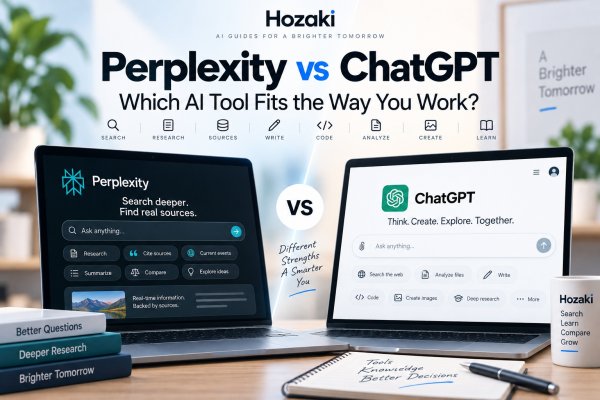
Perplexity and ChatGPT can look surprisingly similar when you first open them.
Both let you type a question.
Both can search the web.
Both can answer follow-up questions.
Both can work with files.
Both can help with research.
And both have expanded far beyond the simple products they were a few years ago.
That makes the old comparison increasingly misleading:
Perplexity is for search, while ChatGPT is for chatting.
The real difference is more subtle.
Perplexity is strongly organized around search, sources and research.
ChatGPT is a broader general-purpose AI environment designed for research, writing, coding, analysis, files, creative work and other multi-step tasks.
But even that distinction isn't absolute.
Perplexity has expanded into file creation, applications and multimedia generation. ChatGPT has developed sophisticated web search and deep research capabilities.
So if you're deciding between Perplexity and ChatGPT, don't start by asking:
Which AI is better?
Start with:
What am I trying to accomplish after I ask the question?
That makes the comparison much more useful.
Perplexity vs ChatGPT: The Short Answer
Perplexity and ChatGPT overlap heavily, but their product emphasis is different.
A typical Perplexity workflow feels like:
Ask
↓
Search the web
↓
Find sources
↓
Synthesize information
↓
Inspect citations
↓
Continue researching
A typical ChatGPT workflow can be broader:
Ask
↓
Search or analyze
↓
Understand
↓
Create
↓
Transform
↓
Continue working
If you're investigating a topic and want sources visible throughout the process, Perplexity's research-first interface may feel natural.
If you're researching something and then want to turn that information into code, a document, an analysis, a plan or another output, ChatGPT's broader workspace may fit that workflow differently.
Neither distinction means the other tool can't perform those tasks.
The products increasingly overlap.
Perplexity vs ChatGPT: Which Should You Choose?
Both tools can search the web, analyze information, answer questions, and support research. The better starting point depends on what you want to accomplish.
| Your Main Task | Recommended Starting Point | Why |
|---|---|---|
| Find current information with visible sources | Perplexity or ChatGPT Search | Both support source-backed web research |
| Explore a topic through cited follow-up questions | Perplexity | Its interface is strongly organized around search and source exploration |
| Produce an in-depth research report | Compare Perplexity Research and ChatGPT Deep Research | Both support multi-step investigation |
| Draft and repeatedly revise content | ChatGPT | A general-purpose conversational workflow supports extended editing |
| Generate and test code | ChatGPT, with independent testing | Coding can be part of a broader technical workflow |
| Investigate recent API documentation | Either tool | Source freshness and original documentation matter most |
| Analyze a PDF or spreadsheet | Compare both with your actual files | File handling, extraction, and available tools vary |
| Create or edit visual content | Check the specific feature in each product | Image understanding and generation are different capabilities |
| Build an ongoing multi-step project | Compare workspace and project features | Persistent context, files, and integrations may matter |
| Complete a quick factual lookup | Either tool | Source quality and ease of use are more important than the brand |
The Short Recommendation
Start with Perplexity when source discovery and research exploration are the center of your task.
Start with ChatGPT when you expect to continue from information gathering into drafting, coding, data analysis, or other forms of work.
Compare both for complex research, document analysis, and high-value recurring workflows.
These are workflow recommendations, not claims that one platform is universally more accurate.
What Is the Main Difference Between Perplexity and ChatGPT?
The biggest difference isn't whether they can access the internet.
Both can.
It isn't whether they can perform research.
Both can.
And it isn't whether they can work with files.
Both offer file-related capabilities.
The more useful distinction is how the products are organized around the user's task.
Perplexity grew from an AI search and answer experience.
Its interface continues to emphasize:
- Web retrieval
- Sources
- Citations
- Research
- Follow-up discovery
ChatGPT grew from a general conversational AI assistant.
Its capabilities now span areas such as:
- Conversation
- Web search
- Deep research
- Writing
- Coding
- File analysis
- Data work
- Images
- Multi-step tasks
This difference in product orientation influences how each tool feels even when they can technically perform similar tasks.
What Is Perplexity Designed For?
Perplexity is particularly centered on finding and working with information.
Suppose you ask:
Why have global coffee prices changed recently?
A Perplexity-style workflow can involve:
- Searching current web information.
- Retrieving relevant sources.
- Synthesizing the findings.
- Showing citations.
- Letting you inspect those citations.
- Continuing with related questions.
You could then ask:
Which producing countries were affected most?
Then:
Find recent primary sources about Brazil.
Then:
Compare what these sources say.
The research process becomes one continuous conversation.
Perplexity also offers deeper research modes designed for more complex investigations and has expanded into files, generated content and other productivity workflows.
So describing it as simply "a search engine with AI" now undersells the product.
What Is ChatGPT Designed For?
ChatGPT is designed around a broader range of AI-assisted tasks.
Research is one of them.
But you can also use ChatGPT to:
- Explain a concept
- Search the web
- Conduct deeper research
- Analyze a document
- Work with data
- Draft content
- Rewrite text
- Generate or debug code
- Interpret images
- Create visual content
- Organize information
- Work through multi-step problems
This means the conversation doesn't necessarily end when the information has been found.
For example:
Research the major approaches to reducing urban heat.
Then:
Compare their advantages and limitations.
Then:
Turn the comparison into a table.
Then:
Draft a two-page briefing for city planners.
Then:
Rewrite the briefing for a general audience.
The information becomes material for additional work.
That broader task orientation is an important part of the ChatGPT experience.
Perplexity vs ChatGPT for Web Search
Both Perplexity and ChatGPT can retrieve current information from the web.
That means the comparison isn't:
Perplexity = internet
versus:
ChatGPT = training data
That model is outdated.
Instead, consider how the search experience is presented.
Perplexity places web research and sources close to the center of the product.
Search, synthesis and citations are closely connected.
ChatGPT can search the web when current information is needed and provide links to relevant sources.
But web search exists alongside many other capabilities.
That makes ChatGPT search part of a broader AI workflow rather than the entire identity of the product.
For users, the practical question is:
Am I primarily searching for information, or am I using information as one step in a larger task?
For an explanation of when ChatGPT retrieves current information, read Can ChatGPT Access the Internet?.
Perplexity vs ChatGPT for Research
Research is where the two products overlap most strongly.
Both can help with:
- Exploring unfamiliar topics
- Finding current information
- Identifying sources
- Synthesizing material
- Asking follow-up questions
- Comparing evidence
- Producing research-oriented responses
But "research" itself can mean very different things.
Quick Research
Example:
What are the main causes of coral bleaching?
A standard web-enabled answer may be enough.
Exploratory Research
Example:
What are the major unresolved questions in coral reef restoration?
Now you may need:
- Multiple sources
- Different perspectives
- Research papers
- Follow-up questions
- Broader investigation
Deep Research
Example:
Compare the evidence for five major coral reef restoration approaches, identify disagreements in the research and produce a sourced report.
This becomes a multi-stage task.
Both Perplexity and ChatGPT now provide workflows intended for deeper research.
So the question isn't simply whether either tool "can research."
You need to consider how well its research workflow fits the type of investigation you're conducting.
For a complete evidence-first workflow, see How to Use AI for Research.
Search Is Not the Same as Deep Research
This distinction is easy to miss.
A normal AI web search might:
- Interpret the question.
- Search the web.
- Retrieve several relevant sources.
- Generate an answer.
Deep research involves something more iterative.
A deeper workflow may:
- Understand the research objective.
- Plan the investigation.
- Search multiple questions.
- Read different sources.
- Identify missing information.
- Run additional searches.
- Compare evidence.
- Synthesize the findings.
- Produce a structured report.
- Cite the supporting material.
In other words:
Search retrieves.
Deep research investigates.
The line isn't perfectly sharp, but it's useful when deciding which workflow you actually need.
Perplexity vs ChatGPT for Finding Sources
Perplexity makes citations a central part of its research interface.
That can be especially useful when your first question after reading an AI answer is:
Where did this information come from?
ChatGPT can also provide citations and source links when using web search or research functionality.
So both can help you move from:
AI answer
to:
underlying evidence.
But there is an important warning.
A citation is not the same as verification.
Suppose an AI answer says:
A 2025 study found that remote workers were 20% more productive.
Hypothetical example: The following claim about a 2025 study and a 20% productivity increase is fictional. It is used only to illustrate how an AI-generated answer can appear credible when a citation is present. It is not presented as a verified research finding.
A citation appears beside the sentence.
That looks reassuring.
But you still need to ask:
- Does the source contain that number?
- Was the study actually published in 2025?
- How was productivity measured?
- Who participated?
- Was it one company or a broad population?
- Is the AI accurately representing the conclusion?
The existence of a citation makes checking easier.
It doesn't perform the checking for you.
For a practical method of verifying claims against original sources, read How to Check Whether an AI Answer Is Actually True.
Perplexity vs ChatGPT for Deep Research
Both platforms have moved beyond basic one-question search experiences.
Perplexity provides Research capabilities designed to investigate complex questions and produce more comprehensive results.
ChatGPT's Deep Research similarly performs multi-step web research, analyzes information from multiple sources and produces documented reports with citations.
That makes the old distinction:
Perplexity researches the web; ChatGPT generates text.
particularly outdated.
A more useful comparison considers:
Research Planning
Can the tool turn a broad question into a workable investigation?
Search Breadth
Does it explore enough relevant information?
Source Quality
Are appropriate primary and authoritative sources being used?
Synthesis
Does the report preserve important differences and uncertainty?
Citations
Can important claims be traced to evidence?
Follow-Up
Can you refine the investigation after seeing the initial results?
Output
Can the findings easily become something useful afterward?
These questions matter more than the product label.
Perplexity Research vs ChatGPT Deep Research
Both platforms offer more involved research workflows than a standard web search.
However, choosing between them requires looking beyond the feature names.
| Evaluation Area | What to Compare |
|---|---|
| Research planning | Can you define and refine the investigation before it runs? |
| Source selection | Can you prioritize particular websites or documents? |
| Web coverage | Does the workflow find relevant primary and independent sources? |
| Uploaded materials | Can it incorporate your own permitted files? |
| Connected information | Can it use authorized external services where supported? |
| Progress control | Can you inspect or redirect the research process? |
| Citation quality | Does each important claim match the cited evidence? |
| Report output | Can you review, export, and reuse the findings? |
| Usage limits | How many research tasks are available under your plan? |
ChatGPT Deep Research
ChatGPT Deep Research supports multi-step investigations and structured reports with citations.
Depending on the account and settings, users can work with public websites, uploaded files, and supported connected apps. The research plan and source selection can be reviewed before execution.
Perplexity Research
Perplexity Research is designed for deeper investigation and synthesis across multiple sources.
Its exact capabilities, limits, and output options should be checked against the current Perplexity documentation for the selected plan.
Which Is Better?
For a complex research project, test the same question in both systems.
Compare the quality of original sources, the completeness of the report, how disagreements are handled, and how easily the conclusions can be verified.
Do not treat a longer report or a higher citation count as proof of better research quality.
Official documentation: ChatGPT Deep Research and Perplexity Help Center.
Perplexity vs ChatGPT for Current Information
Both products can work with current web information.
That matters for questions involving:
- News
- Software
- AI products
- Prices
- Company announcements
- Recent research
- Current events
However, don't assume that every answer automatically represents the latest available information.
Ask:
Was web search used?
What sources were retrieved?
When were those sources published?
Could the information have changed since then?
For example, a software pricing comparison written six months ago may already be outdated.
The presence of AI doesn't remove the need to check dates.
Perplexity vs ChatGPT for Writing
Both tools can generate text.
But writing is broader than producing a paragraph.
A real writing workflow might involve:
- Researching a subject.
- Developing an outline.
- Drafting.
- Changing tone.
- Reorganizing sections.
- Editing.
- Creating alternative versions.
- Working from source documents.
Perplexity can support writing and content creation, particularly when research is central to the task.
ChatGPT's broader general-purpose workflow makes writing one of many things that can happen after research.
For example:
Research how heat pumps work.
Then:
Explain the findings for homeowners.
Then:
Turn this into a 1,500-word article.
Then:
Rewrite the introduction.
Then:
Create five title alternatives.
This illustrates an important distinction:
Sometimes you don't just want an answer.
You want to do something with the answer.
For writing-specific tool recommendations, explore Best AI Tools for Writing.
Perplexity vs ChatGPT for Coding
Both platforms can assist with technical questions and code-related work.
Typical AI coding tasks include:
- Explaining code
- Generating examples
- Debugging
- Understanding errors
- Researching documentation
- Comparing libraries
- Refactoring
- Writing tests
Perplexity's search-oriented workflow can be useful when the problem depends heavily on current documentation or recent technical information.
ChatGPT can combine research with an extended coding conversation.
For example:
Find the current documentation for this API.
Then:
Explain how authentication works.
Then:
Write a Python example.
Then:
Modify it to handle retries.
Then:
Write tests.
Neither approach removes the need to test generated code.
AI-generated code can contain:
- Logic errors
- Security problems
- Outdated APIs
- Incorrect dependencies
- Edge-case failures
Treat generated code as code that needs review, not as automatically correct software.
For dedicated developer-tool comparisons, see Best AI Tools for Coding.
Perplexity vs ChatGPT for PDFs and Files
Files have become an important part of both AI workflows.
Perplexity supports file uploads and analysis, including document and data-oriented formats depending on the plan and feature.
ChatGPT can also work with uploaded documents and other files.
That enables questions such as:
Summarize this report.
Find every reference to customer churn.
Compare these two documents.
Extract the major arguments.
Explain this section in simpler language.
The important distinction isn't merely:
Can it upload a PDF?
A more useful comparison asks:
What do you need to do after the file is understood?
If you're investigating a document alongside web sources, a research-oriented workflow may be important.
If you need to transform the material into another artifact or continue analyzing it across a larger project, a broader AI workspace may matter more.
How to Compare File Analysis in Perplexity and ChatGPT
Before choosing a tool for PDFs, spreadsheets, or reports, test it with a representative file rather than relying on a generic claim that it "supports PDFs."
Use the following checklist:
| Test | What to Check |
|---|---|
| File compatibility | Does your plan support the actual file format and size? |
| Text extraction | Are headings, footnotes, and special characters preserved? |
| Tables | Are numerical values, columns, and units extracted correctly? |
| Visual content | Can the tool interpret the relevant charts or embedded images? |
| Source traceability | Can you locate the exact passage behind an answer? |
| Calculations | Can results be independently reproduced? |
| Multiple files | Can the workflow compare documents without mixing sources? |
| Output | Can the findings be transformed into the deliverable you need? |
| Privacy | Are the files permitted under your organization's data policies? |
A Practical Test
Upload a non-confidential report containing a table, a chart, and several important qualifications.
Ask both tools to:
-
Identify the three main findings.
-
Extract five exact numerical values.
-
Explain the chart.
-
Locate supporting passages.
-
Describe limitations or conflicting evidence.
Check every extracted value against the original document.
The best tool is the one that performs reliably on your documents and supports the next stage of your work.
This is a proposed evaluation workflow, not a test already conducted by Hozaki.
For a broader comparison of document tools, explore Best AI Tools for PDFs.
For a detailed PDF summarization workflow, read How to Summarize Any PDF With AI.
Perplexity vs ChatGPT for Data Analysis
Data work can involve:
- CSV files
- Tables
- Calculations
- Summaries
- Patterns
- Charts
- Interpretation
Both platforms continue expanding their ability to work with structured information.
But data analysis deserves extra caution.
A convincing explanation can still be based on:
- An incorrect calculation
- A misunderstood column
- Missing data
- Bad assumptions
- Inappropriate statistical methods
If the result matters, inspect the underlying calculations and methodology.
AI should make analysis easier to perform and understand.
It shouldn't make validation disappear.
Perplexity vs ChatGPT for Images
Visual AI is another area where the products have expanded beyond text.
Depending on available features and plans, these platforms can support tasks involving images and generated visual content.
But "image capability" can mean several different things:
Image Understanding
What's shown in this image?
Visual Research
Find information about the object shown here.
Image Generation
Create an illustration based on this description.
Image-Based Workflow
Analyze this chart and explain the trend.
These are different tasks.
Before choosing a tool based on "image support," determine which one you actually need.
Perplexity vs ChatGPT for Accuracy
It is tempting to ask:
Which one is more accurate?
But there isn't a meaningful universal accuracy number for every possible question.
Accuracy depends on several layers.
Retrieval
Did the system find relevant information?
Source Quality
Were the sources reliable?
Interpretation
Did the AI understand the sources correctly?
Synthesis
Did it combine the evidence without distorting it?
Reasoning
Did the conclusion logically follow?
Generation
Did the final answer introduce unsupported claims?
A tool can succeed at one layer and fail at another.
For example:
It might find the correct source but misinterpret it.
Or it might explain the evidence correctly but attach a citation to the wrong sentence.
This is why evaluating AI accuracy requires more than counting citations.
For task-specific ChatGPT reliability considerations, read How Reliable Is ChatGPT?.
Can Perplexity and ChatGPT Hallucinate?
Yes.
Web access does not eliminate hallucinations.
A generative AI system can make errors even when it retrieves accurate information.
For example, it might:
- Misread a source
- Combine unrelated facts
- Make an unsupported inference
- Misattribute information
- Attach an irrelevant citation
- Generate a detail that isn't present in any source
Retrieval helps ground answers.
It does not transform generated text into guaranteed truth.
A useful rule is:
The higher the consequence of being wrong, the more verification you should perform.
Perplexity vs ChatGPT for Learning
AI can be useful for learning because conversation makes explanations adaptable.
Suppose you're learning probability.
You could ask:
Explain conditional probability.
Then:
Use a card example.
Then:
Give me a problem to solve.
Then:
Don't show the answer yet.
Both Perplexity and ChatGPT can support interactive learning.
Perplexity's source-oriented experience can be useful when you want to explore supporting material.
ChatGPT's conversational environment can be useful when you want explanations repeatedly adapted, transformed or turned into exercises.
But students should remember that fluent explanations can still contain errors.
Important concepts should be checked against reliable educational sources.
Perplexity vs ChatGPT for Students
Students often need several different AI workflows.
Finding Sources
Research papers, reports and credible references.
Understanding
Explaining difficult concepts.
Studying
Creating questions, examples and practice exercises.
Writing Support
Brainstorming, outlining and editing.
Verification
Checking whether claims are supported.
No single tool automatically handles every stage perfectly.
Students should also follow the academic integrity and AI-use policies of their school, university or instructor.
Using AI to understand a concept is different from submitting AI-generated work as your own.
Perplexity vs ChatGPT for Everyday Questions
For many everyday questions, the practical difference may be small.
Ask:
Why does bread become stale?
Both tools can provide a useful explanation.
But what happens next may reveal the difference.
You might want:
Find scientific sources explaining this.
That's research-oriented.
Or:
Turn the explanation into a science activity for a 10-year-old.
That's transformation-oriented.
Or:
Create a diagram.
That's a visual task.
Or:
Help me write a presentation.
That's content creation.
So when the initial answer looks similar, look at the next step.
That's often where product differences become more meaningful.
Perplexity vs ChatGPT Pricing: What to Check Before Paying
Both platforms offer free access and paid plans, but the features included in each subscription differ.
According to Perplexity's published product information, Perplexity Pro is listed at $20 per month or $200 per year in USD. Actual billing conditions, regional prices, promotions, and taxes may vary.
ChatGPT also offers free and paid plans with different usage allowances, models, research features, and tools.
Rather than comparing subscription prices alone, consider:
| Factor | What to Compare |
|---|---|
| Monthly and annual price | Total cost in your region and currency |
| Search limits | Whether your typical daily usage is covered |
| Deep research | Available tasks and research features |
| File analysis | Formats, size limits, and usage allowances |
| Model selection | Which models and reasoning options are included |
| Coding and data tools | Whether your required workflows are supported |
| Image features | Generation, editing, and usage limits |
| Workspace features | Projects, collaboration, and connected services |
| Privacy requirements | Data controls and organizational policies |
Check the official Perplexity website and ChatGPT pricing page before subscribing.
Pricing information checked: October 2026. Product features and subscription terms may change.
When Perplexity Fits the Task
Perplexity may fit naturally when the workflow begins and remains centered on web information.
Examples include:
Exploring a Current Topic
You want an initial synthesis supported by sources.
Discovering Sources
You want citations visible while investigating.
Following a Research Trail
Each answer leads to another evidence-oriented question.
Comparing Web Information
You want help combining material from several sources.
Building a Quick Research Overview
You want to understand a topic before reading deeply.
These aren't exclusive capabilities.
They're examples of tasks that align closely with Perplexity's research-oriented product design.
When ChatGPT Fits the Task
ChatGPT may fit naturally when research is only one part of a broader workflow.
Examples include:
Writing and Editing
Research something and then transform it into content.
Coding
Research documentation and then develop or debug code.
Working With Files
Analyze material and continue using it across other tasks.
Data Analysis
Work with structured information and explanations.
Creative Tasks
Move from information to ideas, drafts or visual work.
Multi-Step Projects
Continue from research into planning, analysis and creation.
Again, these aren't exclusive capabilities.
The distinction is about workflow emphasis.
Why You Might Use Both
You don't need to choose one AI tool for every information task.
A research workflow could look like this:
Step 1: Use Perplexity for Discovery
Explore the topic.
Identify:
- Important terms
- Potential sources
- Current developments
- Competing ideas
Step 2: Open the Original Sources
Read the evidence.
Don't rely solely on summaries.
Step 3: Use ChatGPT for Analysis
Provide the relevant material and ask:
Compare these sources.
Build a table of their findings.
Identify contradictions.
Turn these notes into an outline.
Step 4: Create the Output
Use AI to help produce:
- A report
- A presentation
- A summary
- A plan
- Code
- Structured notes
Step 5: Verify Important Claims
Return to the evidence before relying on the final result.
But you can also reverse the workflow.
Start research in ChatGPT.
Use Perplexity to broaden source discovery.
Then return to the original evidence.
The point isn't which product gets the first click.
The point is producing better information.
Perplexity vs ChatGPT: Key Differences
| Area | Perplexity | ChatGPT |
|---|---|---|
| Product emphasis | Search and research-oriented AI | General-purpose AI environment |
| Web search | Central to the experience | Integrated capability |
| Current information | Web retrieval is central | Available through web search and research |
| Sources | Highly visible in research workflow | Available in search and research workflows |
| Follow-up questions | Core capability | Core capability |
| Deep research | Available | Available |
| Writing | Supported | Broad writing and editing workflow |
| Coding | Supported | Broad coding workflow |
| File analysis | Supported | Supported across document/data workflows |
| Data work | Available capabilities vary by workflow | Integrated into broader analysis workflows |
| Image capabilities | Available depending on feature and plan | Integrated visual capabilities |
| Research synthesis | Major focus | Major research capability |
| General-purpose work | Expanding | Central product focus |
| Hallucination risk | Possible | Possible |
| Source verification | Still necessary | Still necessary |
Perplexity vs ChatGPT vs Google
Adding Google makes the landscape easier to understand.
Think:
Discover and navigate the web.
Search remains connected to a broad ecosystem including webpages, Maps, shopping, images, news and other specialized information experiences.
Perplexity
Think:
Search, synthesize and follow the sources.
Its product experience is strongly organized around web research and source-backed answers.
ChatGPT
Think:
Research information and then work with it.
Search and deep research exist inside a broader environment for analysis, writing, coding, files, creative tasks and other work.
These aren't rigid boundaries.
Google has generative AI.
Perplexity has expanded into content and application creation.
ChatGPT has sophisticated web research.
The boundaries continue to overlap.
For a comparison of conversational AI and Google's search ecosystem, read ChatGPT vs Google.
For an AI-search-focused comparison, see Perplexity vs Google.
Is Perplexity Better Than ChatGPT?
There is no useful universal answer.
Consider these three tasks:
Find current sources about semiconductor manufacturing.
Debug this Python script.
Research semiconductor supply chains and turn the findings into a presentation.
All involve information.
But they don't involve the same workflow.
The first emphasizes source discovery.
The second emphasizes technical problem-solving.
The third combines research, synthesis and creation.
Instead of asking:
Which AI is better?
ask:
Where does my task begin, and what do I need to do after the information is found?
That question produces a much more useful comparison.
Frequently Asked Questions
Is Perplexity better than ChatGPT?
It depends on the task. Perplexity is strongly oriented around web search, sources and research, while ChatGPT is a broader general-purpose AI environment covering research, writing, coding, files, analysis and other workflows.
Is Perplexity more accurate than ChatGPT?
There is no universal accuracy ranking that applies to every question. Both can retrieve useful information and both can generate errors. Accuracy depends on source quality, retrieval, interpretation, reasoning and the specific task.
Is Perplexity better than ChatGPT for research?
Both offer research capabilities. Perplexity makes source-oriented web research central to its interface, while ChatGPT combines search and deep research with a broader set of analysis and creation workflows. The better fit depends on what your research process requires.
Which is better for web search?
Both can search the web. Perplexity is organized strongly around AI-assisted search and source discovery, while ChatGPT integrates search into a broader conversational environment.
Which is better for writing?
Both can generate text. ChatGPT is broadly designed around writing, rewriting and transformation alongside other tasks, while Perplexity can be particularly useful when writing begins with web research and sources.
Which is better for coding?
Both can assist with code-related questions. The better fit depends on whether the task emphasizes current technical research, iterative coding, debugging, files or a larger development workflow. AI-generated code should always be tested.
Can Perplexity replace ChatGPT?
For some research-oriented tasks, their capabilities overlap significantly. For broader workflows involving creation, coding, analysis or other tasks, the differences between the products may become more noticeable.
Can ChatGPT replace Perplexity?
ChatGPT provides web search and deep research capabilities, so there is substantial overlap. Perplexity still offers a distinct search- and source-oriented research experience that some users may prefer.
Do Perplexity and ChatGPT both access the internet?
Both can retrieve current information from the web through their respective search and research capabilities.
Can both Perplexity and ChatGPT hallucinate?
Yes. Retrieval and citations can reduce some information risks, but neither prevents every error in interpretation, reasoning, synthesis or generation.
Which is better for students?
That depends on whether the student needs source discovery, explanations, study support, writing assistance or another workflow. Students should verify important information and follow applicable academic AI-use policies.
Does Perplexity use ChatGPT?
Perplexity can provide access to models from multiple AI providers depending on its current products and subscription tiers. Perplexity itself is a separate product with its own search, retrieval, interface and research systems.
A Better Way to Think About Perplexity vs ChatGPT
The difference between Perplexity and ChatGPT is becoming less about what either product can do.
Their capabilities increasingly overlap.
The more useful distinction is how each product organizes AI work.
Perplexity places research, retrieval and sources near the center of the experience.
ChatGPT places research inside a broader environment where information can become the starting point for writing, coding, analysis, creation and other tasks.
So don't choose based only on a feature checklist.
Ask:
Do I primarily need to find and investigate information?
Do I need to transform that information afterward?
Do I need original sources?
Do I need files, code, analysis or creative output?
How important is verification?
For many complex tasks, the answer won't be one tool.
It will be a workflow:
Search.
Read the evidence.
Analyze.
Create.
Verify.
The best AI workflow isn't the one that keeps you inside a single product.
It's the one that gets you from a question to a result you can actually understand and trust.
Comments 0