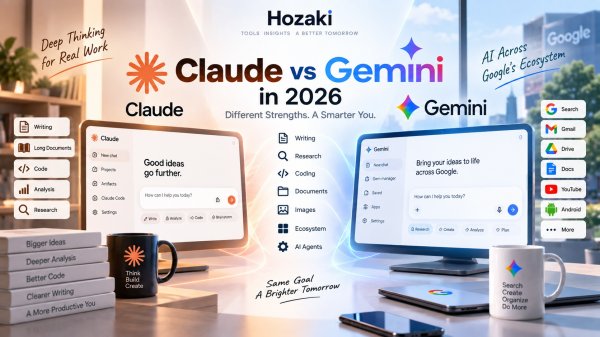
Claude and Gemini can both write, analyze documents, help with research, explain complex ideas, and assist with code.
But by 2026, choosing between them is about much more than comparing two chat windows.
Claude has developed into an AI environment strongly associated with writing, knowledge work, coding, and working through complex information.
Gemini is becoming increasingly connected to Google's much larger ecosystem, including Search, Gmail, Drive, Workspace, Android, and a growing collection of agentic tools.
That creates two noticeably different approaches to AI.
So instead of asking only:
Which AI is smarter?
A more useful question is:
Which AI fits the type of work I actually want to do?
This Claude vs Gemini comparison looks at writing, research, coding, documents, long context, Google integration, multimodal capabilities, agents, and everyday use.
If you're also considering OpenAI, our ChatGPT vs Claude and ChatGPT vs Gemini comparisons complete the picture.
Claude vs Gemini at a Glance
| Area | Claude | Gemini |
|---|---|---|
| General AI | Yes | Yes |
| Writing | Strong | Strong |
| Long-form editing | Strong focus | Strong |
| Research | Yes | Strong Google-connected ecosystem |
| Coding | Claude + Claude Code | Gemini + Google developer tools |
| File analysis | Yes | Yes |
| Long context | Strong | Very large context on supported tiers |
| Image understanding | Yes | Yes |
| Image/video creation | More limited ecosystem | Broad Google multimodal ecosystem |
| Google Workspace | Limited | Major advantage |
| Agentic workflows | Claude Code and agent capabilities | Gemini Spark and Google agents |
| Best fit | Text, documents, coding and knowledge work | Google-connected multimodal workflows |
This isn't a scorecard.
A feature that matters enormously to one user may be irrelevant to another.
If you never use Google Workspace, Gemini's integration advantage means much less. If most of your work involves large documents and writing, Claude may deserve more attention.
What Is Claude?
Claude is Anthropic's general-purpose AI assistant.
It can help with tasks including:
- Writing
- Editing
- Summarization
- Research
- Coding
- Document analysis
- Brainstorming
- Reasoning
- Planning
- Learning
Claude has become particularly popular for workflows involving large amounts of text and information.
That includes things like:
- Reviewing reports
- Working through long documents
- Editing articles
- Analyzing research
- Understanding code
- Planning projects
- Comparing complex information
Anthropic has also expanded Claude beyond browser-based conversations through Claude Code and other agent-oriented capabilities.
That matters because modern AI assistants are increasingly moving from:
answering questions
toward:
helping complete work.
Developers interested primarily in that side of Claude should see our Claude vs ChatGPT for Coding comparison.
What Is Gemini?
Gemini is Google's general-purpose AI ecosystem.
Like Claude, it can work with:
- Text
- Documents
- Images
- Research
- Code
- Planning
- Reasoning
- Creative tasks
But Gemini has one enormous structural difference:
Google already owns many of the applications people use every day.
That includes:
- Google Search
- Gmail
- Drive
- Docs
- Sheets
- Slides
- YouTube
- Android
- Chrome
- Google Photos
- Google Cloud
Google has increasingly connected Gemini with these products and with third-party services.
In August 2026, Google announced another expansion of Gemini Connected Apps across productivity, entertainment, travel, local services, music, and other categories.
This makes Gemini less like an isolated chatbot and increasingly like an AI layer across a broader digital ecosystem.
Claude vs Gemini for Everyday Use
For ordinary questions, Claude and Gemini overlap heavily.
Both can handle tasks such as:
Explain this concept.
Rewrite this email.
Summarize these notes.
Give me ideas for a project.
Help me plan a trip.
Explain why this code fails.
If your AI usage consists mostly of occasional questions like these, either platform can be useful.
The differences become more noticeable as workflows become more complex.
For example:
Read these five documents, research the missing information, compare the evidence, and produce a structured report.
Now you're testing:
- Context
- Research
- File handling
- Reasoning
- Sources
- Workflow
- Integrations
That's a much more meaningful comparison.
Claude vs Gemini for Writing
Writing is one of Claude's most natural use cases.
Claude can help with:
- Articles
- Reports
- Emails
- Editing
- Rewriting
- Summaries
- Outlines
- Tone adjustments
- Long-form content
- Document restructuring
Gemini can perform many of the same tasks.
The major difference may appear when writing becomes connected to other applications.
For example, someone working heavily inside Google Docs, Gmail, and Workspace may find Gemini's ecosystem more convenient.
Someone who primarily wants to sit down with a large amount of text and work through it conversationally may prefer Claude's workflow.
Don't Test AI Writing with a Generic Prompt
Avoid:
Write an article about artificial intelligence.
Instead, give both systems something you actually wrote.
Ask:
Identify the three weakest sections of this draft. Explain why they are weak. Rewrite them while preserving my tone and factual claims.
Then compare:
- Voice preservation
- Editing quality
- Structure
- Unnecessary changes
- Factual consistency
- Amount of manual editing required
That is a much more realistic writing test.
Claude vs Gemini for Research
Research is one area where Gemini's relationship with Google becomes especially relevant.
Google continues to build research and information capabilities into Gemini and its broader AI ecosystem.
Gemini can combine AI reasoning with Google's information infrastructure and connected applications.
Claude can also research and synthesize information, making it useful for:
- Topic research
- Comparing sources
- Understanding papers
- Synthesizing documents
- Creating structured reports
- Exploring unfamiliar subjects
The important distinction isn't simply whether either AI can search.
It's how well the entire research workflow works.
Test Research Like This
Give both systems:
Research the development of humanoid robotics over the last 12 months. Identify five important developments, use primary sources where possible, and explain which claims remain uncertain.
Then evaluate:
- Source quality
- Freshness
- Citation accuracy
- Depth
- Whether sources support claims
- Treatment of uncertainty
- Ability to follow up
Don't judge research quality based on how confident the answer sounds.
A polished paragraph with weak evidence is still weak research.
Claude vs Gemini for Google Search
Gemini has an obvious ecosystem relationship with Google Search.
That can matter when your AI workflow frequently begins with discovering current information.
Google has increasingly blended AI and Search into a broader agentic information environment, including new AI Search capabilities announced at Google I/O 2026.
Claude can also work with web information, but it isn't built by the company operating Google Search.
That doesn't mean Gemini automatically provides more accurate answers.
Search access and answer accuracy are different things.
For important research, inspect the original sources regardless of which assistant you use.
Claude vs Gemini for Documents
Documents are an important strength of both assistants.
You may use them to:
- Summarize PDFs
- Compare reports
- Extract information
- Analyze contracts
- Explain research papers
- Review drafts
- Create notes
- Identify contradictions
Claude is particularly attractive for users whose work revolves around large quantities of text.
Gemini becomes interesting when those documents already live inside Google's ecosystem.
For example, if your files are stored in Drive and your workflow continues into Docs or Gmail, integration can reduce the number of manual steps required.
So the decision isn't simply:
Which AI understands PDFs better?
It may be:
Where do my documents live, and what do I need to do after analyzing them?
How to Compare Claude and Gemini for Document Workflows
If documents are central to your work, compare the entire process rather than judging only the quality of a summary.
A useful test involves three stages: accessing the material, analyzing it accurately, and producing an output you can use.
Step 1: Prepare the Same Source Material
Choose three non-sensitive documents:
-
A report containing important figures and conclusions.
-
A document with detailed requirements or instructions.
-
A second report that contains information related to the first.
Record the file formats and sizes.
For Claude, use the document upload or connected-source features available to your account.
For Gemini, test the relevant upload or Google-connected workflow available to your account.
Do not assume that every Workspace integration is available to every Gemini user. Account type, subscription, region, administrator settings, and file permissions can affect access.
Step 2: Ask the Same Questions
Use a prompt such as:
"Compare these documents. Identify three important agreements, two contradictions, and any missing information that prevents a reliable conclusion. Refer to the source material supporting each finding."
Then check:
-
Whether both assistants used the intended documents.
-
Whether the identified contradictions actually exist.
-
Whether the answers cite or identify the relevant source passages.
-
Whether important qualifications were omitted.
-
Whether either assistant invented information.
Step 3: Test the Next Action
A document workflow rarely ends with a summary.
Ask each assistant to turn the findings into a structured action plan or a revised draft.
If your Gemini account supports the relevant Google application integrations, test whether the result can move into your existing Docs or Drive workflow.
For Claude, evaluate the export, copying, or connected-app process supported by your configuration.
Count the manual steps and check whether formatting, references, and important details survive the transfer.
Step 4: Compare the Results
| Criterion | Claude | Gemini |
|---|---|---|
| Correct source documents accessed | Pass / Partial / Fail | Pass / Partial / Fail |
| Important facts preserved | Pass / Partial / Fail | Pass / Partial / Fail |
| Contradictions correctly identified | Pass / Partial / Fail | Pass / Partial / Fail |
| Source references usable | Yes / No | Yes / No |
| Output ready for further editing | Yes / No | Yes / No |
| Manual transfer or cleanup required | Record | Record |
| Permissions or feature limitations | Record | Record |
What this test reveals: One assistant may produce a more useful analysis, while the other may fit more naturally into your existing applications. These are different advantages and should be evaluated separately.
This is a reader testing method, not a claim that Hozaki conducted an independent benchmark of both products.
Claude vs Gemini for Long Context
Context size gets a lot of attention in AI comparisons.
But context-window numbers can be misleading if treated like benchmark scores.
What users actually care about is whether the AI can reliably work across a large amount of information.
Examples include:
- Multiple reports
- Large PDFs
- Research collections
- Books
- Long conversations
- Code repositories
- Meeting transcripts
Claude has long emphasized context-heavy knowledge work.
Gemini also provides very large context windows on supported models and plans.
But instead of deciding based only on the advertised number, run a practical test.
Upload several documents and ask:
Identify three contradictions between these files and show me where each contradiction appears.
Then ask:
Which conclusion in Document A is weakened by evidence in Document D?
This tests whether the system can actually connect distant information.
Claude vs Gemini for Coding
Both ecosystems now extend significantly into software development.
Claude users can move beyond conversational coding through Claude Code.
Gemini is tied into Google's broader developer ecosystem, including Gemini models, Google AI Studio, Gemini API, and Google's agent-first Antigravity development platform.
At Google I/O 2026, Google expanded this developer strategy with Gemini 3.5 and new agent-oriented development capabilities.
For occasional programming questions, either assistant can help with:
- Code generation
- Debugging
- Explanation
- Refactoring
- Tests
- SQL
- Architecture
For full-time developers, however, the decision shouldn't be restricted to Claude versus Gemini.
Products such as Cursor and GitHub Copilot may fit the actual development environment better.
Our Best AI Tools for Coding guide compares these different approaches.
Claude vs Gemini for Images
Gemini's multimodal ecosystem is one of the clearest differences between the two platforms.
Google continues to combine text, image, audio, and video capabilities across Gemini models and products.
At Google I/O 2026, Google introduced Gemini Omni as a model designed to work across multimodal creation and editing, including video.
Claude supports visual understanding and can analyze images supplied as context.
But if your workflow involves substantial AI media creation, Gemini's broader Google creative ecosystem deserves closer examination.
For users primarily interested in generating images rather than using a general AI assistant, dedicated tools may still be a better fit.
If image generation is your primary goal, compare dedicated creative tools separately from general-purpose AI assistants. Pay attention to image editing controls, output consistency, commercial-use terms, supported formats, and the ability to reproduce a visual style across multiple projects.
Claude vs Gemini for Students
Both assistants can help students:
- Explain concepts
- Review notes
- Summarize material
- Create quizzes
- Analyze readings
- Practice writing
- Brainstorm essays
- Study languages
- Understand code
Gemini may be particularly convenient in educational environments already using Google's ecosystem.
Claude can be useful for long readings, explanations, writing, and document-heavy study.
But students should be careful about turning either AI into an answer machine.
Instead of:
Solve this for me.
try:
Don't give me the solution. Ask me one question at a time until I find the mistake.
That makes AI far more useful for actual learning.
Claude vs Gemini for Work
Professional AI use often involves information spread across multiple applications.
A typical worker might need to:
- Read email
- Analyze a report
- Search the web
- Update a document
- Create a spreadsheet
- Schedule something
- Summarize a meeting
- Prepare a presentation
This is where Gemini's ecosystem strategy becomes important.
Google's September 2026 AI plan updates expanded AI capabilities across products including Gmail, Docs, Keep, Sheets, Chrome, Photos, and Gemini Spark on supported plans.
Claude takes a different route, with strong emphasis on the assistant itself, knowledge work, coding, and increasingly agent-oriented workflows.
Which approach fits better depends heavily on where your work already happens.
Claude vs Gemini for AI Agents
This is one of the areas to watch most closely.
AI assistants are increasingly evolving from systems that respond to prompts into systems that can perform multi-step work.
Gemini Spark is a clear example.
Google describes Spark as a personal AI agent capable of carrying out ongoing tasks and working across supported applications. During 2026, Google expanded it with schedules, skills, Workspace actions, third-party connected apps, and custom MCP connections.
Claude's ecosystem is also moving toward more agentic workflows, particularly around Claude Code and tool use.
The key questions for users are becoming:
- What can the agent access?
- What can it change?
- Can it run in the background?
- Can it use external tools?
- Can you review its actions?
- What permissions does it require?
Agent capabilities change quickly, so evaluate current product documentation before choosing a platform specifically for automation.
Claude vs Gemini for Voice
Voice is another area where AI assistants are becoming more useful.
Google has continued expanding Gemini Live beyond simple spoken conversation.
In August 2026, Google announced additional agentic productivity capabilities for Gemini Live, including working with connected Google apps and handling multi-step tasks through voice.
This is especially relevant for mobile users.
The goal is moving from:
Ask AI a question by voice.
toward:
Tell AI what you need done.
Claude also supports conversational AI workflows, but users who place a high value on Android and Google-connected voice experiences should pay particular attention to Gemini.
Claude vs Gemini on Android
Gemini has another structural advantage here:
Google owns Android.
That allows Gemini to become integrated at the operating-system level in ways that an independent AI assistant can't easily replicate.
Google's September 2026 Android update continued this direction, including Gemini-connected features such as remembering item locations and new visual-assistance capabilities.
If your smartphone is central to your AI usage, this ecosystem relationship may matter significantly.
If most of your AI work happens on a desktop browser, it may matter much less.
Claude vs Gemini on Desktop
Desktop workflows are becoming important for both platforms.
Google launched a dedicated Gemini app for Windows in September 2026, providing shortcut-based access and integration with Google applications from the desktop.
Google has also expanded Gemini across macOS.
Claude likewise supports desktop-oriented workflows and developer tools.
Again, the question is becoming less about whether the assistant has a website and more about:
How close can AI get to the work you're already doing?
Claude vs Gemini Pricing
Pricing comparisons need to be treated carefully.
Both companies offer different tiers, and the value of those tiers depends on:
- Model access
- Usage limits
- Context
- Research
- Agent features
- Storage
- Integrations
- Coding tools
- Media generation
Google currently uses compute-based limits for Gemini Apps, meaning usage can depend on the model, prompt complexity, context length, and feature being used.
That makes a simple "$X versus $Y" comparison incomplete.
Before paying, identify the features you expect to use every week.
Then compare the plan that actually includes those features.
Check Official Plans Before Subscribing
Compare the features available under your specific account and subscription:
Before paying, check:
-
Model access and usage limits.
-
Supported file types and document capabilities.
-
Research and web access features.
-
Connected applications and account requirements.
-
Coding tools and agent capabilities.
-
Storage and media-generation benefits.
-
Regional availability and billing terms.
Google Workspace functionality and consumer Gemini features should not be assumed to be interchangeable.
Likewise, Claude's general assistant features and Claude Code usage may have different requirements or limits.
Pricing note: Plans, quotas, and feature availability change over time. Verify the official documentation for the specific product and account you intend to use.
Claude vs Gemini: How to Decide
The easiest way to choose is to start with your workflow.
Consider Claude if your work centers on:
- Writing
- Editing
- Long documents
- Text-heavy knowledge work
- Coding
- Claude Code
- Complex conversational analysis
Consider Gemini if your work centers on:
- Google Search
- Gmail
- Google Drive
- Workspace
- Android
- Google-connected research
- Multimodal creation
- Connected applications
- Agentic Google workflows
Test Both if:
Your needs are mostly general.
The overlap is substantial enough that personal workflow matters more than a generic comparison.
A Practical Claude vs Gemini Test
Before paying for either, use the same five tasks.
Test 1 — Writing
Give both a real draft and ask for structural editing without changing your voice.
Test 2 — Research
Ask both to investigate a current topic and provide supporting sources.
Test 3 — Documents
Give both several long files and ask questions requiring information from different sections.
Test 4 — Coding
Use a real bug or small feature from an actual project.
Test 5 — Workflow
Give each assistant a task involving the software ecosystem you use every day.
Then compare:
- Accuracy
- Instruction following
- Source quality
- Context
- Editing required
- Workflow friction
- Speed
- Integrations
- Cost
That produces a much more meaningful answer than asking either assistant which one is better.
Record Your Test Results
Use the same task requirements and source material wherever the available features allow a fair comparison.
| Test | Claude | Gemini | Main Evidence |
|---|---|---|---|
| Writing | Pass / Partial / Fail | Pass / Partial / Fail | Meaning preserved, edits required |
| Research | Pass / Partial / Fail | Pass / Partial / Fail | Sources and factual support |
| Documents | Pass / Partial / Fail | Pass / Partial / Fail | Correct cross-document findings |
| Coding | Pass / Partial / Fail | Pass / Partial / Fail | Working code and test results |
| Workflow | Pass / Partial / Fail | Pass / Partial / Fail | Integration, permissions, manual steps |
Record the model, plan, enabled features, and date of each test.
If one tool cannot access a required application, record that as a workflow limitation rather than automatically treating it as a failure of the underlying AI model.
For important tasks, verify results against original documents, executable tests, or other reliable evidence.
Choose the assistant that completes your recurring work with acceptable accuracy, review effort, access controls, and cost.
Can You Use Claude and Gemini Together?
Yes.
Different AI assistants can serve different roles.
For example:
Claude → writing and document analysis
Gemini → Google Workspace and connected-app tasks
You can also use one system to review the other's output.
For important research:
Gemini → gather and organize sources
Claude → critique the argument
Or reverse the workflow.
But don't assume that agreement between two AI systems proves a claim is correct.
Always verify important factual information against original sources.
Frequently Asked Questions
Is Claude better than Gemini?
There isn't a universal answer. Claude may fit text-heavy, document, writing, and coding workflows particularly well, while Gemini has significant advantages for users deeply connected to Google's ecosystem.
Is Gemini or Claude better for writing?
Both can write and edit effectively. Claude is particularly associated with long-form and text-heavy workflows, while Gemini may be more convenient when writing is connected to Google Workspace.
Is Claude or Gemini better for coding?
Both can help with coding. Claude also offers Claude Code, while Gemini connects to Google's developer ecosystem. Full-time developers should also compare dedicated coding tools.
Is Claude or Gemini better for research?
Both can perform research-oriented tasks. Gemini benefits from Google's broader search and connected-app ecosystem, while Claude is useful for synthesizing and reasoning across complex information.
Can Gemini connect to Google apps?
Yes. Gemini supports a growing range of Google and third-party connected applications, although availability can depend on account, plan, region, and product. Google expanded Connected Apps further during 2026.
Does Gemini work on Windows?
Yes. Google released the Gemini app for Windows in September 2026.
Can Claude and Gemini analyze documents?
Yes. Both can work with uploaded documents and help summarize, explain, compare, and extract information from supported files.
Should I use ChatGPT instead?
ChatGPT is another major option. See ChatGPT vs Claude and ChatGPT vs Gemini to compare all three ecosystems.
Continue Exploring AI Assistants
ChatGPT vs Claude
Compare ChatGPT and Claude for writing, coding, research, documents, and everyday work.
ChatGPT vs Claude: What's the Difference and Which Fits Your Workflow?
ChatGPT vs Gemini
Explore how ChatGPT and Gemini differ in Google-connected workflows, research, writing, files, and productivity.
ChatGPT or Gemini? How the Two AI Assistants Compare in 2026
ChatGPT Alternatives
Explore ten general-purpose AI assistants and choose an alternative based on your requirements.
Looking for a ChatGPT Alternative? 10 AI Assistants Worth Trying in 2026
Best AI Tools in 2026
Compare general-purpose and specialist AI tools for writing, research, coding, design, and productivity.
Best AI Tools to Try in 2026: 15 Picks for Different Tasks
Best AI Tools for Coding
Compare AI coding assistants, AI-native editors, and coding agents for different development workflows.
Best AI Tools for Coding: 10 Assistants Developers Should Try in 2026
Comments 0