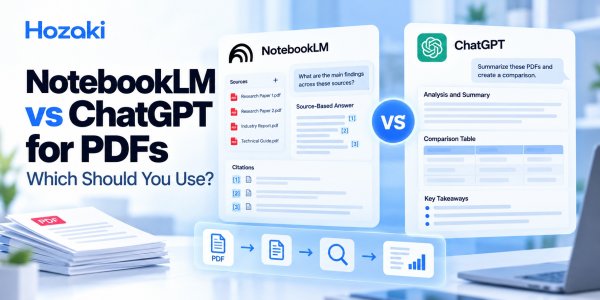
You have a collection of PDFs to read, summarize, or compare. Should you upload them to Google NotebookLM or ChatGPT?
Both tools can help you work with documents, but they approach the task differently.
NotebookLM is built around a collection of selected sources. ChatGPT is a broader AI assistant that can analyze documents and help transform their contents into different outputs.
That distinction matters when you're comparing research papers, checking citations, summarizing reports, or turning PDF content into a presentation outline.
The better choice depends on what you need to accomplish, how important source traceability is, and what kind of output you want.
This guide compares NotebookLM vs ChatGPT for PDFs across common tasks, explains the limitations of each approach, and provides a practical method for testing both with your own documents.
Quick Verdict: NotebookLM vs ChatGPT for PDFs
Choose NotebookLM when your main task is exploring a defined collection of sources and repeatedly checking where information came from.
Choose ChatGPT when you need flexible document analysis, customized summaries, structured outputs, or help turning PDF information into another format.
Consider both when your workflow involves research synthesis, multiple PDFs, or a combination of source exploration and report writing.
Neither tool eliminates the need to verify important claims against the original documents.
| Your PDF task | Consider first | Why |
|---|---|---|
| Ask repeated questions about selected research papers | NotebookLM | Source-centered research workflow |
| Create a highly customized executive summary | ChatGPT | Flexible instructions and output formatting |
| Compare findings across several PDFs | Either | Both can assist with structured comparisons |
| Follow source references while studying | NotebookLM | Source navigation is central to the experience |
| Turn PDF findings into a report outline | ChatGPT | Flexible drafting and revision |
| Extract important numbers from complex tables | Either, with manual checking | Extraction quality must be verified |
| Prepare a literature review | Either as an assistant | Neither replaces formal research methods |
| Analyze confidential PDFs | Depends on permissions and policies | Data handling must be evaluated first |
These recommendations describe workflow fit, not results from a controlled accuracy test.
NotebookLM vs ChatGPT for PDFs: At a Glance
Before comparing specific tasks, it helps to understand how the two products are organized.
| Feature or workflow | NotebookLM | ChatGPT |
|---|---|---|
| Main product approach | Source-centered notebook | General-purpose conversational AI assistant |
| Working with PDFs | Add supported documents as notebook sources | Analyze uploaded files using available capabilities |
| Asking follow-up questions | Explore a selected source collection | Continue a conversation about the task and supplied material |
| Source references | Core part of source-grounded exploration | Source handling depends on the workflow and available features |
| Multiple-document analysis | Useful for exploring a source collection | Useful for structured extraction and synthesis |
| Custom writing outputs | Supports source-based content workflows | Broad flexibility in drafting and rewriting |
| Research organization | Notebook-oriented | Conversation- and project-oriented workflows |
| Reliability | Requires original-source verification | Requires original-source verification |
A product's interface can make some tasks easier, but it does not guarantee that the resulting analysis is correct.
The best comparison starts with your task rather than a general ranking.
How NotebookLM and ChatGPT Work With PDF Sources
How NotebookLM approaches documents
NotebookLM is designed to help users explore information from a selected collection of sources.
A typical workflow involves creating a notebook, adding documents, and asking questions about the material.
For example, you might add several academic papers about the same topic and ask:
-
What research methods do these papers use?
-
Where do their findings agree?
-
Which source discusses a particular limitation?
-
What evidence supports a specific conclusion?
This source-centered structure can be convenient when you need to return to the same documents repeatedly.
However, the usefulness of its answers still depends on whether the relevant information was processed correctly and whether the cited passages support the claims.
For a detailed tutorial, see How to Use NotebookLM for Research: A Practical Workflow.
How ChatGPT approaches documents
ChatGPT is a general-purpose AI assistant that can work with uploaded documents when supported file-analysis capabilities are available.
You can ask it to summarize a PDF, extract information, compare documents, reorganize findings, or draft new content based on supplied material.
For example:
Analyze this PDF and create an executive summary with the main findings, key statistics, important limitations, and five questions for management to investigate.
You can then ask for revisions, such as changing the structure, simplifying the language, or preparing a presentation outline.
This flexibility can be valuable when the final deliverable matters as much as the initial document analysis.
However, you should not assume that every part of an uploaded PDF has been read correctly.
The main difference
NotebookLM emphasizes working within a source collection.
ChatGPT emphasizes flexible assistance across a wider range of tasks.
Both approaches can be useful. The distinction becomes more important as your PDF workflow grows more complex.
Which Is Better for Summarizing a Single PDF?
For a straightforward PDF summary, either tool may be sufficient.
The decision depends on what you want to do after reading the summary.
When NotebookLM may fit better
Consider NotebookLM if you want to:
-
Explore the same document through multiple questions.
-
Find supporting passages for specific claims.
-
Develop source-based study notes.
-
Keep the document within a larger research notebook.
For example, you might upload a technical paper and ask several questions about its methodology, findings, and limitations.
When ChatGPT may fit better
Consider ChatGPT if you want to:
-
Generate a summary in a specific format.
-
Rewrite technical content for a particular audience.
-
Convert findings into an action-oriented brief.
-
Create a customized outline or checklist.
-
Continue editing the resulting text.
For example, you might ask ChatGPT to transform a lengthy policy document into a one-page summary for nontechnical colleagues.
What matters more than the tool
A good PDF summary should preserve:
-
The document's purpose.
-
Main arguments or findings.
-
Important numbers and definitions.
-
Qualifications and limitations.
-
Relevant source locations.
-
Uncertainty or information that could not be verified.
A short summary that omits important limitations may be less useful than a longer, properly qualified one.
For a detailed method, read How to Summarize Any PDF With AI Without Missing the Important Parts.
Which Is Better for Summarizing Multiple PDFs?
Working with several PDFs introduces challenges that do not appear in a single-document task.
The AI must keep track of which document contains which finding, recognize overlapping information, and preserve meaningful differences.
NotebookLM for multiple sources
NotebookLM's source-centered workflow can be useful when you want to explore relationships between documents over several rounds of questioning.
For example:
Which of these papers measure employee productivity using objective performance data, and which rely on self-reported outcomes?
The value is not merely obtaining a combined answer. It is being able to investigate how the sources relate to one another.
ChatGPT for multiple sources
ChatGPT can be useful when you want to define a particular analysis structure.
For example:
Create a matrix comparing these reports by purpose, publication period, key findings, important numbers, and limitations. Keep each report in a separate column.
You can then ask for a management summary, thematic synthesis, or another customized output.
The better workflow for either tool
Regardless of the product, avoid starting with a single broad request to summarize every file.
Use this sequence instead:
Check files → Label sources → Extract each document → Compare findings → Write synthesis → Verify.
A practical multi-PDF summary should include a source inventory and a record of which findings have been checked.
For the complete workflow, see How to Summarize Multiple PDFs With AI Without Losing Important Details.
Which Is Better for Citations and Source Verification?
Source verification is one of the most important differences to consider when choosing a PDF research tool.
But there is a distinction between providing a citation and supporting a claim correctly.
NotebookLM's source-centered approach
NotebookLM is designed to connect responses with information from selected sources.
This can make it convenient to inspect the material behind an answer.
For example, if a response states that a study used a particular sampling method, you should be able to investigate the relevant source material.
Still, a source reference does not prove that the model interpreted the passage correctly.
ChatGPT's document-analysis approach
ChatGPT can help identify passages, organize evidence, and prepare source-based summaries.
The exact form of source references depends on the tools and workflow being used.
Do not assume that a generated page number or quotation is correct merely because it appears in a confident answer.
A citation verification checklist
For either tool, verify the following:
| Question | Why it matters |
|---|---|
| Does the source exist? | Prevents fabricated references |
| Can you locate the passage? | Establishes traceability |
| Does the passage support the claim? | Prevents misleading attribution |
| Is important context missing? | Avoids distorted interpretation |
| Are numbers and units correct? | Prevents quantitative errors |
| Is the conclusion stronger than the evidence? | Avoids overstatement |
Example of a misleading citation
Suppose a paper reports an association between remote work and self-reported productivity.
An AI summary states:
The study proves that remote work increases employee productivity.
Even if the citation points to the correct paper, the conclusion may be unsupported.
An observational association is not automatically proof of causation.
A valid source reference is necessary for traceability, but it is not sufficient for research accuracy.
Which Is Better for Research Papers and Literature Reviews?
Both NotebookLM and ChatGPT can support academic research tasks.
However, the right choice depends on the stage of your research.
Reading and exploring a source collection
NotebookLM may be convenient when your immediate goal is understanding a selected set of papers.
Typical tasks include:
-
Finding recurring concepts.
-
Locating source-specific findings.
-
Exploring methodological differences.
-
Asking follow-up questions about the literature.
-
Organizing source-grounded notes.
Extracting information into a structured format
ChatGPT may be useful when you want to create a customized extraction template or transform research notes into a particular format.
For example, you might request a table with:
-
Research question.
-
Study design.
-
Sample or dataset.
-
Outcome measures.
-
Main findings.
-
Limitations.
-
Evidence location.
Both tools can assist with this task, but the extraction must be checked.
Comparing research papers
Neither tool should simply decide which paper is better.
A meaningful comparison requires examining whether the studies address comparable questions and whether their designs support the conclusions being drawn.
For a dedicated method, see How to Compare Research Papers With AI Without Missing Important Differences.
Preparing a literature review
AI can help organize a literature review, but it cannot replace:
-
Appropriate literature searching.
-
Documented inclusion and exclusion criteria.
-
Critical appraisal.
-
Accurate citation management.
-
Evaluation of bias and uncertainty.
-
Independent synthesis.
A formal systematic review has additional methodological requirements.
Use established guidance, such as the PRISMA 2020 Statement, when those standards apply.
Which Handles PDF Tables, Charts, and Scanned Files Better?
This is a question that should not be answered with a universal winner.
PDFs vary substantially.
A clean, text-based research paper is different from a scanned contract, a financial report with complex tables, or a document containing charts without accessible text descriptions.
Text-based PDFs
Both products may be useful for analyzing text that can be accessed reliably.
However, even a text-based PDF can contain reading-order problems, footnotes, or multi-column layouts that complicate extraction.
Tables
Tables introduce additional risks:
-
Incorrect row and column associations.
-
Missing headers.
-
Misread units.
-
Confusion between percentages and percentage points.
-
Loss of footnotes.
-
Incorrect interpretation of totals.
For important numerical findings, inspect the original table manually.
Charts and diagrams
A chart may contain information that is not fully represented in extracted text.
The ability to interpret visual content can depend on the product, account, model, and processing method.
Do not assume that an uploaded PDF's figures have all been analyzed.
Scanned PDFs
Scanned documents may require text recognition or other document-processing capabilities.
Poor scan quality, rotated pages, handwriting, and unusual layouts can reduce reliability.
If a tool cannot access the relevant content, its summary may be incomplete.
How to compare the tools fairly
Use the same PDF and ask both tools to extract:
-
A specific paragraph.
-
A table with its original units.
-
A numerical result.
-
A qualification from a footnote.
-
A finding presented in a chart.
Check each response against the original file.
This produces a more meaningful comparison than relying on general claims about which tool is better at PDFs.
For additional troubleshooting, see Why ChatGPT Misreads PDFs and How to Fix It.
Which Is Better for Turning PDFs Into Reports or Other Outputs?
Sometimes your objective is not simply understanding a document.
You may need to transform its information into something useful for another audience.
Examples include:
-
An executive brief.
-
A study guide.
-
A presentation outline.
-
A meeting agenda.
-
A project checklist.
-
A research comparison table.
-
A draft report.
ChatGPT for flexible content transformation
ChatGPT is worth considering when you need iterative editing and detailed control over the output.
You might ask it to produce a concise report, change the tone, reorganize sections, or turn verified findings into an outline.
The important distinction is that generating a useful format does not validate the underlying facts.
NotebookLM for source-based research outputs
NotebookLM provides source-oriented ways to explore and organize information, along with additional output features that may vary over time.
It can be useful when the deliverable is closely connected to a defined set of sources.
Check the current interface and available features before deciding which output format to use.
A practical decision
If the main task is understanding and tracing evidence, begin by evaluating NotebookLM.
If the main task is transforming verified information into a highly customized deliverable, begin by evaluating ChatGPT.
If you need both, a combined workflow may be appropriate, provided your organization's data-handling rules allow it.
File Limits, Pricing, and Privacy: What Should You Check?
Product limits and account features can change.
Rather than relying on an old comparison table, verify the current details before choosing a tool for a large project.
File and source limits
Check:
-
Supported PDF and document formats.
-
Maximum file size.
-
Number of sources or uploads allowed.
-
Limits on document processing.
-
Restrictions that differ by account or plan.
For current details, consult the official NotebookLM Help Center and OpenAI File Uploads FAQ.
Pricing
Compare the features you actually need rather than only the subscription price.
For example, a workflow involving many documents may be affected by source limits, usage allowances, or the availability of particular analysis features.
Check current official pricing pages for your region and account.
Privacy and confidential documents
Before uploading sensitive PDFs, determine:
-
Whether you are authorized to use the service.
-
What data the service processes and retains.
-
Which controls apply to your account.
-
Whether your organization has approved the tool.
-
Whether the documents contain personal or restricted information.
-
Whether contractual or legal requirements apply.
Do not assume that one product is categorically safer for all users and document types.
The appropriate choice depends on the applicable terms, settings, and your obligations.
Practical Examples: Which Tool Should You Choose?
The following examples illustrate workflow choices. They are not results from live product testing.
Scenario 1: A student reading several academic papers
Task: Understand the methods and findings of eight papers on a related topic.
Consider first: NotebookLM.
Reason: The student expects to ask repeated questions about a defined source collection and inspect supporting evidence.
Important check: Verify each paper's methods and findings in the original documents.
Scenario 2: A manager preparing a one-page report
Task: Convert a long industry PDF into an executive brief with decisions, risks, and follow-up questions.
Consider first: ChatGPT.
Reason: The task requires a customized output and iterative editing.
Important check: Verify numerical findings and ensure the brief does not introduce unsupported recommendations.
Scenario 3: A researcher comparing conflicting papers
Task: Understand why two studies report different findings.
Consider: Either tool.
Reason: Both can help organize study designs, populations, outcome measures, and limitations.
Important check: Do not describe findings as contradictory before confirming that the studies are comparable.
Scenario 4: An analyst summarizing twenty reports
Task: Create a thematic synthesis across a large document collection.
Consider: The tool that best supports the required source organization, processing limits, and final output.
Reason: Source coverage and verification are more important than generating one long answer.
Important check: Use individual extraction records and a cross-document matrix.
Scenario 5: A team reviewing confidential contracts
Task: Extract obligations and deadlines from restricted documents.
Consider: Only an appropriately authorized and approved workflow.
Reason: Data handling, contractual restrictions, and access controls may determine whether either tool is suitable.
Important check: Obtain the required approvals before uploading the documents.
How to Test NotebookLM and ChatGPT With the Same PDFs
The most useful comparison is one you can reproduce with your own documents.
You do not need a large benchmark to evaluate a workflow.
Start with a small set of representative PDFs.
Step 1: Select the test documents
Choose:
-
One clean text-based PDF.
-
One PDF containing tables or complex formatting.
-
Two related PDFs that require cross-document comparison.
Use documents you have permission to process.
Step 2: Create a manual answer key
Before using AI, identify several facts you can verify yourself.
For example:
-
The document's main purpose.
-
A specific numerical finding.
-
A limitation.
-
A table value.
-
A difference between two sources.
Record the correct answers and their locations.
Step 3: Use the same questions
Ask both tools to perform the same tasks.
Test prompt A: Single-PDF summary
Analyze the supplied PDF and provide its purpose, main findings, important numerical data, limitations, and source locations.
Mark any inaccessible or uncertain information as unverified.
Test prompt B: Multi-PDF comparison
Compare the supplied PDFs by purpose, scope, methods, main findings, important numbers, and limitations.
Keep findings attributed to their original sources.
Identify differences that make direct comparison inappropriate.
Test prompt C: Citation audit
Review the five most important claims in your answer.
For each claim, identify the supporting source, relevant passage, and any qualification.
Flag claims that cannot be verified from the supplied material.
Step 4: Score the outputs
Use the following worksheet.
| Criterion | NotebookLM | ChatGPT |
|---|---|---|
| Important findings covered | Not tested | Not tested |
| Numerical values correct | Not tested | Not tested |
| Source attribution correct | Not tested | Not tested |
| Citations support claims | Not tested | Not tested |
| Limitations preserved | Not tested | Not tested |
| Output meets required format | Not tested | Not tested |
| Uncertainty clearly stated | Not tested | Not tested |
Replace "Not tested" with your observed results.
Use a consistent rating system, such as Pass, Partial, or Fail, and retain examples of errors.
Step 5: Record the conditions
Document the test date, account plan, available features, files used, and prompts.
These details matter because product behavior can change.
Step 6: Choose based on your workflow
A tool that produces a more polished summary may not be the best choice if it repeatedly misses important source details.
Likewise, a tool with convenient citations may not meet your requirements for customized outputs.
Prioritize the criteria that matter for your actual task.
Common Mistakes When Choosing an AI Tool for PDFs
Mistake 1: Assuming one tool is universally more accurate
Accuracy depends on the document, task, product configuration, and verification method.
Better approach: Test representative files and check the results.
Mistake 2: Treating citations as proof
A citation can point to a real source while supporting an inaccurate interpretation.
Better approach: Read the cited passage in context.
Mistake 3: Comparing tools using different inputs
Different PDFs or prompts make results difficult to interpret.
Better approach: Use the same documents and equivalent instructions.
Mistake 4: Ignoring complex PDF content
Tables, figures, and scanned pages may contain essential information.
Better approach: Include difficult documents in your evaluation.
Mistake 5: Choosing based only on feature lists
A long feature list does not tell you whether a tool fits your workflow.
Better approach: Start with the task and required output.
Mistake 6: Assuming uploaded documents were fully processed
A successful upload does not guarantee complete extraction.
Better approach: Verify document coverage and important details.
Mistake 7: Ignoring privacy requirements
A convenient workflow may be inappropriate for confidential material.
Better approach: Review permissions and current data-handling policies first.
Frequently Asked Questions
Is NotebookLM better than ChatGPT for PDFs?
NotebookLM may be a better fit for exploring selected sources and following source references. ChatGPT may be a better fit for flexible document analysis and customized outputs.
Neither is universally better for every PDF task.
Can NotebookLM summarize multiple PDFs?
NotebookLM can assist with analyzing and summarizing a collection of supported sources.
For reliable results, check that every document is represented and verify important claims against the originals.
Can ChatGPT compare multiple PDFs?
ChatGPT can assist with comparing documents when the required file-analysis features are available.
Use consistent extraction fields and keep findings attributed to the correct sources.
Which is better for academic research?
NotebookLM can be convenient for exploring a selected source collection, while ChatGPT can help with structured analysis and drafting.
Both require source verification, appropriate research methods, and independent critical judgment.
Does NotebookLM provide citations?
NotebookLM is designed for source-grounded exploration and provides ways to connect answers to source material.
You should still verify that the cited passages support the claims.
Are ChatGPT PDF summaries accurate?
They can be useful, but errors and omissions are possible.
Check important numerical values, qualifications, source attribution, and document coverage.
Can either tool read scanned PDFs?
Capabilities depend on the current product features, account, and document-processing method.
For scanned documents, confirm that the relevant content was successfully interpreted before relying on a summary.
Which tool is better for PDF tables?
There is no reliable universal answer without testing representative documents.
Use the same table-containing PDF in both tools and compare the extracted values against the original.
Is NotebookLM free? Is ChatGPT free?
Both products may offer different access levels or plans, and features can change.
Check current official pricing and account information for the features you need.
Can I use NotebookLM and ChatGPT together?
Yes, a combined workflow may be useful.
For example, you could organize source-based research notes in one tool and use another to help draft a report from verified information.
Make sure you preserve accurate source references and comply with any applicable data-handling requirements.
Final Verdict: Choose the Tool That Fits Your PDF Workflow
NotebookLM and ChatGPT can both help with PDFs, but they are not interchangeable in every situation.
Start with NotebookLM when your work centers on exploring a defined collection of documents, asking repeated source-based questions, and following supporting evidence.
Start with ChatGPT when you need flexible analysis, custom summaries, structured transformations, and iterative writing assistance.
Consider either—or both— when comparing research papers or synthesizing multiple reports, provided you can verify the results and use the tools appropriately.
For complex tables, scanned documents, sensitive material, or high-stakes decisions, the deciding factor should be the quality and suitability of the verified workflow, not a generic product ranking.
The most reliable rule is simple:
Choose by task. Test with your own documents. Verify against the original PDFs.
Sources and Further Reading
Official product resources
Related Hozaki guides
-
How to Summarize Multiple PDFs With AI Without Losing Important Details
-
How to Compare Research Papers With AI Without Missing Important Differences
-
How to Summarize Any PDF With AI Without Missing the Important Parts
Editorial note: The workflow recommendations are based on the products' general design and intended use cases, not on a controlled head-to-head test. The example scenarios and blank evaluation worksheet are illustrative. Product features, usage limits, and policies should be verified against current official documentation before publication.
Comments 0