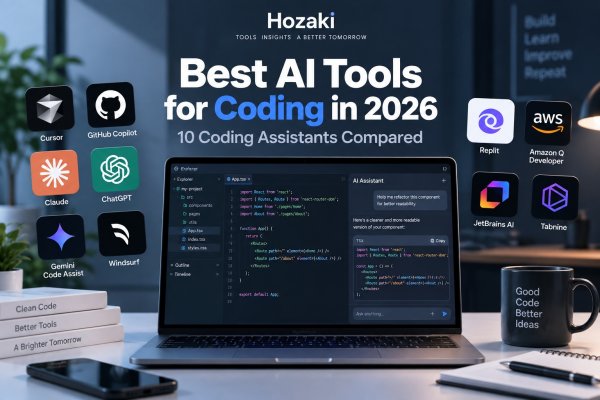
AI coding tools have moved far beyond generating a function from a prompt.
Modern coding assistants can understand repositories, edit multiple files, review pull requests, run commands, debug errors, work from the terminal, and increasingly complete development tasks through AI agents.
That also makes choosing one more complicated.
A developer who wants autocomplete inside an existing IDE has different needs from someone who wants an AI-native editor. A beginner learning Python may need something completely different from an engineering team using agents across a large repository.
This guide compares 10 of the best AI tools for coding in 2026, focusing on where each tool fits rather than treating every coding assistant as interchangeable.
If you're comparing AI beyond software development, start with our Best AI Tools in 2026 guide.
Best AI Coding Tools at a Glance
| AI Coding Tool | Best For | Free Option | Starting Paid Plan* |
|---|---|---|---|
| Cursor | AI-native coding environment | Yes | $20/month |
| GitHub Copilot | Existing developer workflows | Yes | $10/month |
| Claude / Claude Code | Complex coding and terminal workflows | Yes / plan dependent | Varies |
| ChatGPT / Codex | General AI + agentic coding | Yes / plan dependent | Varies |
| Gemini Code Assist | Google ecosystem developers | Yes | Varies |
| Windsurf | Agentic IDE workflows | Yes / plan dependent | Varies |
| Replit | Browser-based development | Yes / plan dependent | Varies |
| Amazon Q Developer | AWS development | Yes / plan dependent | Varies |
| JetBrains AI | JetBrains IDE users | Plan dependent | Varies |
| Tabnine | Team-focused AI coding | Plan dependent | Varies |
*Pricing and usage limits can change quickly. Check the provider's current pricing before subscribing.
The right tool depends less on which AI has the longest feature list and more on where and how you write code.
AI Coding Editor vs AI Coding Assistant vs Coding Agent
One reason comparisons of AI coding tools become confusing is that these products don't all do the same thing.
There are now at least three useful categories.
AI Coding Assistant
A coding assistant helps while you write software.
Typical capabilities include:
- Autocomplete
- Code suggestions
- Chat
- Explanations
- Debugging
- Refactoring
GitHub Copilot is a clear example of this category, although it now also includes agent capabilities.
AI-Native Editor
An AI-native editor makes AI a central part of the coding environment itself.
Cursor is a good example.
Instead of bolting AI onto an existing workflow, the editor is designed around working with models and agents.
AI Coding Agent
An agent can take a larger goal and perform multiple steps toward completing it.
For example:
"Update this authentication flow, modify the affected files, add tests, run them, and explain the changes."
This is much closer to delegated software work than autocomplete.
Codex, Claude Code, Copilot agents, Cursor agents, and similar products are pushing coding increasingly in this direction.
The categories now overlap, but understanding them makes choosing a tool much easier.
1. Cursor — Best AI-Native Coding Editor
Cursor is one of the clearest examples of how AI coding has shifted from simple autocomplete toward agentic development.
Rather than adding an AI chat window beside a traditional editor, Cursor builds AI deeply into the coding environment.
That makes it useful for tasks such as:
- Understanding an existing codebase
- Editing multiple files
- Generating code
- Refactoring
- Debugging
- Working with agents
- Navigating unfamiliar repositories
- Performing larger development tasks from natural-language instructions
Cursor currently offers a free Hobby plan with limited Agent requests and access to Composer. Its Pro plan starts at $20 per month and adds extended Agent limits, frontier-model access, cloud agents, MCPs, skills and hooks.
What Cursor Does Well
Cursor's biggest advantage is context.
Instead of repeatedly copying code into a standalone chatbot, developers can work with AI where the repository already lives.
That becomes increasingly important as tasks grow from:
"Write this JavaScript function."
to:
"Find why authentication is failing, update the relevant files, add tests, and explain what changed."
The second task requires understanding relationships across a project, not just generating a code snippet.
Where Cursor Falls Short
Moving to Cursor can represent a larger workflow change than simply installing an AI extension into an IDE you already use.
Developers deeply attached to another editor or an organization with standardized tooling may prefer an assistant that fits into the existing environment.
Who Should Use Cursor?
Cursor is a strong option for developers who want AI to become a central part of their coding environment rather than an occasional helper.
If you're primarily deciding between Cursor and Copilot, the key question is:
Do you want an AI-first editor, or AI added to the development workflow you already have?
2. GitHub Copilot — Best for Existing Developer Workflows
GitHub Copilot remains one of the most important AI coding products because it meets developers inside tools and workflows they already use.
Its role has also expanded far beyond its original autocomplete experience.
Copilot currently supports code completions, chat, agent mode, CLI workflows, code review and cloud agents across supported plans and environments. GitHub's current individual plans range from Free to Pro, Pro+ and Max.
Copilot Free currently includes 2,000 code completions per month plus limited chat and agent usage.
Copilot Pro costs $10 per month and adds unlimited code completion and next-edit suggestions, model selection, cloud-agent access and code review. GitHub also currently supports third-party agents including Claude Code and Codex on eligible paid plans.
What GitHub Copilot Does Well
Its biggest advantage is workflow integration.
Developers don't necessarily need to abandon:
- VS Code
- Visual Studio
- JetBrains IDEs
- GitHub
- CLI workflows
- Existing repositories
just to add AI assistance.
For teams already centered around GitHub, that integration becomes particularly valuable.
Cursor vs GitHub Copilot
These products increasingly overlap, but their starting points remain different.
Cursor: AI-native editor.
GitHub Copilot: AI development layer across existing coding and GitHub workflows.
Neither description means one is automatically better.
A developer happy to adopt an AI-first environment may prefer Cursor's approach.
Someone who wants AI integrated across an existing IDE, GitHub, code review and command-line workflow may find Copilot more natural.
3. Claude and Claude Code — Best for Complex Coding Work
Claude is easy to underestimate if you think of it only as a browser chatbot.
For general users, Claude is a writing and knowledge-work assistant. For developers, Claude also extends into coding-oriented workflows through Claude Code.
This makes Claude useful across two different levels.
You can use ordinary Claude for:
- Explaining code
- Debugging
- Architecture discussions
- Reviewing snippets
- Understanding errors
- Planning implementations
Claude Code takes that relationship closer to the actual development environment.
This is important because coding assistance increasingly depends on whether an AI can work with a project, not simply answer programming questions.
What Claude Does Well for Coding
Claude is particularly useful when a programming problem involves a lot of context.
For example:
- Understanding unfamiliar code
- Reasoning about architecture
- Refactoring
- Explaining complex logic
- Planning implementation changes
- Working through multi-step problems
Developers who also use Claude for writing, research, and documents may appreciate having the same general AI ecosystem available for programming work.
For a deeper developer-focused comparison, read Claude or ChatGPT for Coding?.
If you want to compare these assistants beyond programming, see ChatGPT vs Claude.
4. ChatGPT and Codex — Best for General AI Plus Coding
ChatGPT makes sense for developers who don't want their AI subscription to be useful only when they're writing code.
A developer might use ChatGPT to:
- Explain an error
- Generate code
- Analyze a file
- Research a library
- Create documentation
- Work with data
- Brainstorm product ideas
- Write technical content
- Learn an unfamiliar programming concept
OpenAI's Codex extends this further into agentic software development.
OpenAI currently describes Codex as an AI coding agent designed to complete engineering tasks end to end, including features, refactors and migrations. Codex in ChatGPT also supports parallel agent workflows using worktrees and cloud environments.
That makes the distinction between "ChatGPT for coding" and a dedicated coding agent increasingly important.
What ChatGPT Does Well
The advantage is breadth.
If coding is only one part of your work, a general AI platform can be more practical than paying for several narrowly specialized tools.
A product manager who sometimes writes SQL or Python may not need the same setup as a full-time software engineer.
Where ChatGPT Is Less Convenient
If you spend eight hours a day inside a repository, constantly moving code between a browser chat and an editor can become inefficient.
That's where tools such as Cursor, GitHub Copilot, and dedicated coding agents become more attractive.
If you're new to the broader ChatGPT ecosystem, start with How ChatGPT Actually Works to understand how the assistant generates responses and why its output still needs verification.
5. Gemini Code Assist — Best for Google Ecosystem Developers
Gemini Code Assist is a natural candidate for developers already working heavily within Google's development and cloud ecosystem.
The value of an AI coding assistant isn't determined only by model output.
It also depends on:
- IDE integration
- Cloud environment
- Repository context
- Enterprise controls
- Existing development stack
- Where the rest of the team's tools already live
For developers and organizations using Google Cloud extensively, ecosystem fit can become a meaningful reason to consider Gemini Code Assist.
Who Should Consider It?
Developers who already use Google's developer and cloud tooling should compare Gemini Code Assist with Copilot and other alternatives before adding another disconnected AI workflow.
For general-purpose AI rather than coding alone, see our ChatGPT vs Gemini comparison.
6. Windsurf — Best Alternative AI Coding Environment
Windsurf belongs in this comparison because the AI coding market is no longer simply:
GitHub Copilot vs everyone else.
AI-first coding environments have become a distinct product category.
Windsurf focuses heavily on agentic development and contextual coding workflows, making it relevant for developers who like the idea behind Cursor but want to compare alternative approaches.
What to Compare with Cursor
Don't judge the two products only by asking each to generate the same small function.
Instead, test:
- Repository understanding
- Multi-file changes
- Agent reliability
- Code suggestions
- Terminal workflows
- Context management
- Model options
- Usage limits
- Speed
- How often you need to correct changes
For agentic coding tools, workflow quality can matter as much as raw model capability.
7. Replit — Best for Browser-Based AI Development
Replit approaches AI coding from a different direction.
Instead of assuming every developer wants a local editor plus an AI extension, Replit makes browser-based development central to the experience.
That can be particularly useful for:
- Beginners
- Prototyping
- Small projects
- Learning
- Collaborative coding
- Quickly turning an idea into something runnable
The appeal isn't necessarily that Replit will replace a professional local development stack for every engineer.
It's that the distance between:
"I have an idea."
and:
"I have something running."
can be much shorter.
Who Should Use Replit?
Replit is worth considering if setup and infrastructure are currently bigger obstacles than writing code itself.
Experienced developers working on large local repositories may prefer more traditional IDE-based or agentic coding environments.
8. Amazon Q Developer — Best for AWS Developers
Amazon Q Developer becomes especially relevant when software development is closely tied to AWS.
Developers working with cloud infrastructure don't only need help generating functions.
They may also need help understanding services, working with cloud resources, troubleshooting configurations, or navigating an AWS-heavy development environment.
That's why Amazon Q Developer shouldn't be evaluated only against a generic prompt such as:
"Write a Python sorting function."
Its real value proposition is ecosystem fit.
Who Should Consider It?
AWS-focused developers and teams.
If your infrastructure, deployment, and development workflows already revolve around AWS, a coding assistant designed around that ecosystem may provide more practical value than a standalone general-purpose AI.
9. JetBrains AI — Best for JetBrains IDE Users
Developers who spend their working day in IntelliJ IDEA, PyCharm, WebStorm, PhpStorm, or other JetBrains environments have a different decision to make.
Switching editors just to use a particular AI product creates friction.
JetBrains AI is therefore most interesting for developers who want AI assistance while staying inside an environment they already know.
Why Workflow Matters
An AI tool can look impressive in a demo and still reduce productivity if it forces you to constantly:
- Switch applications
- Copy code
- Rebuild context
- Change keyboard habits
- Learn a new editor
- Reconfigure an established development environment
For developers already committed to JetBrains, integration itself is a meaningful feature.
10. Tabnine — Best for Teams Focused on AI Coding Controls
Tabnine has long focused on AI-assisted software development and is particularly relevant when organizations care about more than individual developer convenience.
Team and enterprise AI adoption raises questions that don't matter as much when one developer experiments with a free coding assistant:
- Where does code go?
- How is data handled?
- What models are available?
- Can administrators control usage?
- What governance exists?
- How does the tool fit company security requirements?
For an individual hobby project, these questions may feel excessive.
For a company rolling AI coding tools out to hundreds of developers, they can become central to the buying decision.
Who Should Consider Tabnine?
Teams evaluating AI coding assistance through the lens of organizational controls, security, and deployment requirements rather than only individual developer features.
How to Choose the Best AI Coding Tool
Don't choose an AI coding tool because it produced the most impressive answer in a screenshot.
Test it inside the kind of project you actually work on.
Start with Your Development Environment
Ask:
Do I want to keep my current IDE?
If yes, GitHub Copilot, JetBrains AI, or another integrated assistant may make more sense.
If you're open to changing editors, Cursor and other AI-native environments become more interesting.
Decide How Much Autonomy You Want
Some developers primarily want:
Better autocomplete.
Others want:
An AI agent that can complete a multi-file task.
Those are very different requirements.
Paying for powerful agent features doesn't make much sense if all you need is code completion.
Test Repository Understanding
Give the tool a real repository and ask questions such as:
Where is authentication handled?
What happens after this API request fails?
Which files would need to change to add this feature?
This reveals far more than asking it to write a standalone algorithm.
Compare Edits, Not Just Answers
An AI assistant can explain a solution beautifully and still make poor changes to an actual project.
Evaluate:
- Whether edits compile
- Whether existing behavior breaks
- Whether tests pass
- Whether code style is respected
- Whether unnecessary files are changed
- Whether the agent understands the architecture
Look at Usage Limits
AI coding tools increasingly combine subscriptions with usage-based limits or credits.
Cursor's current plans, for example, scale Agent limits across Pro, Pro+, and Ultra. GitHub Copilot currently uses AI Credits for chat, agents and other AI interactions while keeping code completion unlimited on paid individual plans.
A $10 plan isn't automatically cheaper than a $20 plan if your actual workflow repeatedly hits limits.
Compare what your typical month would cost.
Consider Privacy and Code Security
Before giving an AI tool access to proprietary repositories, check:
- Data retention
- Training policies
- Privacy settings
- Repository permissions
- Enterprise controls
- Compliance requirements
- Your company's internal AI policy
Cursor, for example, states that when Privacy Mode is enabled, code data isn't used for training by Cursor or its model providers.
The exact requirements will vary by organization.
A Practical Evaluation Scorecard for AI Coding Tools
Before committing to a coding assistant, compare two or three candidates using a repository and tasks that reflect your normal development work.
Use a project you own or are authorized to access. Work in a dedicated branch or isolated environment, and avoid exposing production credentials.
Prepare Three Test Tasks
Task 1: Understand an Existing Codebase
Ask the tool to identify where a specific feature is implemented and explain how the relevant files interact.
Check whether its explanation matches the actual repository.
Task 2: Fix a Reproducible Bug
Provide a bug report with clear reproduction steps and expected behavior.
Ask the tool to identify the root cause, propose a change, and add a regression test where appropriate.
Task 3: Make a Small Multi-File Change
Choose a realistic feature that requires changes across more than one file.
Check whether the tool preserves existing interfaces, follows project conventions, and avoids unrelated modifications.
Record the Results
| Evaluation Area | What to Measure |
|---|---|
| Repository understanding | Did it identify the correct files and dependencies? |
| Code correctness | Did the change satisfy the task requirements? |
| Test results | Did relevant automated tests pass? |
| Change scope | Did it avoid unnecessary edits? |
| Review effort | How much developer correction was required? |
| Workflow integration | Did it work within your existing development environment? |
| Permissions and security | Could you control file, command, and network access? |
| Usage and cost | What limits or charges did the test consume? |
Use Consistent Acceptance Criteria
For every tool, record:
-
Product, model, plan, and test date.
-
IDE, repository, and development environment.
-
Task instructions.
-
Files modified.
-
Test commands and results.
-
Manual corrections.
-
Total time spent.
-
Usage or billing information.
Do not assume that a tool's statement that a test passed is sufficient evidence. Inspect the actual output or rerun the test.
Choose Based on Your Work
If you primarily need autocomplete, prioritize completion quality and editor integration.
If you frequently modify existing repositories, prioritize codebase understanding, change quality, and review effort.
If you use coding agents, evaluate permissions, execution controls, and recovery procedures as well as code quality.
The most suitable tool is the one that improves your development workflow while keeping the results reviewable and under your control.
Editorial note: This is a suggested evaluation framework for readers. It does not imply that Hozaki independently benchmarked all ten tools.
Best AI Coding Tool by Use Case
If you're still unsure, use the workflow as the starting point.
| Use Case | Tool to Consider |
|---|---|
| AI-native coding | Cursor |
| Existing IDE + GitHub workflow | GitHub Copilot |
| Complex coding and terminal work | Claude / Claude Code |
| Coding plus general AI tasks | ChatGPT / Codex |
| Google ecosystem | Gemini Code Assist |
| Alternative agentic editor | Windsurf |
| Browser development | Replit |
| AWS development | Amazon Q Developer |
| JetBrains IDE workflow | JetBrains AI |
| Enterprise-focused controls | Tabnine |
This isn't a universal ranking.
A developer working primarily in AWS has different requirements from a student building a first web application or an engineer maintaining a large Java repository.
Can AI Coding Tools Replace Developers?
AI coding tools can automate increasingly large pieces of software work, but generating code isn't the same as owning a software system.
Real development still involves:
- Understanding requirements
- Making architecture decisions
- Evaluating trade-offs
- Reviewing changes
- Security
- Testing
- Debugging unexpected behavior
- Maintaining systems over time
- Understanding users
- Deciding what should be built
The more autonomy you give an AI coding agent, the more important review becomes.
A useful mindset is:
AI can reduce the cost of producing and changing code, but the developer remains responsible for whether those changes are correct.
That becomes especially important for security-sensitive, financial, medical, infrastructure, or other high-impact software.
Should Beginners Use AI for Coding?
Yes—but the way you use it matters.
If a beginner asks AI to build everything and copies the output without understanding it, they can end up with software they can't debug or maintain.
A better approach is to use AI as an interactive tutor.
Ask:
Why does this function work?
Explain this error without fixing it for me.
Give me a hint.
Show me two ways to solve this.
Quiz me on this code.
What would break if I changed this line?
That turns AI from an answer generator into a learning tool.
ChatGPT and Claude can both be particularly useful for this kind of conversational learning.
Do You Need More Than One AI Coding Tool?
Usually not at first.
There is substantial overlap between modern coding assistants.
A sensible starting setup might be:
One coding environment or assistant
plus
One general-purpose AI tool
For example:
Cursor + ChatGPT
or:
GitHub Copilot + Claude
But even that isn't mandatory.
Start with one tool, identify what it doesn't solve, and only add another product if the gap occurs often enough to justify the additional cost.
Otherwise, you can easily end up paying for several subscriptions that perform similar work.
Frequently Asked Questions
What is the best AI tool for coding?
The best choice depends on your workflow. Cursor is designed around an AI-native editor, while GitHub Copilot integrates AI across existing developer environments. Claude, ChatGPT, and their coding agents are also strong options for more complex or general-purpose development work.
Is Cursor better than GitHub Copilot?
They take different approaches. Cursor is an AI-focused coding environment, while GitHub Copilot integrates with existing IDE and GitHub workflows. Developers should compare them using a real repository rather than isolated code-generation prompts.
Is ChatGPT good for coding?
Yes. ChatGPT can explain, generate, debug, and reason about code, while OpenAI's Codex extends into agentic engineering workflows. Developers who work inside repositories all day may still prefer a dedicated coding environment.
Is Claude good for coding?
Yes. Claude can help with code generation, debugging, architecture, explanation, and complex reasoning, while Claude Code provides a more developer-oriented workflow.
Are there free AI coding tools?
Yes. Cursor currently offers a free Hobby plan, and GitHub Copilot Free includes 2,000 completions per month plus limited chat and agent usage. Other providers also offer free or limited-access tiers.
What is an AI coding agent?
An AI coding agent can perform multiple development steps toward a larger goal rather than only suggesting the next line of code. Depending on the product and permissions, that can include inspecting files, editing code, running commands, testing changes, and working across a repository.
Can AI-generated code contain bugs?
Yes. AI-generated code can contain logic errors, security vulnerabilities, incorrect assumptions, outdated APIs, or changes that break existing behavior. Generated code should be reviewed and tested like other code changes.
Continue Exploring
Best AI Tools in 2026
Compare coding assistants with AI tools for writing, research, images, productivity, PDFs, video, and automation.
ChatGPT vs Claude
Compare the broader strengths and workflows of two major general-purpose AI assistants.
Claude vs ChatGPT for Coding
Go deeper into the coding-specific differences between Claude and ChatGPT.
ChatGPT Alternatives
Explore other AI assistants and platforms for different workflows.
Comments 0