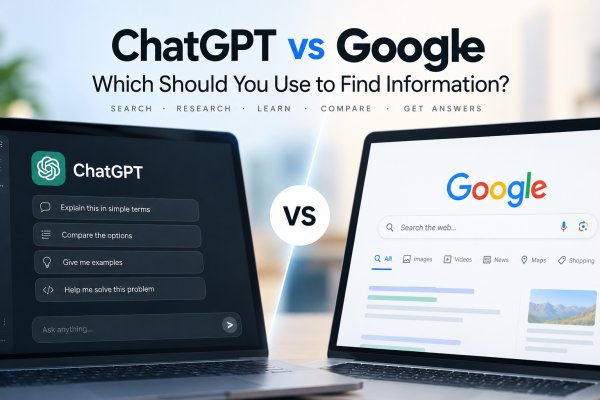
For years, searching the internet followed a familiar pattern.
You typed something into Google.
Google showed you a page of results.
You opened several websites, read them and tried to piece together an answer.
ChatGPT introduced a different experience.
Instead of giving you a list of pages, it could respond directly:
Explain why mortgage rates rise when interest rates increase.
Then you could continue:
Explain that in simpler terms.
And then:
Give me an example using a $300,000 mortgage.
That difference made the original ChatGPT vs Google comparison seem straightforward.
Google searched.
ChatGPT answered.
But that distinction is no longer enough.
ChatGPT can now search the web when current information is useful and provide links to relevant sources. Google, meanwhile, increasingly incorporates generative AI into Search, including AI-generated summaries and conversational follow-up experiences.
The two products still approach information differently, but the boundary between "search engine" and "AI assistant" has become much less rigid.
So the useful question isn't simply:
Is ChatGPT better than Google?
It's:
What kind of information task are you trying to complete?
ChatGPT vs Google: The Short Answer
ChatGPT and Google can both help you find information, but they approach the task from different directions.
Google Search is fundamentally built around discovering and organizing information from the web.
ChatGPT is fundamentally built around understanding requests and generating useful responses through conversation, with the ability to use tools such as web search when appropriate.
In practice, that means Google is often useful when you want to:
- Find a particular website
- Discover original sources
- Browse multiple perspectives
- Check current products or services
- Explore local information
- Navigate the web
ChatGPT is often useful when you want to:
- Understand a difficult topic
- Ask follow-up questions
- Summarize information
- Compare concepts
- Work through a problem
- Transform information into another format
- Analyze documents or provided material
But there is considerable overlap.
Google can generate AI-assisted answers.
ChatGPT can search the web.
So the real difference increasingly lies in how each system helps you move from a question to useful information.
ChatGPT vs Google: Which Should You Use?
The better choice depends on whether your goal is to find a source, understand information, or complete a task.
| Your Goal | Better Starting Point | Why |
|---|---|---|
| Find an official website | Google Search | Direct navigation and source discovery |
| Check current information | Google Search or ChatGPT Search | Both can retrieve current sources; verify dates and original pages |
| Understand a complex concept | ChatGPT | Conversational explanations and follow-up questions |
| Compare multiple sources | Both | Search helps discover evidence; AI can help organize differences |
| Find nearby businesses | Google Search and Maps | Dedicated local discovery, maps, and business information |
| Summarize an uploaded document | ChatGPT | Can work directly with supplied material where supported |
| Debug code | Both | Search for documentation and known issues; use AI for contextual analysis |
| Research a major purchase | Both | Define requirements with AI, then verify products, specifications, and prices |
A Simple Rule
Choose Google Search first when the destination or original source matters most.
Choose ChatGPT first when explanation, iteration, or information transformation matters most.
Use both when you need current evidence and a structured interpretation of it.
Neither tool automatically guarantees that the information you receive is correct.
What Is the Main Difference Between ChatGPT and Google?
The easiest way to understand the difference is to look at the traditional information workflow.
A conventional Google search often looks like this:
Question
↓
Search results
↓
Choose websites
↓
Read information
↓
Compare sources
↓
Build your own answer
A ChatGPT interaction often looks more like:
Question
↓
AI interprets the request
↓
Relevant knowledge, context or retrieved information
↓
Generated explanation
↓
Follow-up questions
↓
Refined answer
Google historically placed more of the synthesis work on the user.
ChatGPT places more of that synthesis inside the conversation.
However, modern Google Search can also generate AI summaries, while ChatGPT can retrieve information from the web.
That means these workflows increasingly overlap.
The distinction is better thought of as a spectrum than a hard boundary.
Is ChatGPT a Search Engine?
Not in the traditional sense.
A traditional search engine discovers web content, builds an index and retrieves relevant results when someone searches.
ChatGPT is built around a language model and conversational interface.
It can generate responses using the information and context available to it.
When web search is available and appropriate, ChatGPT can also retrieve current web information and provide sources.
That gives ChatGPT search-like capabilities, but searching is only one part of what it does.
You can also use ChatGPT to:
- Rewrite text
- Explain concepts
- Analyze uploaded material
- Generate code
- Brainstorm ideas
- Organize information
- Work through multi-step problems
So describing ChatGPT simply as a search engine misses much of its purpose.
How Does Google Search Work?
Google Search is built around a massive system for discovering, organizing and retrieving information from the web.
At a simplified level, the process involves three major stages:
Crawling
Automated systems discover webpages and other web content.
Indexing
Google analyzes discovered content and stores information about it in its search index.
Serving Search Results
When someone searches, Google uses automated ranking systems to identify information considered relevant and useful for the query.
The result isn't simply a database lookup.
Search results can vary based on factors such as:
- Query meaning
- Relevance
- Content quality
- Location
- Language
- Freshness
- Device
- Search context
Google Search can also display many different result types.
Depending on the query, you may encounter:
- Traditional web links
- Featured information
- Images
- Videos
- News
- Maps
- Shopping results
- Local businesses
- AI-generated summaries
This makes Google much broader than a simple list of ten blue links.
How Does ChatGPT Find Information?
ChatGPT has a different architecture and user experience.
Depending on the question and available features, an answer may involve several kinds of context.
Model Knowledge
The underlying model can use patterns and information learned during training to generate an answer.
Current Conversation
Information you've already provided in the active conversation can affect the response.
Memory and Personalization
When relevant memory functionality is enabled, useful context from previous interactions may help personalize future responses.
Files and Provided Content
ChatGPT can work with documents, images and other material you provide when supported.
Tools
Available tools can extend what ChatGPT can do.
Web Search
When current web information is useful, ChatGPT can search the web and answer using relevant sources.
This distinction matters because not every ChatGPT answer should be assumed to come from a live internet search.
If current information matters, look for sources or explicitly request web research.
For a breakdown of training knowledge, conversation context, uploaded files, and retrieval, see Where ChatGPT Gets Its Answers.
ChatGPT vs Google for Simple Facts
Suppose you ask:
What is the capital of Japan?
Both Google and ChatGPT can handle a question like this easily.
The answer is stable and straightforward:
Tokyo.
For simple factual questions, the practical difference may be small.
But change the question:
Why did Tokyo become Japan's political center instead of Kyoto?
Now the task becomes explanatory.
Google can help you find articles and historical sources.
ChatGPT can provide a synthesized explanation and let you immediately ask:
Give me a timeline.
Then:
What role did the Meiji Restoration play?
This illustrates one of the biggest differences.
Search is excellent for finding information.
Conversation is useful for developing understanding interactively.
ChatGPT vs Google for Complex Questions
Complex questions often contain several smaller questions.
For example:
Why can inflation cause mortgage rates to rise, and how does that affect someone buying a house?
A traditional search may require several queries:
inflation interest rates
interest rates mortgage rates
mortgage rates house affordability
Then you need to connect the information.
With ChatGPT, you can ask the complete question and request an explanation structured around your level of understanding.
You can then continue:
Show me with numbers.
Or:
Explain the relationship without economics jargon.
This conversational refinement is useful when the problem isn't simply finding a webpage but understanding how several ideas connect.
ChatGPT vs Google for Current Information
This is where old comparisons between ChatGPT and Google are often misleading.
You'll still find advice online claiming:
ChatGPT doesn't have access to current information.
That is no longer a safe generalization.
ChatGPT can search the web when current information is needed and the relevant search functionality is available.
That makes it useful for questions involving:
- Recent news
- Product updates
- Current software features
- Current events
- Recent announcements
- Changing information
However, there is an important distinction.
A ChatGPT response doesn't automatically mean a web search occurred.
If freshness matters, check whether the answer includes current sources or explicitly ask ChatGPT to search.
Google Search, by contrast, is fundamentally designed around retrieving information from its search systems and index.
For highly time-sensitive information, you should still check the date and source rather than assuming that the first answer you encounter is current.
For a closer look at when ChatGPT retrieves current information, read Can ChatGPT Access the Internet?.
ChatGPT vs Google for Research
Research is one of the most interesting areas because neither tool should automatically replace the other.
Imagine you're researching:
How does remote work affect employee productivity?
Google can help you discover:
- Research papers
- University pages
- Government reports
- Company research
- News coverage
- Expert commentary
You then decide what to read and how the evidence fits together.
ChatGPT can help with a different part of the workflow.
You might ask:
What factors should I investigate when researching the relationship between remote work and productivity?
Then:
Turn those factors into research questions.
Then:
Find current sources about these questions.
Then:
Compare the methodologies used by these studies.
This turns ChatGPT into a research assistant rather than simply an answer generator.
A productive workflow often combines both discovery and synthesis.
For an evidence-first workflow, explore How to Use AI for Research.
Which Is Better for Finding Original Sources?
When you need original evidence, source discovery becomes extremely important.
Examples include:
- Academic papers
- Government reports
- Official statistics
- Product documentation
- Company announcements
- Legal documents
- Original datasets
Google is naturally useful for navigating toward these sources.
You can use searches such as:
site:gov inflation statistics
or:
site:openai.com ChatGPT search documentation
to narrow results toward particular domains.
ChatGPT with web search can also help locate relevant sources and provide links.
But whichever tool you use, don't confuse:
an AI summary of a source
with:
the source itself.
For consequential research, open the original material and check whether it actually supports the claim you're making.
ChatGPT vs Google for Accuracy
This comparison is often oversimplified into:
Google gives facts. ChatGPT makes things up.
Reality is more complicated.
ChatGPT can generate incorrect information.
Potential problems include:
- Hallucinated facts
- Incorrect citations
- Misinterpreted sources
- Outdated information
- Overconfident explanations
But Google Search doesn't guarantee that every page it returns is correct either.
Search results can lead to:
- Outdated articles
- Poor-quality content
- Misleading claims
- Biased sources
- Incorrect forum posts
- Pages optimized for search rather than accuracy
The important difference is often the failure mode.
ChatGPT can synthesize an incorrect statement into a fluent answer.
Google can lead you to an incorrect source and leave you to evaluate it.
Neither eliminates the need for critical thinking.
For task-specific accuracy considerations, read How Reliable Is ChatGPT?.
How to Compare ChatGPT and Google for Your Own Research
A meaningful comparison should use the same information task and clear evaluation criteria.
Step 1: Choose Three Representative Questions
For example:
-
Find the latest official documentation for a software feature.
-
Explain a complex topic using authoritative sources.
-
Compare conflicting claims from multiple publications.
Step 2: Test Both Workflows
Use Google Search to locate and inspect relevant sources.
Use ChatGPT with web search enabled, where available, to answer the same questions.
Record the test date, relevant settings, and whether AI-assisted search features were used.
Step 3: Evaluate the Results
| Criterion | What to Check |
|---|---|
| Source quality | Did the workflow find authoritative and relevant sources? |
| Factual support | Are the main claims supported by the original pages? |
| Freshness | Are dates and versions appropriate for the question? |
| Completeness | Were important qualifications or disagreements missed? |
| Usability | How easily could you reach a useful, verifiable result? |
| Time and effort | How much manual searching, reading, and correction was required? |
Step 4: Decide by Task
You may find that Google is more convenient for direct source discovery while ChatGPT is more convenient for explaining and organizing information.
Your results may differ by question, product features, and experience.
This is a suggested evaluation procedure, not a benchmark conducted by Hozaki.
Why AI Hallucinations Change the Comparison
Generative AI produces responses by generating language.
That allows ChatGPT to create explanations rather than merely retrieve existing sentences.
It's also why an answer can sound convincing even when part of it is unsupported.
This phenomenon is commonly called an AI hallucination.
For example, an AI might provide:
- A nonexistent research paper
- An incorrect date
- A fabricated quotation
- A source that doesn't support the claim
- An explanation built on a false premise
Web search and retrieval can reduce some of these risks by grounding answers in external information.
They don't make verification unnecessary.
For important facts, inspect the source.
Learn more in AI Hallucinations Explained.
ChatGPT vs Google for Learning
Suppose you're learning recursion in programming.
With Google, you can find:
- Tutorials
- Videos
- Documentation
- Stack Overflow discussions
- University material
That variety is valuable.
But perhaps the first tutorial is too technical.
With ChatGPT, you can say:
Explain recursion to someone who understands loops but hasn't learned recursion.
Then:
Give me a Python example.
Then:
Walk through every function call.
Then:
Now give me a practice problem without showing the answer.
That adaptive interaction is particularly useful for learning.
Google helps you discover educational resources.
ChatGPT can adapt an explanation to your questions as they develop.
Using both can be more useful than treating them as substitutes.
ChatGPT vs Google for Coding
Developers already use both search and AI extensively.
Google can be especially useful for finding:
- Official documentation
- GitHub repositories
- API references
- Error discussions
- Stack Overflow pages
- Framework documentation
ChatGPT can help with:
- Explaining code
- Generating examples
- Debugging
- Refactoring
- Understanding errors
- Comparing approaches
- Writing tests
Consider an unfamiliar error.
With Google, you might search the exact error message and discover several discussions.
With ChatGPT, you can provide:
- The error
- Relevant code
- Expected behavior
- Environment information
and ask for an explanation specific to your situation.
But generated code still needs testing.
An AI can produce code that looks correct while containing logical, security or compatibility problems.
ChatGPT vs Google for Products and Shopping Research
Product research combines current information, specifications, reviews and personal requirements.
Google is useful for finding:
- Product pages
- Retailers
- Prices
- Reviews
- Specifications
- Videos
- Community discussions
ChatGPT can help you organize the decision.
For example:
I need a laptop for Python development and occasional video editing. I care more about battery life than gaming performance. What specifications should I prioritize?
That's a requirements-analysis problem.
You can then use current web information to investigate products matching those requirements.
The strongest workflow often looks like:
Define requirements
↓
Discover products
↓
Check current specifications and prices
↓
Compare trade-offs
↓
Verify before purchasing
ChatGPT vs Google for Local Information
Local search has traditionally been one of Google's strongest information ecosystems.
People use Google to find:
- Restaurants
- Shops
- Opening hours
- Directions
- Reviews
- Nearby services
- Maps
- Contact details
ChatGPT can also search for local information when relevant functionality is available and can be particularly useful when the request contains several constraints.
For example:
Find Japanese restaurants near my hotel that are suitable for a group of six and explain the differences between them.
The conversational format makes it easier to refine the request:
Only show places open after 10 p.m.
Then:
Which ones are within walking distance?
For local decisions, current business information still matters.
Opening hours, availability and locations can change, so verify important details before traveling.
ChatGPT vs Google for Navigational Searches
Sometimes you don't want an answer.
You want a website.
Examples:
YouTube
OpenAI documentation
Gmail login
IRS website
Python documentation
These are navigational searches.
A traditional search engine is naturally suited to them because the goal is simply to reach a destination.
Asking an AI to explain the destination first can add unnecessary steps.
This is a good example of why more intelligence isn't automatically more useful.
Sometimes the best interface is simply a link.
ChatGPT vs Google for Comparing Multiple Sources
Suppose you're researching a controversial or complicated technical question.
Google allows you to inspect different sources independently.
That can be valuable because disagreement is visible.
You might find:
- An official statement
- Independent analysis
- Academic research
- Critical commentary
- Community experience
ChatGPT can help synthesize multiple sources, especially when web research is available.
But synthesis creates another risk:
Important disagreements can become compressed into a smooth summary.
When differences between sources matter, ask explicitly:
Which sources disagree, and what exactly do they disagree about?
Then inspect the underlying sources yourself.
Google Search Is Becoming More Conversational
Another reason the ChatGPT vs Google comparison is changing is that Google itself increasingly uses generative AI.
Google Search now includes AI experiences that can:
- Generate summaries
- Handle more complex questions
- Support follow-up exploration
- Surface relevant websites alongside AI-generated information
So the old model:
Google = search results
ChatGPT = AI answers
is becoming outdated.
Both products increasingly combine retrieval and generation.
Their histories and interfaces remain different, but their capabilities increasingly overlap.
Google AI Overviews vs AI Mode
Google Search includes AI-assisted experiences, but they are not all the same.
AI Overviews can present AI-generated summaries for eligible searches, alongside links that help users explore the underlying information.
AI Mode provides a more conversational search experience for supported users and regions. It is designed for complex questions and follow-up exploration, while retaining connections to web sources.
These experiences make Google Search more than a list of webpages. They also narrow the historical difference between Google and ChatGPT.
However, an AI-generated summary in Google Search should not be treated as automatically verified. The linked pages still need to support the relevant claims.
What Still Makes the Workflows Different?
Google Search remains closely connected to web discovery, navigation, and its wider search ecosystem.
ChatGPT can combine conversation, writing, explanation, document analysis, and available tools within one assistant experience.
Both products continue to evolve. Features and availability may differ by region, account, and product version.
For current information, consult Google Search Help and OpenAI's ChatGPT Search documentation.
ChatGPT Is Becoming More Search-Oriented
The same convergence is happening from the other direction.
ChatGPT started primarily as a conversational AI experience.
It can now search the web for current information and provide relevant source links.
That means a ChatGPT interaction can increasingly involve:
Ask
↓
Search
↓
Retrieve
↓
Synthesize
↓
Cite
↓
Follow up
This is much closer to a research workflow than the early chatbot experience.
The practical result is that "ChatGPT vs Google" is becoming less about choosing one technology category and more about choosing an interface and workflow for a particular task.
When Google Search Makes More Sense
Google can be particularly useful when your goal is discovery and navigation.
Examples include:
You Know What Website You Want
You simply need to reach a specific destination.
You Want to Browse Many Sources
You want to inspect multiple perspectives independently.
You Need Original Documentation
You want the official page rather than a summary.
You Need Local Search
Maps, businesses, reviews and directions are central to the task.
You Want to Explore the Web
Sometimes you don't know exactly what you're looking for and browsing is part of the discovery process.
You Need to Inspect Search Results Yourself
For some research tasks, seeing what sources exist is more important than receiving a synthesized answer immediately.
When ChatGPT Makes More Sense
ChatGPT can be particularly useful when the task involves interpretation or transformation.
Examples include:
You Need an Explanation
Explain OAuth to a beginner.
You Need Follow-Up Questions
Now explain the security risk you mentioned.
You Need Information Reorganized
Turn this report into a table.
You Need a Summary
Summarize the main arguments in this document.
You Need Help Thinking Through a Problem
What assumptions am I making in this analysis?
You Need Several Steps Combined
Research the topic, compare the options and organize the findings.
In these cases, conversation itself becomes part of the interface.
Why ChatGPT and Google Can Work Better Together
Treating ChatGPT and Google as mutually exclusive tools misses one of the most useful workflows.
You can combine them.
Step 1: Use ChatGPT to Understand the Topic
Ask:
What should I understand before researching this subject?
This helps identify terminology, subtopics and questions.
Step 2: Search for Original Sources
Use Google or web search to locate:
- Official documentation
- Research
- Data
- Primary sources
- Independent perspectives
Step 3: Use ChatGPT to Analyze the Material
Provide the relevant information and ask:
Compare the arguments.
Or:
Identify where these sources disagree.
Step 4: Verify Important Claims
Return to the original sources.
Check:
- Numbers
- Dates
- Quotations
- Research findings
- Product features
- Important conclusions
Step 5: Use AI for Synthesis
Once the evidence is established, AI can help organize it into:
- Notes
- Tables
- Summaries
- Outlines
- Questions
- Comparisons
This workflow takes advantage of both retrieval and synthesis.
For a structured verification process, follow How to Check Whether an AI Answer Is Actually True.
ChatGPT vs Google: Key Differences
| Area | ChatGPT | Google Search |
|---|---|---|
| Core experience | Conversational AI | Web search and discovery |
| Typical output | Generated response | Search results plus search features |
| Follow-up questions | Built around conversation | Increasingly supported in AI search experiences |
| Web discovery | Available through search capabilities | Fundamental part of the product |
| Explanation | Can generate tailored explanations | Helps locate explanations and can provide AI summaries |
| Current information | Can retrieve current web information when search is used | Search systems continuously discover and organize web information |
| Source discovery | Can provide sources when using web search | Core strength |
| Primary-source research | Can help locate sources | Strong for direct web discovery |
| Synthesis | Built into the conversational experience | Increasingly available through AI features |
| Documents | Can directly analyze provided files where supported | Primarily helps discover web-accessible material |
| Local information | Can retrieve and synthesize local information | Deep search and mapping ecosystem |
| Navigation | Can provide destinations | Particularly efficient |
| Personal context | Can use conversational context and available personalization | Uses its own search and account context |
| Main information risk | Generated claims may be inaccurate | Retrieved sources may themselves be inaccurate |
Is ChatGPT Better Than Google?
There isn't a useful universal answer because the tools solve overlapping but different information problems.
If your task is:
Find the official Python documentation.
A search engine is a natural fit.
If your task is:
Explain this Python documentation to me and create three examples.
A conversational AI interface becomes useful.
If your task is:
Find the current documentation, explain it and compare it with the previous version.
The strongest workflow may involve both search and AI synthesis.
Instead of asking:
Which tool is better?
ask:
Am I trying to find, understand, verify, transform or act on information?
That question usually points toward the more useful workflow.
Frequently Asked Questions
What is the difference between ChatGPT and Google?
Google Search is fundamentally designed to discover, organize and retrieve information from the web. ChatGPT is a conversational AI system designed to understand requests and generate responses, with web search and other tools available for tasks that require them.
Is ChatGPT a search engine?
ChatGPT isn't a traditional search engine, although it can search the web and provide current information with sources when web search is used.
Does ChatGPT search Google?
You shouldn't assume that a ChatGPT web search means it simply sends your question to Google. ChatGPT has its own search experience and may use web search systems and information sources available to the product.
Can ChatGPT access current information?
Yes. ChatGPT can search the web for current information when web search is available and appropriate. Check the sources when freshness matters.
Is Google more accurate than ChatGPT?
Accuracy depends on the question and evidence. ChatGPT can generate incorrect information, while Google can return webpages containing inaccurate or outdated information. Important claims should be verified against reliable sources.
Is ChatGPT better than Google for research?
They can support different parts of research. Google is useful for discovering web sources, while ChatGPT can help formulate questions, explain concepts, synthesize material and analyze information. Combining discovery, synthesis and source verification is often a strong research workflow.
Which is better for students?
That depends on the task. Search can help students find original educational resources, while ChatGPT can provide adaptive explanations and practice. Students should verify important factual claims and follow their school's rules regarding AI use.
Which is better for coding?
Google is useful for locating documentation, repositories and existing discussions. ChatGPT can explain, generate and debug code conversationally. Developers often use both and should test AI-generated code before relying on it.
Can ChatGPT replace Google?
The products increasingly overlap, but they still support different workflows. Search, navigation, source discovery, conversational synthesis and task completion are not identical problems.
Should I use ChatGPT or Google to fact-check something?
Start with the claim, then locate strong original or authoritative evidence. Either tool can help you find sources, but the verification should come from the evidence itself rather than from assuming the tool's answer is correct.
A Better Way to Think About ChatGPT vs Google
The most useful difference isn't:
AI vs search.
It's:
What happens after you ask the question?
Google traditionally helps you move from:
Question → Sources
ChatGPT helps you move from:
Question → Explanation → Follow-up → Synthesis
Modern versions of both products increasingly overlap in the middle.
Google is becoming more conversational.
ChatGPT is becoming more capable of web discovery.
That leaves users with something better than a winner-takes-all competition.
You can choose the workflow that matches the task.
Use search when you need to discover and inspect the web.
Use conversational AI when you need help understanding, organizing or working with information.
And when accuracy matters, combine the two:
Find the evidence. Understand it. Then verify it.
Comments 0