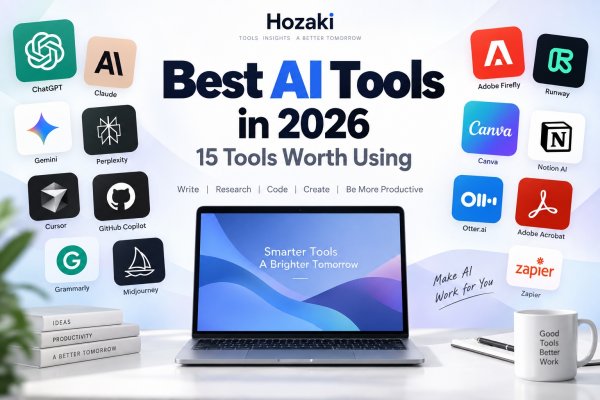
AI tools are everywhere now. The difficult part is no longer finding one—it's figuring out which tools are actually useful for the work you need to do.
Some AI tools are excellent for writing but mediocre at research. Others are built specifically for coding, image generation, meetings, PDFs, or automation. And paying for several tools that do essentially the same thing can quickly become expensive.
This guide breaks down 15 of the best AI tools in 2026 by use case, from general-purpose assistants such as ChatGPT and Claude to specialized tools for coding, research, images, video, meetings, documents, and automation.
The goal isn't to collect as many AI subscriptions as possible. It's to find the few tools that genuinely fit your workflow.
Hozaki note: AI products change quickly. Features, usage limits, models, and pricing in this guide should be checked against the provider before subscribing.
Best AI Tools at a Glance
| Best for | AI tool | Free option | What stands out |
|---|---|---|---|
| Overall | ChatGPT | Yes | Versatile all-in-one assistant |
| Writing & long-form work | Claude | Yes | Strong document and writing workflows |
| Google users | Gemini | Yes | Google ecosystem integration |
| Research | Perplexity | Yes | AI-powered web research |
| AI coding editor | Cursor | Yes | Agentic coding environment |
| Developer workflows | GitHub Copilot | Yes | Deep development workflow integration |
| Everyday writing | Grammarly | Yes | Editing, rewriting and tone |
| AI images | Midjourney | No | Image generation |
| Creative workflows | Adobe Firefly | Yes | Adobe-centered generative creation |
| AI video | Runway | Limited/plan dependent | Generative video workflows |
| Design | Canva | Yes | Accessible AI-assisted design |
| Workspace productivity | Notion AI | Limited trial | Workspace AI and knowledge search |
| Meetings | Otter.ai | Yes | Transcription and meeting notes |
| PDFs | Adobe Acrobat AI Assistant | Plan dependent | AI inside PDF workflows |
| Automation | Zapier | Yes | AI-powered workflow automation |
Plans and usage limits change frequently. For example, Cursor currently offers a free Hobby plan and $20/month Pro plan; GitHub Copilot currently has Free, $10 Pro, $39 Pro+ and $100 Max individual tiers; Midjourney's plans currently begin at $10/month.
Which Type of AI Tool Do You Actually Need?
The most useful way to choose an AI tool is to start with the output you need—not the brand or the number of features advertised.
| Your Main Task | Tools Worth Evaluating | What to Test Before Choosing |
|---|---|---|
| Drafting and revising documents | ChatGPT, Claude, Grammarly | Editing quality, instruction-following, document handling |
| Researching topics with web sources | Perplexity, ChatGPT, Gemini | Source relevance, citation accuracy, freshness |
| Writing and modifying code | Cursor, GitHub Copilot | Repository context, change review, test execution |
| Generating creative images | Midjourney, Adobe Firefly | Image control, licensing terms, export requirements |
| Creating presentations and social graphics | Canva | Editable output, templates, brand controls |
| Producing AI video | Runway | Output consistency, editing controls, usage credits |
| Working with knowledge inside a workspace | Notion AI | Workspace permissions, retrieval quality, integration |
| Transcribing meetings | Otter.ai | Transcript accuracy, speaker identification, consent requirements |
| Understanding PDF documents | Adobe Acrobat AI Assistant | Source references, document accuracy, file handling |
| Automating work between applications | Zapier | Trigger reliability, permissions, error handling, ongoing costs |
Three Questions Before Paying
1. Can the tool complete your actual task?
Use a representative example rather than relying only on a product demonstration.
2. Can you verify or correct the result?
For research, inspect sources. For code, run tests. For generated images and videos, check licensing and output requirements. For automation, test failure handling.
3. Does the paid plan solve a real limitation?
Compare the features and usage limits that matter to you. Avoid subscribing to multiple overlapping tools unless each has a distinct role in your workflow.
A useful starting setup is one general-purpose AI assistant plus a specialist tool when your work genuinely requires it. That is a practical suggestion, not a universal requirement.
The Best AI Tools in 2026
1. ChatGPT — Best Overall
Best for: General AI tasks
Free option: Yes
Good fit for: Writing, research, coding, files, brainstorming and everyday AI use
ChatGPT remains one of the easiest places to start if you want one AI tool that can handle many different kinds of work.
Rather than specializing in a single task, it can help draft and rewrite text, analyze uploaded documents, work through coding problems, research topics, generate or work with images, and answer everyday questions.
That versatility matters.
Someone who needs occasional help with an email, a spreadsheet, a PDF and a coding question may get more value from one general-purpose assistant than four narrowly specialized AI products.
What it does well
- Broad range of tasks
- Easy conversational interface
- Writing and brainstorming
- File and data workflows
- Coding assistance
- Multimodal workflows
Where it falls short
Its breadth also means that a specialist product can sometimes offer a better workflow for a specific task. Developers, for example, may prefer an AI-native coding environment, while users doing citation-heavy web research may prefer a research-focused tool.
Who should use it?
People who want a versatile AI assistant without having to switch between several products.
Who should skip it?
Users whose work is almost entirely centered on one specialist workflow, such as professional AI video production or IDE-based coding.
Related Hozaki guides: ChatGPT Review → ChatGPT Alternatives → ChatGPT vs Claude → ChatGPT vs Gemini.
2. Claude — Best for Writing and Long-Form Work
Best for: Writing, documents and long-form knowledge work
Free option: Yes
Good fit for: Writers, researchers, analysts and developers
Claude is particularly useful when your AI workflow revolves around text, documents and extended conversations.
It's a strong fit for tasks such as rewriting a long draft, working through a document, organizing complex information or developing an idea across multiple iterations.
Claude has also expanded well beyond simple chat. Its current plans include capabilities around web search, file creation, code execution and connectors, while paid tiers extend into features such as Research and coding workflows.
The important distinction is that Claude shouldn't be thought of simply as “another ChatGPT.”
Its appeal is strongest when the work itself is document-heavy.
What it does well
- Long-form writing
- Editing and rewriting
- Document-oriented work
- Complex instructions
- Coding assistance
- Research workflows
Where it falls short
If your priorities are heavily centered on image generation or a broad multimedia ecosystem, another general-purpose platform may fit better.
Who should use it?
Writers, analysts, developers and anyone regularly working with large amounts of text.
Related guides: Claude Review → ChatGPT vs Claude → Claude vs Gemini → Claude vs ChatGPT for Coding → Best AI Writing Tools.
3. Gemini — Best for Google Users
Best for: People already using Google's ecosystem
Free option: Yes
Good fit for: Google-centric personal and work workflows
Gemini makes the most sense when AI isn't a standalone destination but part of a wider Google workflow.
For people already spending their day around Google products, that ecosystem can matter more than a small difference in benchmark performance.
The useful question isn't simply:
Is Gemini better than ChatGPT?
It's:
Does Gemini fit the apps, information and workflow I already use?
That's why we position Gemini as the Google ecosystem pick rather than trying to declare it universally better or worse than every competing assistant.
What it does well
- Google-oriented workflows
- General AI assistance
- Research and information tasks
- Multimodal use
- Convenient fit for existing Google users
Who should use it?
People already deeply invested in Google's products and services.
Related guides: Gemini Review → ChatGPT vs Gemini → Claude vs Gemini → Best AI Tools.
4. Perplexity — Best for Research
Best for: Web research and information discovery
Free option: Yes
Good fit for: Research-heavy users who want sources
Perplexity takes a different approach from a traditional chatbot.
Its strongest use case is finding and synthesizing information from the web.
That makes it particularly useful when you don't just want an answer—you want to understand where the information came from and continue investigating it.
Its current free Standard plan includes basic searches, limited Pro Searches and limited file uploads, while higher tiers expand access to advanced models and research capabilities.
What it does well
- Web research
- Source discovery
- Follow-up questions
- Quick topic exploration
- Research-oriented workflows
Where it falls short
For creative writing, general productivity or broader multimodal work, a general assistant may be a better first subscription.
Who should use it?
Researchers, students, marketers, journalists and knowledge workers who regularly investigate topics online.
Related guides: Perplexity Review → ChatGPT vs Perplexity → Best AI Tools for Research.
5. Cursor — Best AI Coding Editor
Best for: AI-assisted software development
Free option: Yes
Paid plans: Pro currently starts at $20/month
Pricing note: AI subscription plans, model access, usage credits, and feature limits can change frequently. Free access may also differ from a time-limited trial. Before subscribing, check the provider's official pricing page and confirm that the features you need are included in the plan you intend to purchase. Any prices mentioned in this guide should be interpreted as time-sensitive information rather than permanent product specifications.
Cursor is different from asking a chatbot to produce an isolated code snippet.
It's designed around coding itself.
Its free Hobby tier currently provides limited Agent requests and access to Composer. Pro adds extended Agent limits, frontier models, cloud agents and additional development capabilities.
That makes Cursor interesting for developers who want AI working with their coding environment and project context rather than constantly copying code between an editor and a browser tab.
What it does well
- AI-native coding workflow
- Codebase-aware assistance
- Agent-based development
- Developer-focused interface
Who should use it?
Developers who want AI integrated deeply into the process of writing and changing code.
Related: Best AI Tools for Coding → Claude vs ChatGPT for Coding.
6. GitHub Copilot — Best for Existing Developer Workflows
Best for: Developers already working in established coding environments
Free option: Yes
Pro: Currently $10/month
GitHub Copilot remains an important alternative to AI-native editors because it can fit into development workflows developers already use.
The current Free tier includes 2,000 completions per month and limited chat/agent usage. Copilot Pro is $10/month and adds unlimited code completion, code review and cloud-agent capabilities, while higher tiers increase AI usage and premium model access.
The distinction from Cursor is useful:
Cursor: start with an AI-oriented editor.
Copilot: bring AI into an established developer workflow.
Who should use it?
Developers who want AI coding assistance without fundamentally changing the way they already work.
7. Grammarly — Best for Everyday Writing Assistance
Best for: Editing and improving everyday writing
Free option: Yes
Pro: $30/month monthly, or currently $12/month per member when billed annually
Grammarly isn't trying to replace a general-purpose assistant.
Its strength is being present while you are already writing.
It can catch writing mistakes, show tone information and help generate or rewrite text. Grammarly's current Free plan includes 100 AI prompts, while Pro increases that to 2,000 and adds features such as full-sentence rewriting and tone adjustment.
That makes it particularly useful for emails, workplace communication, documents and other everyday writing.
Claude vs Grammarly?
Use Claude when you want to develop or transform substantial content.
Use Grammarly when you primarily want AI helping improve writing inside your normal workflow.
8. Midjourney — Best for AI Image Generation
Best for: Generating AI imagery
Free option: No standard free subscription
Basic: $10/month
Midjourney earns its place because image generation is a sufficiently different use case from general chat.
Its current plans start at $10/month for Basic, followed by Standard at $30, Pro at $60 and Mega at $120. Standard and above include unlimited image generation in Relax Mode, while Stealth Mode is restricted to Pro and Mega.
What it does well
- AI image generation
- Creative visual exploration
- Style experimentation
- High-volume creative workflows on higher plans
If images are only an occasional part of your AI use, a general assistant may be sufficient. If image creation is central to your workflow, a specialist tool becomes much easier to justify.
Related: Best AI Image Generators.
9. Adobe Firefly — Best for Adobe Creative Workflows
Best for: Generative AI inside creative workflows
Free option: Yes
Adobe Firefly is a more natural fit for people whose AI-generated assets eventually need to become part of a broader creative workflow.
Firefly currently offers a free tier with limited generation, while paid plans provide larger pools of generative credits and expanded image, video and audio capabilities.
That makes the comparison with Midjourney less about:
Which makes prettier pictures?
and more about:
Where does the generated content go next?
For Adobe-centric creators, workflow integration can be the deciding factor.
10. Runway — Best for AI Video
Best for: Generative video
Good fit for: Creators, marketers and video teams
AI video deserves its own specialist rather than being treated as another checkbox in a general chatbot comparison.
Runway is built around generative visual and video workflows, making it more appropriate for users who want to experiment seriously with AI-generated motion content rather than occasionally creating a static image.
Who should use it?
Creators and teams for whom AI video is an actual production workflow.
Who should skip it?
People who mainly need writing, research or everyday AI assistance.
For them, paying for a specialist video platform is probably unnecessary.
11. Canva — Best for AI-Assisted Design
Best for: Everyday visual design
Free option: Yes
Canva fills a different role from Midjourney and Firefly.
Its advantage isn't simply generating an image. It's helping people turn content into usable designs—presentations, social graphics, marketing assets, documents and other visual material.
That makes Canva a particularly approachable option for people who need design output but don't necessarily consider themselves designers.
Think of the creative section this way:
Midjourney → generate imagery
Firefly → Adobe creative workflows
Canva → turn ideas into everyday designs
12. Notion AI — Best for Workspace Productivity
Best for: Knowledge and workspace AI
Free AI access: Limited trial usage on lower plans
Notion AI becomes interesting when the information you want AI to work with already lives inside your workspace.
Rather than treating AI as another browser tab, Notion integrates AI into documents, knowledge, search, meetings and workspace workflows.
Notion currently includes its core AI capabilities with Business and Enterprise plans, while other plans receive limited trial usage. Its current AI offering includes Notion Agent, AI Meeting Notes and Enterprise Search.
Who should use it?
Teams and individuals already organizing substantial work inside Notion.
Who should skip it?
Someone looking purely for the strongest standalone chatbot.
13. Otter.ai — Best for Meetings
Best for: Meeting transcription and notes
Free option: Yes
Otter solves a narrow problem—and that's exactly why it belongs here.
Instead of being another general assistant, it focuses on turning conversations and meetings into searchable information.
This makes it useful for people who spend significant time in calls, interviews, meetings or lectures.
The value calculation is straightforward:
If meetings create a lot of information you need to remember, search and act on later, meeting-specific AI can be more useful than adding another general chatbot subscription.
14. Adobe Acrobat AI Assistant — Best for PDFs
Best for: Working with PDF documents
PDFs remain a major part of business, academic and administrative workflows, which makes document-specific AI useful enough to deserve its own category.
Acrobat AI Assistant brings AI into an environment many people already use for PDFs rather than requiring every document to be moved into a separate chatbot.
Adobe currently sells AI Assistant as an addition to Acrobat plans in supported markets, although pricing varies by market and subscription.
Good fit for
- Long PDF documents
- Document questions
- Summaries
- Existing Acrobat users
- PDF-heavy workflows
Related Hozaki guides: Best AI Tools for PDFs → Best PDF Editors → Best Free PDF Editors → Adobe Acrobat Alternatives.
15. Zapier — Best for AI Automation
Best for: Automating work across apps
Free option: Yes
Professional: Currently starts at $19.99/month
Zapier represents the next step beyond simply asking AI to create something.
It can help connect AI with actual workflows across applications.
Zapier's current Free plan includes 100 tasks per month, while Professional starts at $19.99/month. The platform now explicitly positions its offering around AI orchestration alongside workflows, Tables, Forms and MCP.
Its AI steps also use model-tier-based task consumption, so automation costs can vary depending on the models and tools used.
Who should use it?
People who repeatedly move information between apps or want AI outputs to trigger actual business processes.
Who should skip it?
Someone simply looking for a chatbot.
Zapier becomes valuable when there is a workflow to automate.
How to Choose the Right AI Tool
The best AI tool isn't necessarily the one with the longest feature list.
It's the one that removes the most friction from a task you actually perform.
Start with the job, not the AI brand
Instead of asking:
Which AI is best?
Ask:
What am I trying to accomplish?
For example:
General everyday tasks → ChatGPT
Long-form writing → Claude
Research → Perplexity
Coding → Cursor or GitHub Copilot
Images → Midjourney
Meetings → Otter.ai
PDF workflows → Acrobat AI Assistant
Automation → Zapier
That single change makes comparing AI tools much easier.
Check the free plan first
Many tools in this list offer some level of free access.
Use it.
A benchmark or review can't tell you whether a product fits your personal workflow as well as actually trying it on your own tasks.
Avoid overlapping subscriptions
Paying for ChatGPT, Claude, Gemini and several specialist tools can add up quickly.
For many users, a better setup is:
one general AI assistant + one or two specialist tools.
For example:
ChatGPT + Cursor
or:
Claude + Perplexity
or:
Gemini + Canva
The exact combination depends on the work.
Consider where your data already lives
Ecosystem fit matters.
A Notion-heavy team may benefit more from Notion AI than from adding another disconnected assistant.
The same principle applies to Google, Adobe and GitHub workflows.
Recheck pricing before subscribing
AI pricing changes unusually quickly.
Plan names, model limits, credits and included features can change several times within a year. That's why Hozaki treats prices as time-sensitive information rather than permanent product specifications.
Explore AI Tools by Use Case
A general AI tools list is useful for discovering options. For a more specific decision, start with the task you need to complete.
AI Tools for Coding
Compare developer-focused assistants, coding editors, and tools for working with existing codebases.
Best AI Tools for Coding: 10 Assistants Developers Should Try in 2026
AI Tools for Writing
Explore tools for drafting, editing, rewriting, and improving different types of written content.
Best AI Tools for Writing: 10 Options for Different Types of Writers
AI Tools for Students
Find AI tools for studying, explaining concepts, organizing information, and supporting academic work.
Best AI Tools for Students: 10 Ways to Study Smarter in 2026
AI Tools for Research
Compare research-focused AI tools and learn how to evaluate the information and sources they provide.
Best AI Tools for Research: 10 Options for Finding, Checking, and Understanding Sources
AI Tools for PDFs
Explore tools for summarizing, questioning, and analyzing PDF documents.
Best AI Tools for PDFs: 10 Ways to Chat, Summarize, and Analyze Documents
AI Assistants and Alternatives
If you're choosing a general-purpose assistant rather than a specialist tool, compare the available options.
Looking for a ChatGPT Alternative? 10 AI Assistants Worth Trying in 2026
The best next step is to read the comparison that matches your task, then test one or two promising tools before committing to a paid plan.
Looking for Free AI Tools?
You don't need to start with a paid subscription.
ChatGPT, Claude, Gemini, Perplexity, Cursor, GitHub Copilot, Grammarly, Canva and several other tools on this list currently provide free access or a free tier of some kind.
The catch is that free plans often limit usage, advanced models, credits or specialist features.
Our separate Best Free AI Tools guide compares what you can actually do without paying, rather than simply listing every product with a “Free” button.
How We Evaluated These AI Tools
This list isn't intended to rank every AI product on the market.
We selected tools based on their usefulness within a specific job or workflow, then considered factors including:
Usefulness — Does the tool solve a meaningful problem?
Use-case fit — Is there a clear reason to choose it over a general AI assistant?
Ease of use — Can users get useful results without excessive setup?
Feature set — Does the product provide the capabilities expected for its category?
Free access — Can users meaningfully evaluate it before paying?
Pricing and value — Does the paid offering make sense relative to what it provides?
Workflow fit — Does it integrate naturally into the environment where the work happens?
Because AI products change rapidly, this article should be reviewed regularly rather than treated as a static annual roundup.
How to interpret our recommendations: The “Best for” labels describe our editorial assessment of each tool's intended workflow and suitability for a particular use case. They are not the results of a standardized performance benchmark across all 15 products. A coding editor, a meeting transcription tool, and an image generator perform fundamentally different tasks, so comparing them with one universal score would be misleading. Unless explicitly stated otherwise, this guide does not claim independent hands-on testing of every listed product.
Frequently Asked Questions
What is the best AI tool overall?
There isn't one AI tool that is best at every task. For broad everyday use, ChatGPT is one of the most versatile options in this guide, while specialist products can be stronger choices for tasks such as research, coding, image generation, meetings or automation.
What is the best free AI tool?
Several major AI platforms offer useful free tiers, including ChatGPT, Claude, Gemini and Perplexity. The best option depends on the task and the limits of each current free plan.
Which AI tool is best for writing?
Claude is a strong choice for long-form writing and document-heavy work, while Grammarly is particularly useful for editing and improving everyday writing inside existing workflows.
Which AI tool is best for coding?
Cursor and GitHub Copilot are two strong specialist options with different approaches. Cursor centers the development experience around an AI-enabled editor, while Copilot integrates AI into established development workflows.
Which AI tool is best for research?
Perplexity is particularly useful for web-centered research and source discovery. General AI assistants can also perform research tasks, so the better option depends on how important web sources and research workflow are to you.
Do I need more than one AI tool?
Probably not many. For most people, one general AI assistant plus one or two specialist tools is more practical than maintaining several overlapping subscriptions.
Are paid AI tools worth it?
They can be when the paid features remove a meaningful limitation from work you do regularly. Try the free tier first when available, then upgrade because of a specific need rather than simply because the product offers a premium plan.
Comments 0